19
RCD-W1
Adjustment Data Check
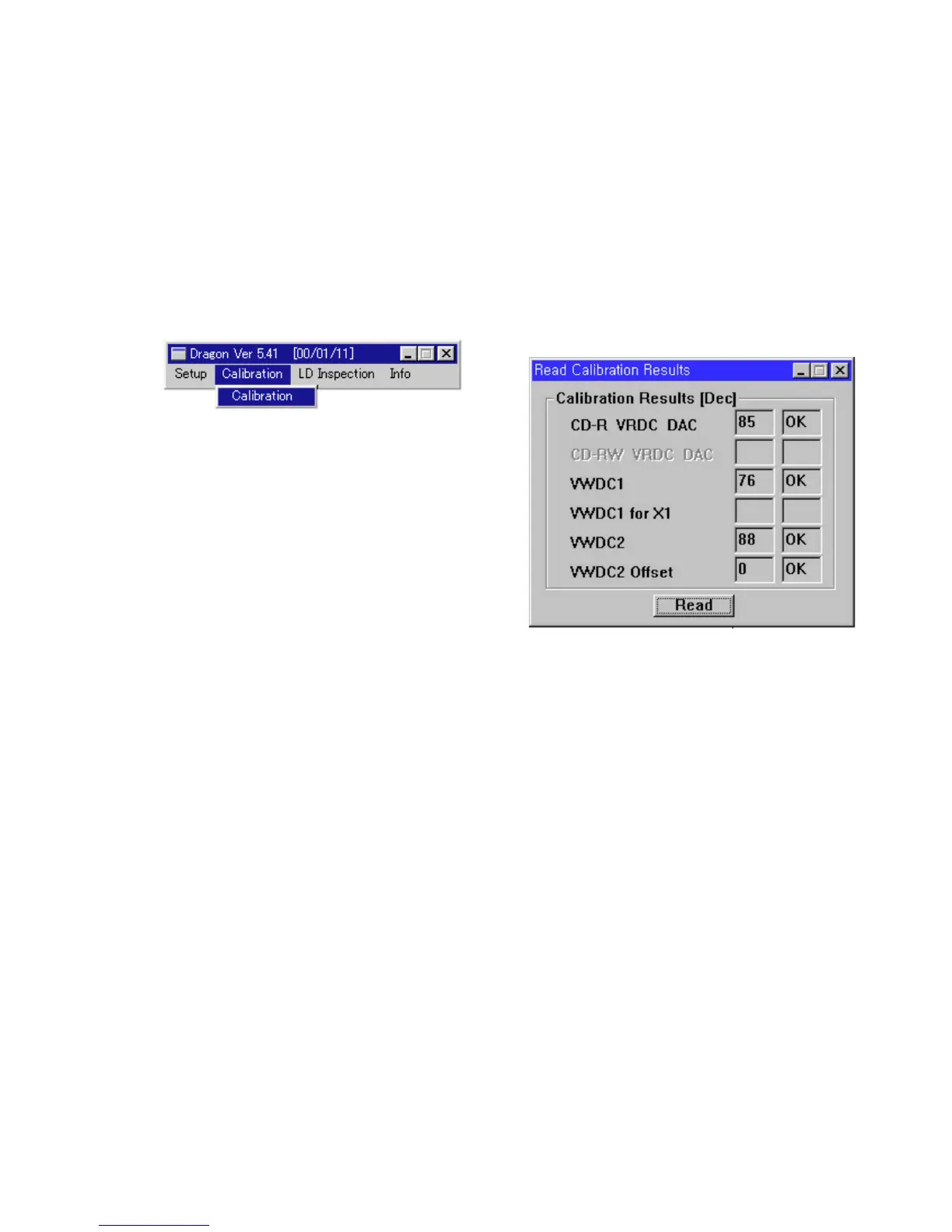
Check if the error has occurred on reading “CD-R LD POWER SETTING” value.
Procedure:
1. Select “Calibration” on “Calibration” pull-down menu, then “Read Calibration Results” window is open.
2. Click Read, then the calibration data are displayed.
3. Data specification
CD-R VRDC DAC: 30-150
VWDC1: 48-150
VWDC2: 50-126
VWDC2 Offset: 0-35
4. Click X to close “Read Calibration Results” window.
Fig 8 : Read calibration results window
Fig 7 : Calibration menu windows


 To Next Page