8(E)
Locations and Functions of Parts
D BLACK (black balance) button
Press to automatically adjust the black balance and
black set.
The button lights during adjustment and goes dark
when adjustment is completed.
If you press this button when lit or the START/
BREAK button, the automatic adjustment is canceled
and the button flashes. To stop the flashing, press the
button again.
Note
If an error occurs during adjustment, the pressed
button flashes.
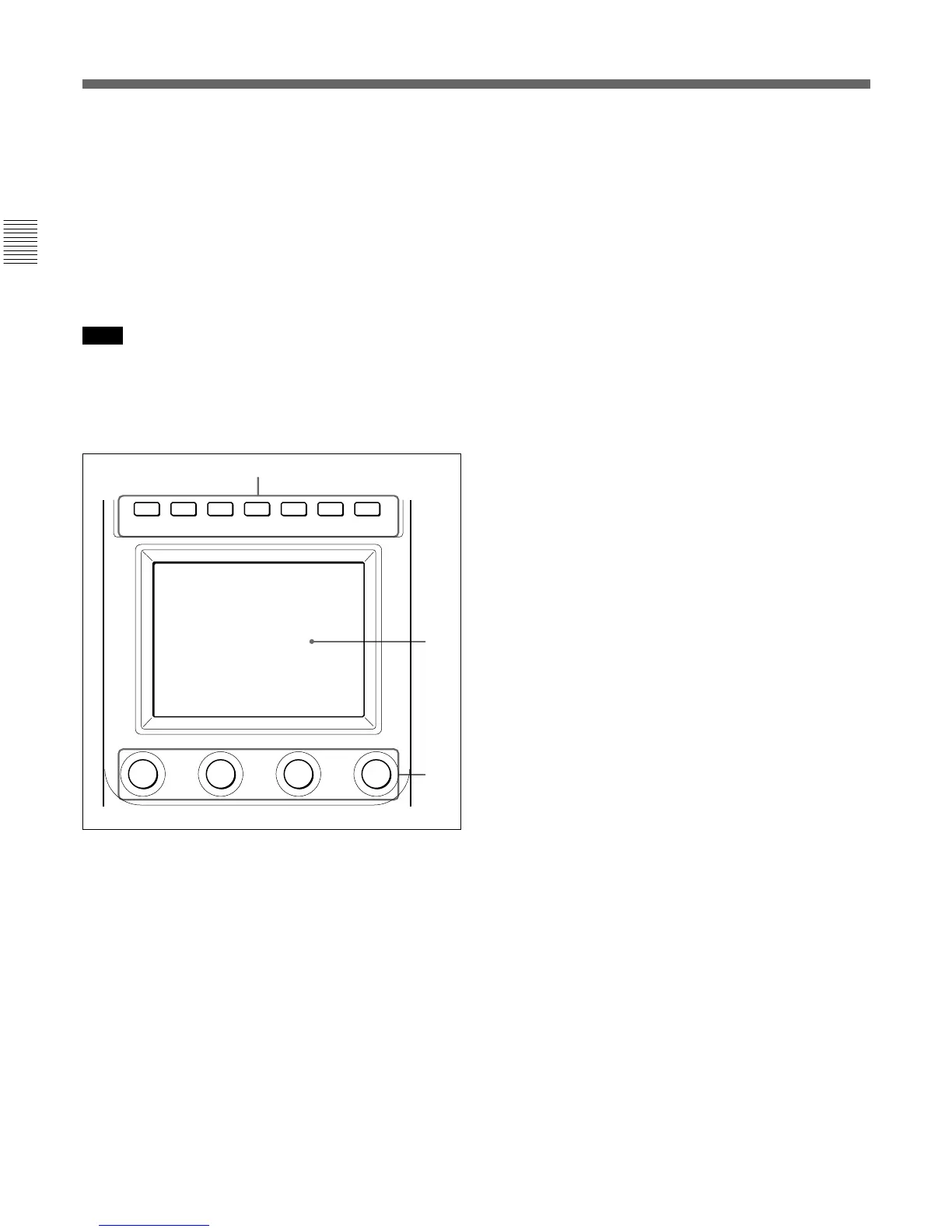
qs Menu operation block
A MODE (mode select) buttons
Select the menu mode.
If you press and light one of these buttons, the menu
for the selected mode appears on the LCD.
PAINT 1/2/3: Each selects the Paint menu to adjust
various paint items, such as white, black, and flare.
SCENE: Selects the File operation menu to register
and retrieve scene files.
MAINTENANCE: Selects the Maintenance menu to
set the H and SC phases of CCU/HDCU and
operational conditions of this control panel.
FUNCTION: Selects the Function menu to control
various camera and CCU/HDCU functions.
When none of the buttons are lit, the status display
(page 14(E)) is obtained.
For the items of each menu, see “Menu Items” on page 18(E).
B LCD/touch panel
Normally displays the statuses
(see page 14(E)).
When you press a MODE button, the corresponding
menu is displayed to permit you to adjust the displayed
items.
C Control knobs (rotary encoders)
Adjust the selected items on the touch panel.
qd DETAIL knob
Used to adjust the detail level.
You may select HD detail or SD detail using the
Maintenance menu.
See “Changing the Functions of the Rotary Encoders” on
page 27(E).
qf MEMORY STICK slot and access lamp
Insert a Memory Stick to store setting data, such as
reference files and scene files of the video camera or
CCU/HDCU.
The access lamp shows the status of the Memory
Stick.
Off: No Memory Stick is inserted.
Lit in green: There is a Memory Stick in the slot. In
this condition, you can safely eject the Memory
Stick.
Lit in red: Data are being read/written. If you eject
the Memory Stick in this condition, the data are
not guaranteed. All the data may be lost.
For details on Memory Sticks, see page 28(E).
PAINT 1 PAINT 2 PAINT 3 SCENE MAINTE
NANCE
FUNCTION
A
B
C











 To Next Page