10(E)
Locations and Functions of Parts
9 Master black control ring
Turn to manually adjust the master black level.
0 IRIS control lever
When the AUTO button is not lit, you can adjust the
iris manually by moving the lever.
When the AUTO button is lit, the reference value for
automatic iris adjustment can be set in a range of ±1f
with this lever.
See the table “Iris adjustment functions” to the right.
qa IRIS RELATIVE (iris relative) button
When the IRIS/MB ACTIVE button is lit, the iris
adjustment mode can be selected with this button.
Press and light up the button for Relative mode or
press so that it goes dark for Absolute mode.
When the IRIS/MB ACTIVE button is not lit, Relative
mode is automatically selected and this button is not
operative.
Iris adjustment functions
Relative mode Absolute mode
(RELATIVE button lit) (RELATIVE button not lit)
IRIS lever Adjusts the iris with Adjusts the iris
(RCP-750)/ relative values within within the variable
IRIS control 1/4 of the total range range set by the
(RCP-751) from OPEN to SENS and COARSE
CLOSED. controls.
COARSE Adjusts the total Sets the lower limit
control range from OPEN for CLOSED.
to CLOSED in relative
values.
SENS Does not function. Sets the upper limit
control for OPEN according
to CLOSED value
set by the COARSE
control.
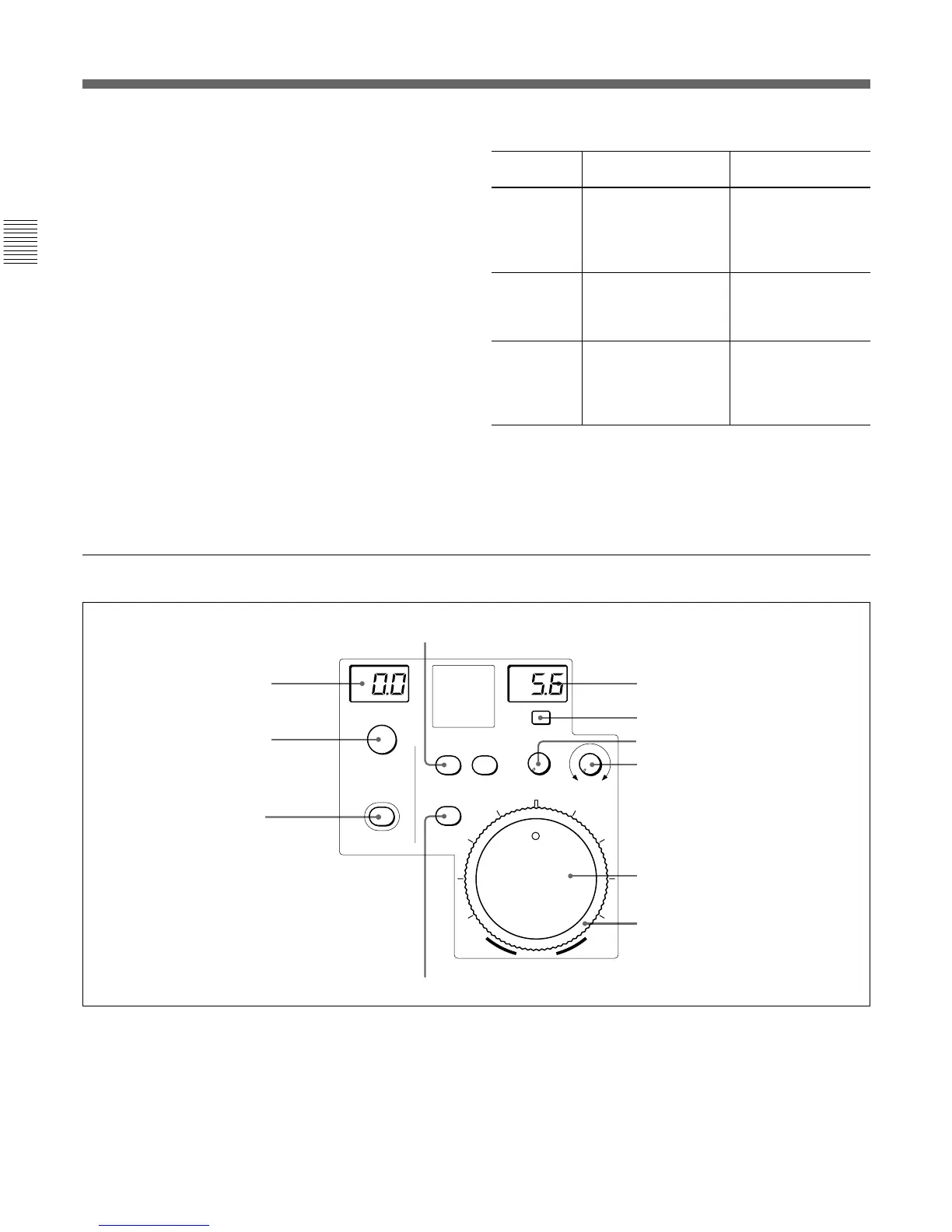
Iris/master black control block (RCP-751)
1 MASTER BLACK display
Displays the current master black setting in the range
from –99 to +99.
2 MASTER BLACK control
Manually adjust the master black level. The setting is
displayed in the MASTER BLACK display.
3 IRIS/MB ACTIVE (iris/master black active)
button
Press and light up this button to enable the iris/master
black control block of the panel.
When the PANEL ACTIVE button is pressed, this
button also lights.
If you press this button so that it goes dark, the panel
will be locked, preventing accidental misoperation.
EXT
IRIS/MB
ACTIVE
AUTO
COARSE
SENS
OPEN
CLOSE
RELATIVE
MASTER
BLACK
IRIS
0 Iris gauge
qa AUTO button
5 f-number display
6 EXT indicator
7 SENS control knob
8 COARSE control knob
9 IRIS control
1 MASTER BLACK display
2 MASTER BLACK control
3 IRIS/MB ACTIVE button
4 IRIS RELATIVE button











 To Next Page