26
To move backward:
1) Point the remote commander at the remote sensor on the front of the System (see
Figure 14).
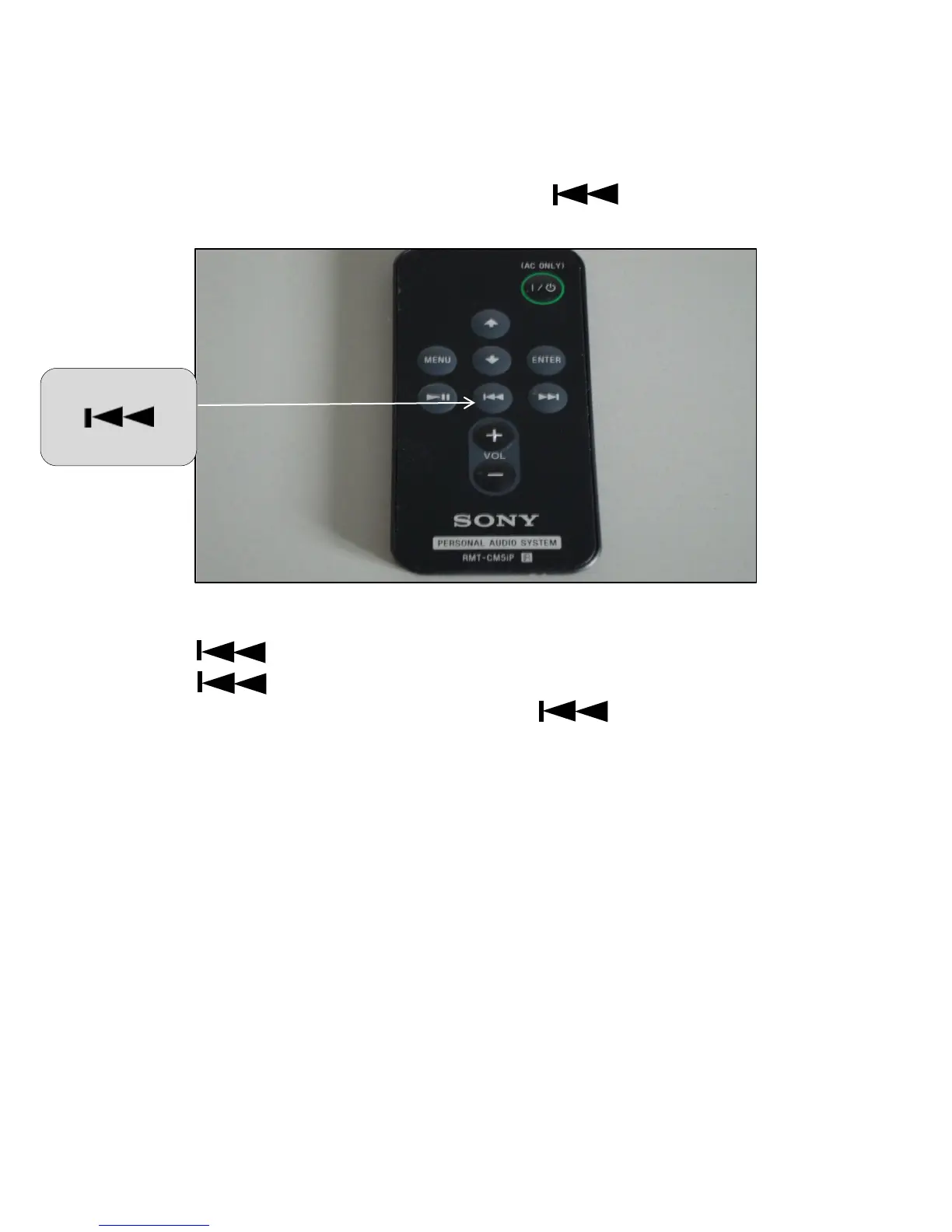
2) On the remote commander located the backward button. See Figure 19 below.
Figure 19 - Remote Commander Backward Button
3) Press once to go back one track.
4) Press and hold until you reach the desired track on your iPod or iPhone–when
you hear the track you want to listen to, release . You can also locate the
desired track from viewing your iPod or iPhone.
The System begins playing the music you selected.
To use the menu, move up and down, and enter:
1) Point the remote commander at the remote sensor on the front of the System (see
Figure 14).


 To Next Page