36
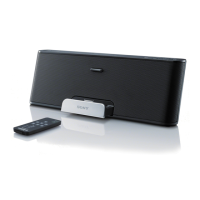
Operating the Sony Personal Audio Docking System Remotely
Problem Relates To: Adjusting the Volume for your Music
(contains a description of the
problem)
(lists the possible causes for
the problem)
(recommends resolutions for
the problem)
from the System
The iPod or iPhone is not
connected firmly to the
docking tray connector
• The volume is turned
down on the System
Remove the iPod or
iPhone from the docking
tray connector, and reseat
the iPod or iPhone on the
connector
• Use the plus volume
button on the remote
commander to increase
Problem Relates To: Powering on the System, Playing your Music, Selecting a Track to
Play from you iPod or iPhone, Adjusting the Volume of your Music, and Powering off
The remote commander does
not function
The battery in the remote
commander needs to be
replaced
• The remote commander is
not pointed at the remote
sensor on the System
• There are obstacles in the
way between the remote
commander and the
System
• You are not close enough
Replace the battery in the
remote commander with a
Sony CR2025 lithium
battery only
• Point the remote
commander at the remote
sensor on the System
• Remove the obstacles
between the remote
commander and the
System
• Move closer to the System


 To Next Page