1-35
142
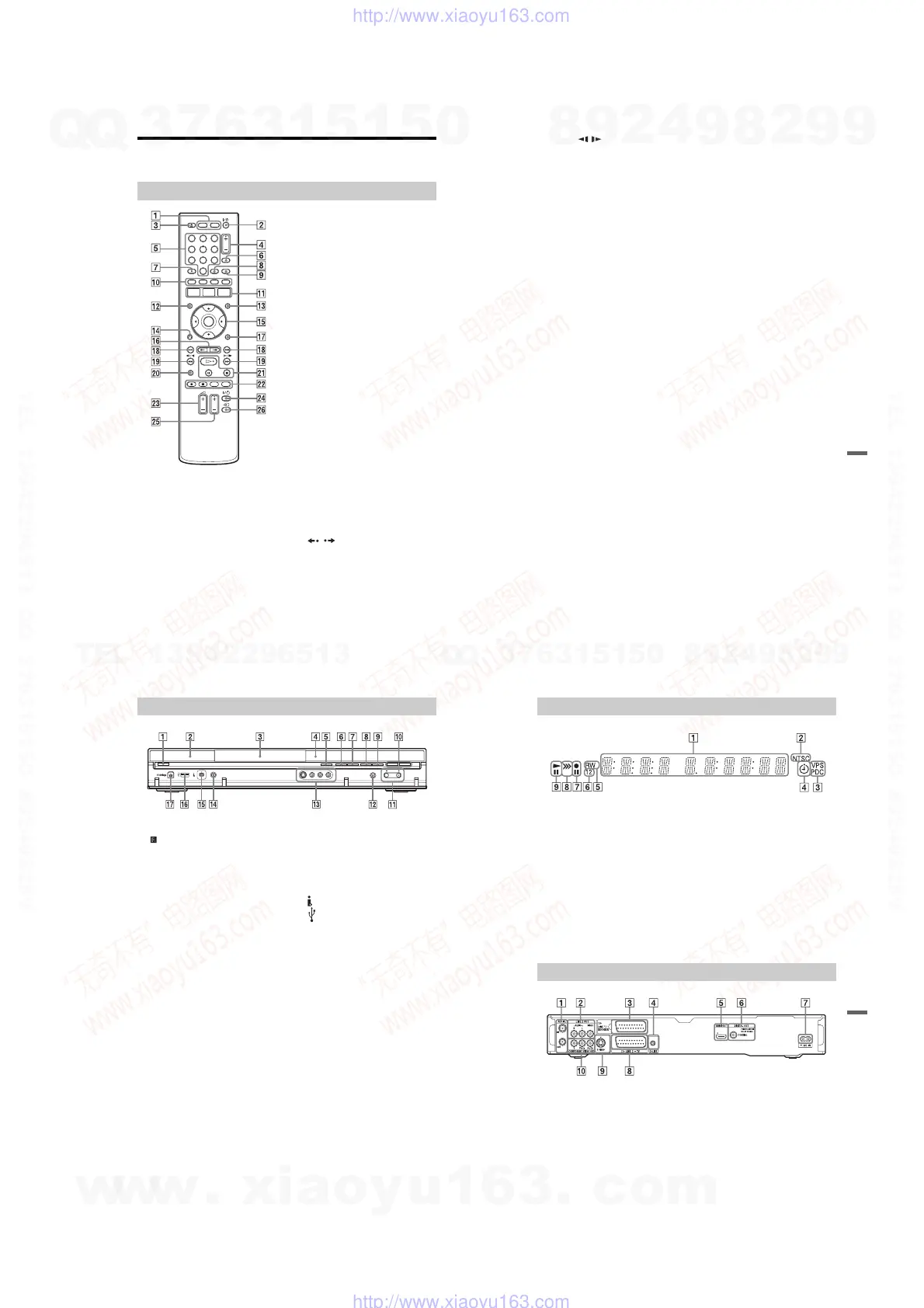
Guide to Parts and Controls
For more information, see the pages in parentheses.
A HDD button (31)
DVD button (31)
B [/1 (on/standby) button (23)
C Z (open/close) button (31)
D PROG (programme) +/– buttons (31)
The + button has a tactile dot
*
.
E Number buttons (37, 69)
The number 5 button has a tactile dot
*
.
F INPUT (input select) button (59)
G AUDIO button (62, 88)
The AUDIO button has a tactile dot
*
.
H CLEAR button (37, 64, 89, 96)
I TV/DVD button (21)
J Red button (45)
SUBTITLE/green button (45, 62)
ANGLE/yellow button (45, 60, 105)
PLAY MODE/blue button (45, 64, 69,
89, 91)
K SYSTEM MENU button (56, 65, 80,
86, 92, 98, 108)
TITLE LIST button (33, 60, 72)
TOP MENU button (60)
GUIDE button (43)
L MENU button (60)
M INFO (information) button (43)
N O RETURN button (23)
O </M/m/,/ENTER button (23)
P / (instant replay/instant
advance) buttons (62)
Q DISPLAY button
(35)
R ./> (previous/next) buttons (62,
88, 95)
PAGE +/– buttons (45)
Remote
1 2 3
4 5 6
78 9
0
143
Additional Information
S mc / CM (search/slow/
freeze frame) buttons (62, 88, 95)
DAY +/– buttons (45)
T TV PAUSE button (67)
U H (play) button (60, 88, 104)
X (pause) button (62, 88, 95, 104)
x (stop) button (60, 88, 94, 104)
The H button has a tactile dot*.
V z REC button (31)
x REC STOP button (31)
HDD/DVD DUB button (79)
REC MODE button (31)
W TV
2
(volume) +/– buttons (21)
X TV [/1 (on/standby) button (21)
Y TV PROG (programme) +/– buttons
(21)
The + button has a tactile dot
*
.
Z TV t (input select) button (21)
* Use the tactile dot as a reference when operating
the recorder.
,continued
144
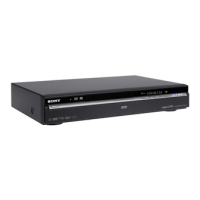
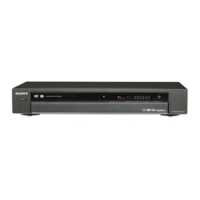
A [/1 (on/standby) button (23)
B (remote sensor) (21)
C Disc tray (31)
D Front panel display (145)
E Z (open/close) button (31)
F N (play) button (60, 88, 104)
The
N
button has a tactile dot
*
.
G x (stop) button (60, 88, 94, 104)
H z REC button (31)
I x REC STOP button (31)
J HDD button/indicator (31)
DVD button/indicator (31)
K PROGRAM +/– buttons (31)
The + button has a tactile dot
*
.
L INPUT (input select) button (59)
M LINE 2 IN (S VIDEO/VIDEO/
L(MONO) AUDIO R) jacks (27)
N ONE-TOUCH DUB button (86)
O DV IN jack (84)
P USB jack (type A) (92, 98)
Q PictBridge USB jack (type B) (106)
* Use the tactile dot as a reference when operating
the recorder.
Front panel
145
Additional Information
A Displays the following:
• Playing time
• Current title/chapter/track/index
number
• Recording time/recording mode
• Clock
• Programme position
• EPG indication (43)
“EPG” appears when receiving the
GUIDE Plus+ data.
• TV Direct Rec. indication (31):
“TV” appears in the right most two
digits.
B NTSC indicator (110, 115)
3 VPS/PDC indicator (58)
4 Timer indicator (53)
5 Disc type
Lights when a recordable DVD-R or
DVD-RW disc is loaded.
6 Command Mode indicator (127)
Displays the Command Mode of the
remote.
When the Command Mode for the
recorder is set to DVD3 (default), either
“1” or “2” does not appear.
7 Recording status
8 Dubbing direction indicator
9 Playing status
A AERIAL IN/OUT jacks (13)
B LINE 2 OUT (R-AUDIO-L/VIDEO)
jacks (16, 19)
C LINE 1/DECODER jack (26)
D G-LINK jack (14)
E HDMI OUT (high-definition
multimedia interface out) jack (16, 19)
F DIGITAL OUT (COAXIAL) jack (19)
G AC IN terminal (20)
H LINE 3 – TV jack (16)
I LINE 2 OUT (S VIDEO) jack (16)
J COMPONENT VIDEO OUT
(Y, P
B/CB, PR/CR) jacks (16)
Front panel display
Rear panel
w
w
w
.
x
i
a
o
y
u
1
6
3
.
c
o
m
Q
Q
3
7
6
3
1
5
1
5
0
9
9
2
8
9
4
2
9
8
T
E
L
1
3
9
4
2
2
9
6
5
1
3
9
9
2
8
9
4
2
9
8
0
5
1
5
1
3
6
7
3
Q
Q
TEL 13942296513 QQ 376315150 892498299
TEL 13942296513 QQ 376315150 892498299
http://www.xiaoyu163.com
http://www.xiaoyu163.com



 To Next Page