6-9
6-2-7. HDD Error Logging
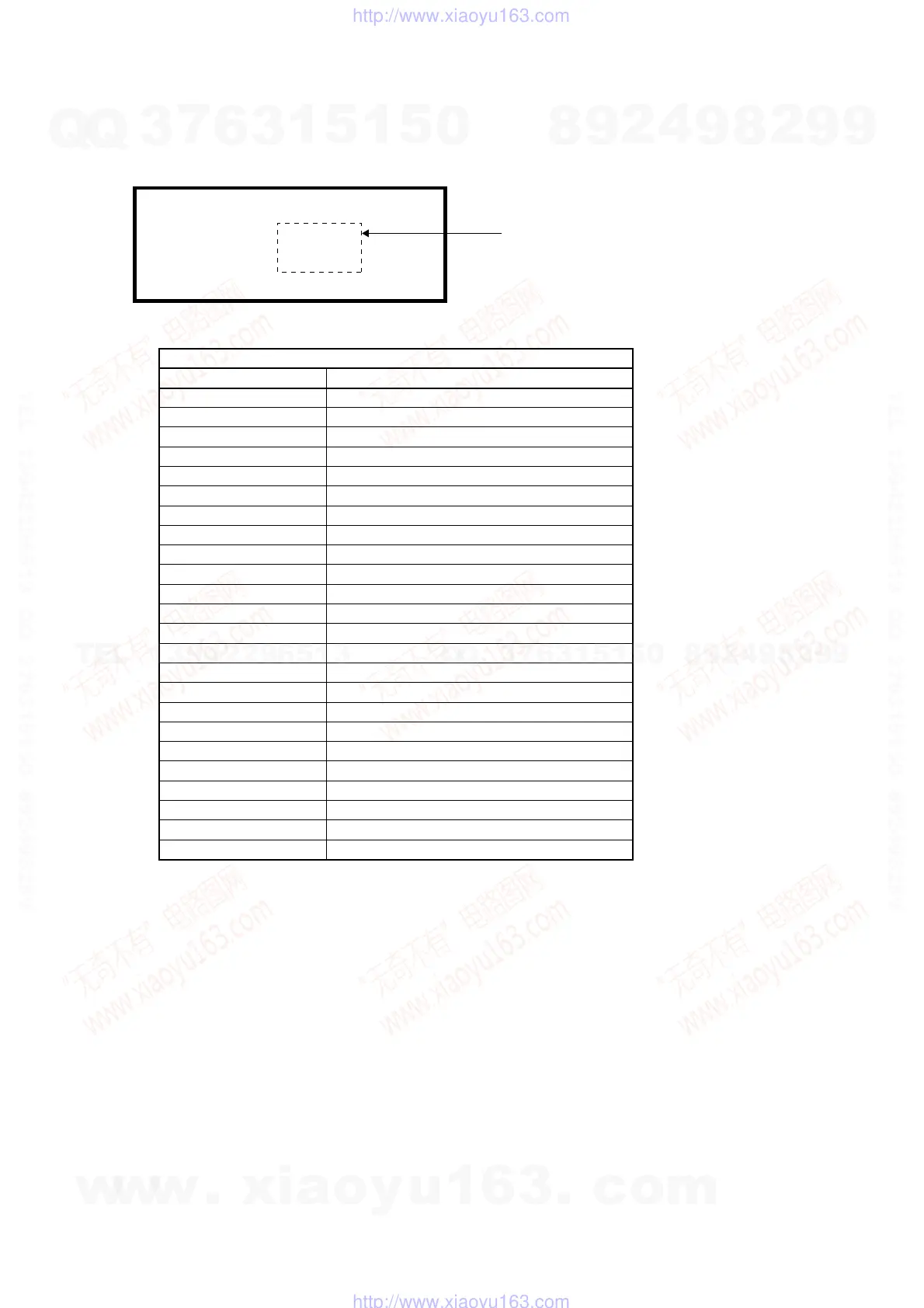
Use the following operations to display “Recording Error History”.
Press “ESC”, “DSP”, and “4” keys, followed by “DIG/ANA” key three times.
Recording Error History Display
Error Message
Buf over flow
ESFSYS CORUPT
ESFSYS INIT
HDD Aging NG
HDD DEF DONE
HDD DEF ERR
HDD DEL OC TT
HDD DEL PL
HDD DEL TT
HDD Destroy
HDD INFO BAD
HDD Initialize
HDD IRRG POFF
HDD MBR NG
HDD SIG NG
HDD SMART NG
HDD unauthor
HDD Zero WR
HDD Reset Done
irr astion
Mech No Res
STATUS NG
Task No Activ
TT Rec Over
Description
Overflow of the Stream Buffer
easyfsys error
easyfsys initializing
HDD Aging Command failed
HDD defrag finished
HDD defrag error
Title imported to the HDD deleted
Dubbing list deleted by HDD recovery
Title deleted by HDD recovery
HDD is not recognized on the bus
Incorrect HDD Management Data
HDD initialized
Abnormal power off
Incorrect MBR data
Incorrect HDD Management Data Magic
Incorrect HDD SMART
Incorrect HDD serial No.
Incorrect MBR data
HDD Reset executed
Incorrect action
No response from the mechanical-control computer
Abnormal status change
Task has not been activated
Title recording time full
Error related to HDD
Recording Error History Display
07-01-01 00:00:00 HDD Destroy
07-01-01 00:00:00 Mech No Res
07-01-01 00:00:00 Mech No Res
*
The error display appears in the underlined location.
Note: Not only the HDD error history, but also the error recovery history are logged in “Recording Error History”.
w
w
w
.
x
i
a
o
y
u
1
6
3
.
c
o
m
Q
Q
3
7
6
3
1
5
1
5
0
9
9
2
8
9
4
2
9
8
T
E
L
1
3
9
4
2
2
9
6
5
1
3
9
9
2
8
9
4
2
9
8
0
5
1
5
1
3
6
7
3
Q
Q
TEL 13942296513 QQ 376315150 892498299
TEL 13942296513 QQ 376315150 892498299
http://www.xiaoyu163.com
http://www.xiaoyu163.com



 To Next Page