1-1
SECTION 1
SERVICE NOTE
1-1. DISC REMOVAL PROCEDURE IF THE TRAY CANNOT BE EJECTED (FORCED EJECTION)
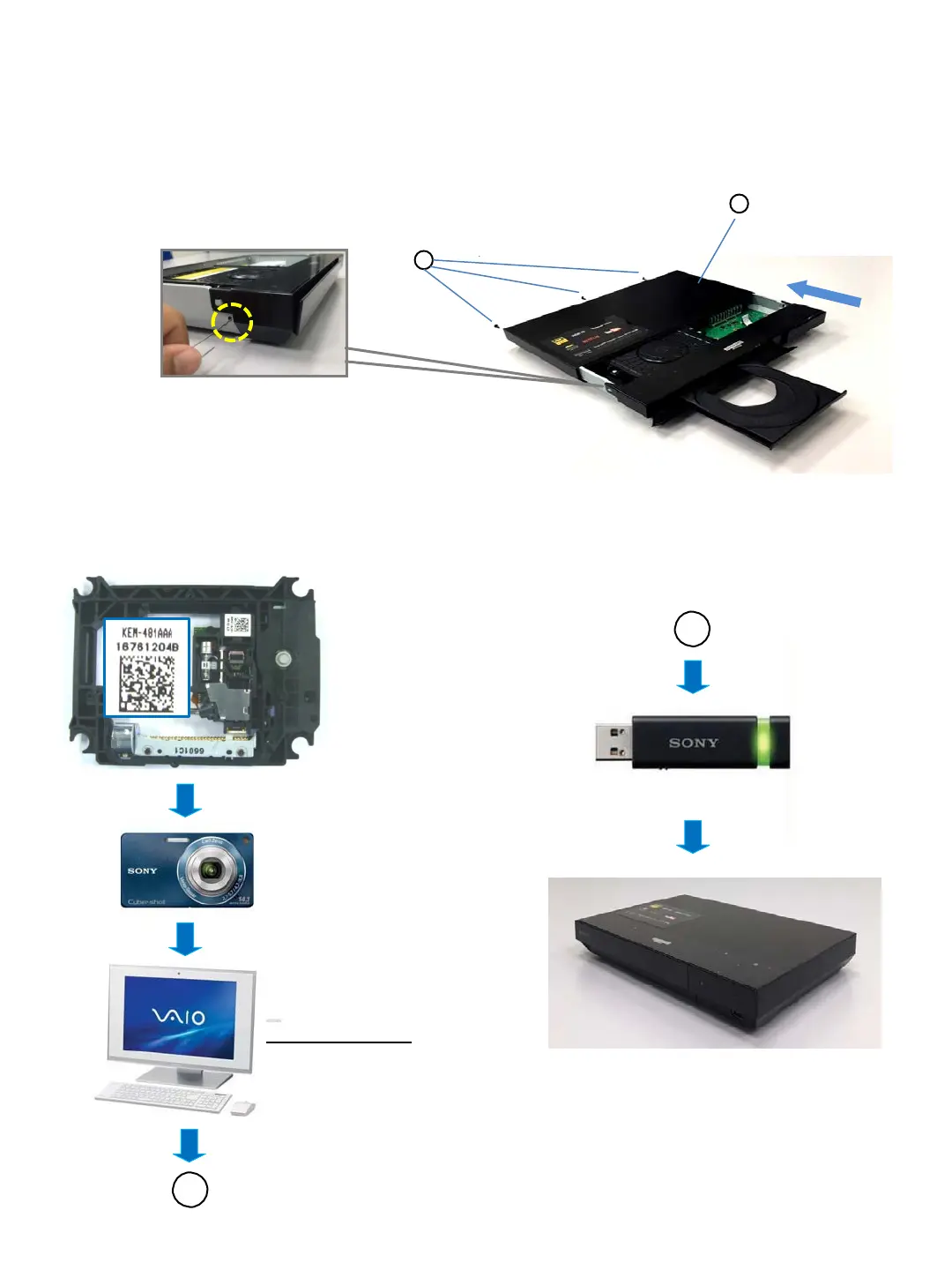
A
Shoot the barcode
Format is JPEG
Save the TEXT(.txt) data
Application Software
UHDBUDecode.exe
Data convert from JPEG TEXT
A
USB memory is connected to USB port on
the front unit, and the TEXT data as new
data is loaded to unit by Service Mode
1.Remove the upper case.
2.Insert a pin or clip in the hole of a drive to open the tray.
Note : Please do the following work when replace the Optical Unit (BU)
Details refer to 1.4-8 BU Data Decode Jig on page 1-7
1-2 WORK WHEN OPTICAL DEVICE ARE REPLACE
A
Screws (Black)
Slide the upper case
to back.
Upper Case
B
Insert a pin or clip in the hole of drive to open the a tray



 To Next Page