1-5
The following cases need OP Data Write:
(1) Replace BU (MB is original)
(2) Replace MB (BU is original)
(3) Replace both BU and MB
JIG requirement
• Digital camera (with macro mode)
• Barcode decoder (UHDBUDecode.exe) installed in jig
• PC’s (jig purpose) USB memory
• ESD free work bench
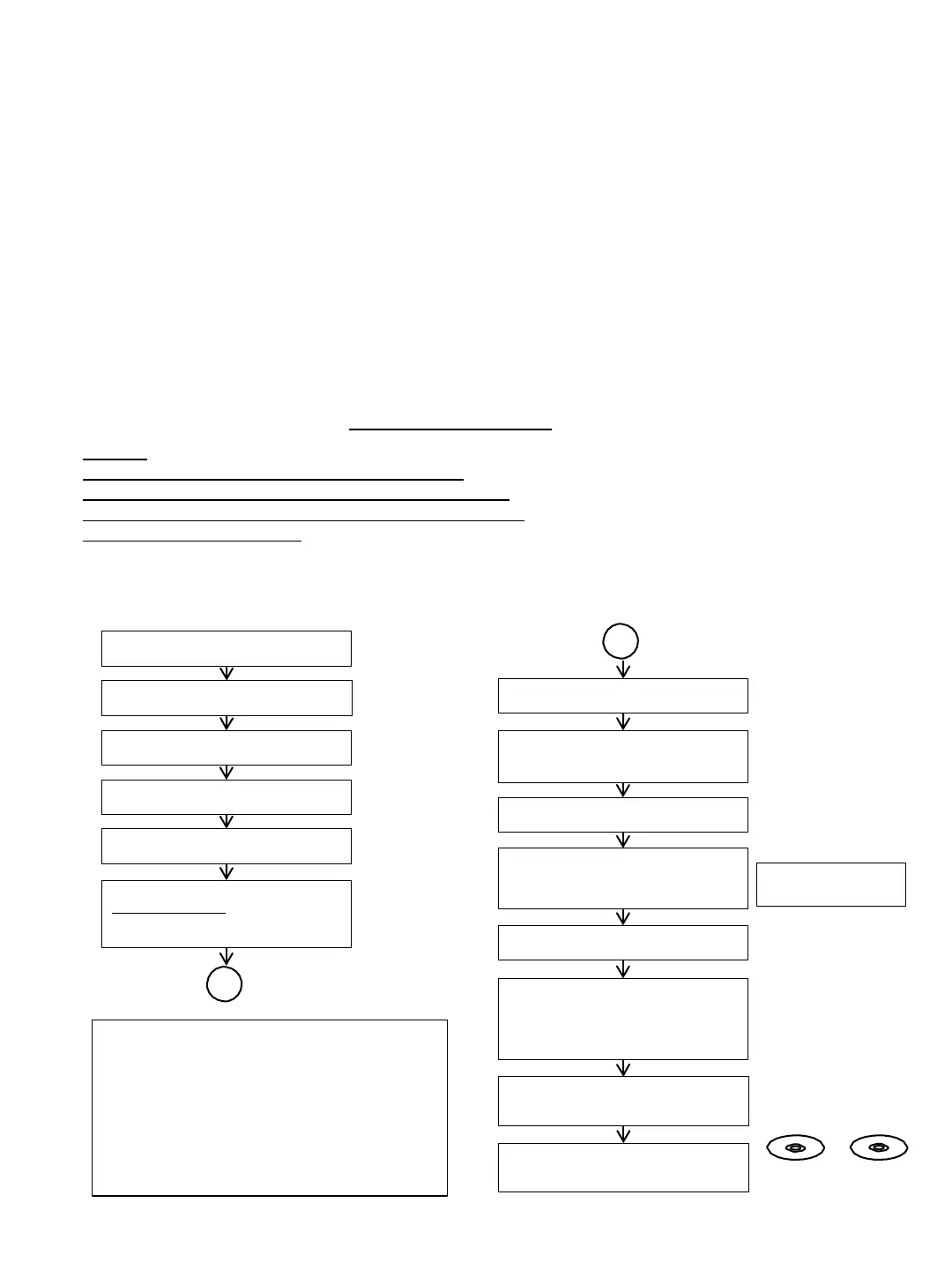
1-4-5. BU Adjustment Flow [yy] ~
Optical Block Unit (BU) OP Data Write Flow [yy] ~ After BU / MB Replacement
1-4-4. Optical Unit (BU) Repair Guide
BDP-X700 /UX70 series component structure is as same as conventional BD Players.
BD player requires precise read out functions and also secure contents Protection system.
Since above requirement, it is necessary to set/adjust BU data to MB serial flash
The following cases need adjustments :
(1) Replace BU (MB is original)
(2) Replace MB (BU is original)
(3) Replace both BU and MB
•JIG Requirement
• Digital camera (recommend with macro mode)
• Barcode decoder (UHDBUDecode.exe) installed in JIG PC’s
• USB memory
• ESD work bench
•Procedure (all cases) refer the diagram 1.4-5 BU Adjustment Flow [yy]
Remarks:
LD ON TIME history does not carry over after change BU
LD ON TIME will be reset to 0 for all BD, DVD and CD laser hour
DO NOT touch any optical block parts, turn table during replacing
BU Laser Diode is very sensitive
Insert USB memory to
Set USB connector
AC Power ON HOME
Enter Service Mode
Press <STOP><DISPLAY><PAUSE><↑>
*Service Mode Menu
Select - [8] Drive
*Drive
Select - [1] Drive OP data write
Select mode : 2
Press <ENTER>
After Finishing OP data write
Turn AC Power OFF
AC Power ON
HOME Enter Service Mode
Select [8] Drive
Select [7] OP Check Menu
Select [3] dIOP
Check dIOP for BD, DVD and CD
dIOP in specification
Turn AC Power OFF
AC Power ON
Check playback performance
BD, DVD and CD
Explanation :
Mode 1 : BDV set
Mode 2 : UBP set
B
Remove defective BU assy from Loading
Assy
Unpack new BU and take OP Data
barcode photo by camera
Assemble BU insulator and weight
(tigthen screw with 1.3kgf.cm)
Decode the OP Data Barcode photo using
UHDBUDEcode.exe
and save the data in
txt file to USB memory
(File name: BuData.txt)
B
Remove insulator and weight from
defective BU
Assemble BU assy into Loading Assy
(tigthen screw with 1.3kgf.cm)
BD : BLX-104 DVD : HLX-513
CD : HLX-A1



 To Next Page