5-3
Outline:
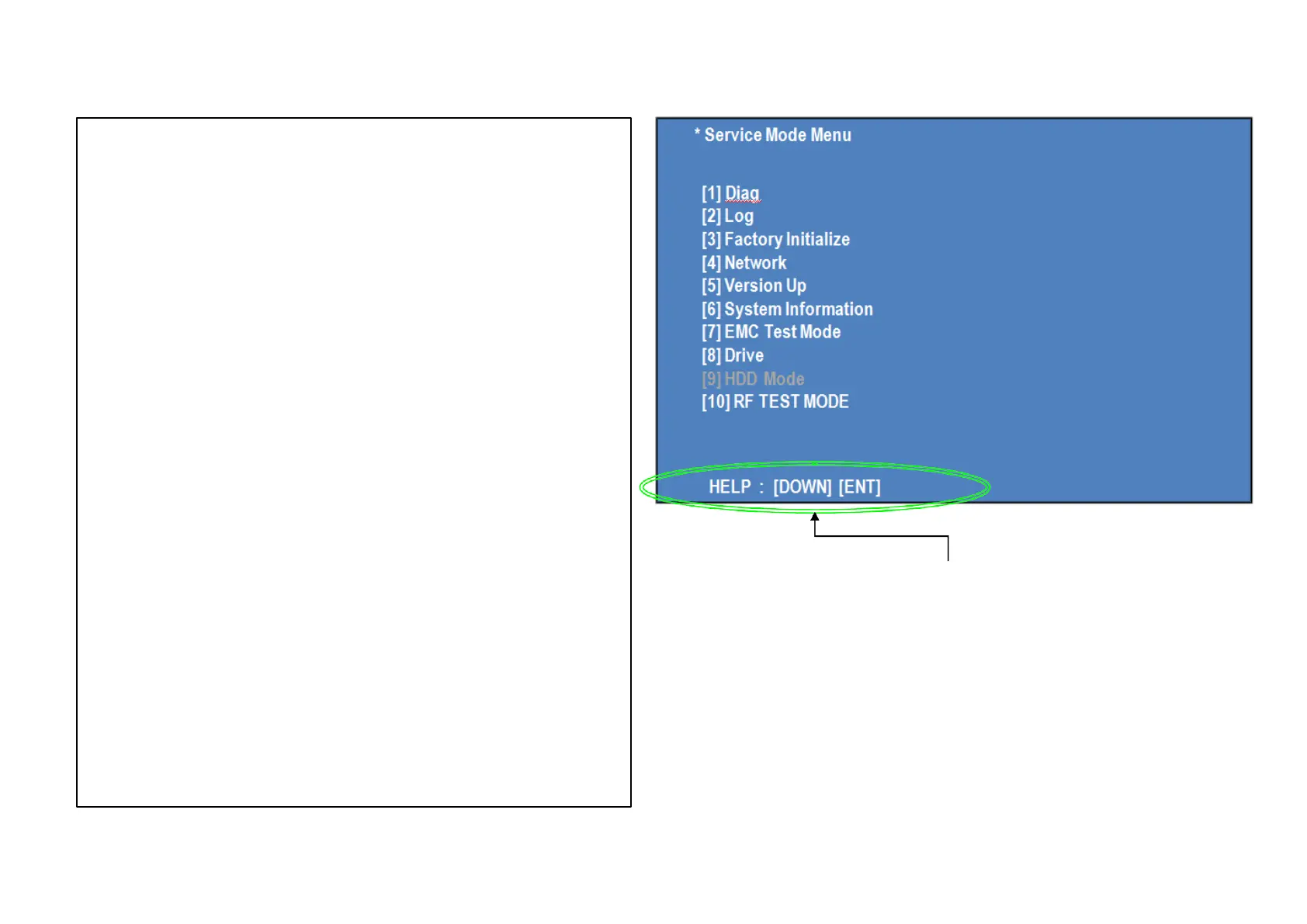
Service Mode Top Menu
It selects to each function from here.
output HDMI/Component 480p forcibly.
Operation:
[1]
[2]
[3]
[4]
[5]
[6]
[7]
[8]
[9]
[10]
[UP]
[DOWN]
[ENT]
Select and Activate Diag Menu.
Select and Activate Log Menu,
Select and Activate Factory Initialize Menu.,
Select and Activate Network Menu
Select and Activate Version Up (DISC version Up) (not Used)
Select and Activate System Information Menu.
Select and Activate EMC Test Mode Menu. (not Used)
Select and Activate Drive Menu.
Select and Activate HDD mode. (not Used)
Select and Activate RF Test mode. (not Used)
Move Up cursor Move
Down cursor
Activate the selected cursor.
*The cursor is not displayed when initial.
Front Panel Display: (For FLD display Available model only )
If cursor or arbitrary menu keys are operated,
the character will output to a front panel display, respectively.
*the character string.
initial display
Diag:
Log:
Factory Initialize:
Network:
Version Up
System Information:
EMC Test Mode:
Drive:
HDD mode:
RF TEST MODE
SERVC
S:DIAG
S:LOG
S:INIT
S:NET
S:VUP
S:INFO
S:EMC
S:DRV
S:HDD
S:
Display Hint
( The key in which the present use is possible)
Service Mode Menu



 To Next Page