Notes
• It
is
recommended to use an HDMI cable
of
category
2 to connect the player.
•
The
HDMI
OUT
jack
of
the player outputs only the
blue signal as video.
It does not output any other
video signals.
• Depending on the HDMI performance
of
the
connected component (the format, sampling
frequency, resolution, receivability
of
copyright
protection signal from
Super
Audio CDs, etc.), no
audio signal may be output from the HDMI
OUT
jack
of
the player. In this case,
"HDMI"
will not light
up on the display.
Connecting
a
digital
component
with
the
coaxial
digital
input
jack
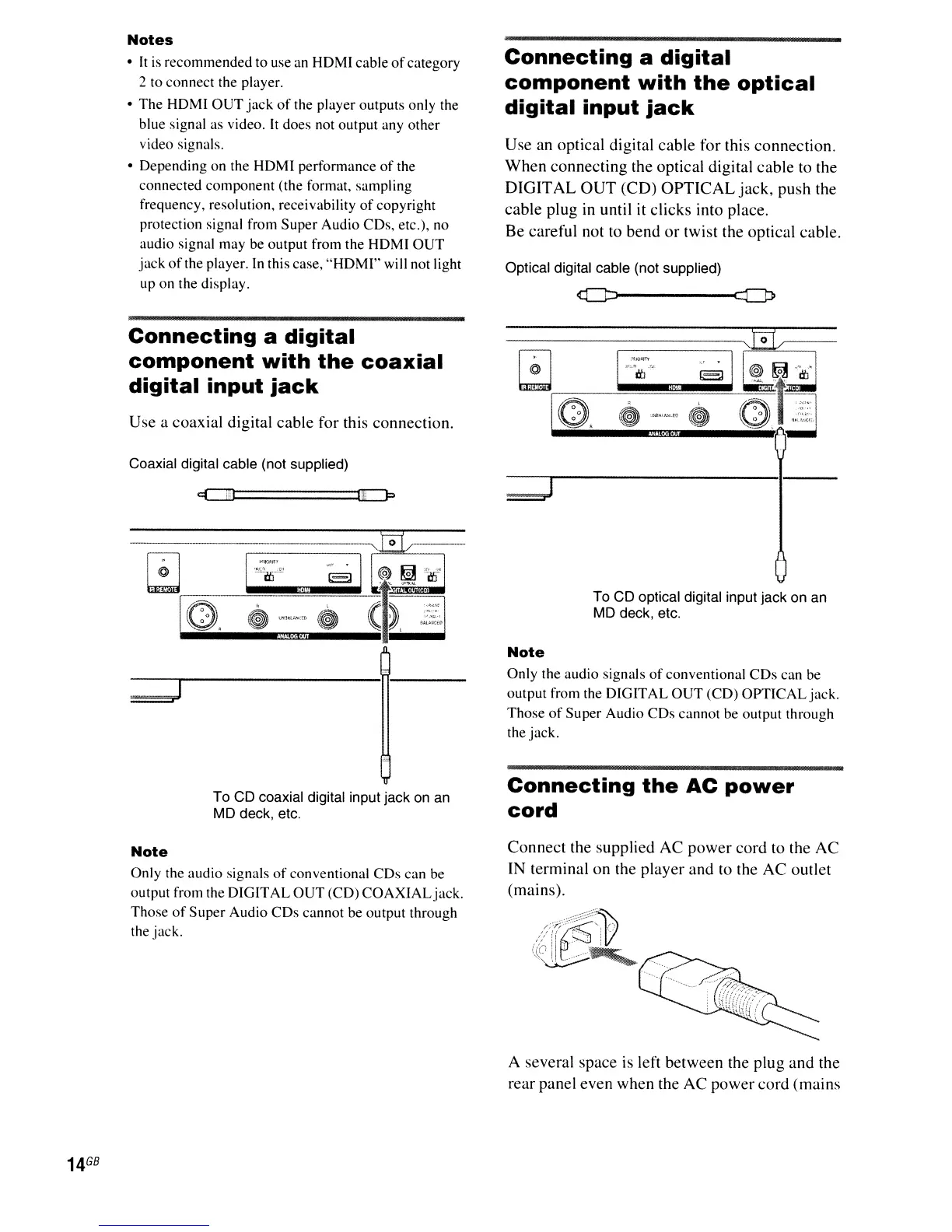
Use a coaxial digital cable for this connection.
Coaxial digital cable (not supplied)
1m
p
To CD coaxial digital input jack
on
an
MD deck, etc.
Note
Only the audio signals
of
conventional CDs can be
output from the DIGITAL
OUT
(CD)
COAXIALjack.
Those
of
Super
Audio
CDs
cannot be output through
the jack.
Connecting
a
digital
component
with
the
optical
digital
input
jack
Use an optical digital cable
for
this connection.
When
connecting the optical digital cable to the
DIGIT
AL
OUT
(CD)
OPTICAL
jack,
push the
cable plug in until it clicks into place.
Be careful not to
bend
or
twist the optical cable.
Optical digital cable (not supplied)
To CD optical digital input jack on an
MD deck, etc.
Note
Only the audio signals
of
conventional
CDs
can be
output from the DIGITAL
OUT
(CD)
OPTICAL
jack.
Those
of
Super Audio CDs cannot be output through
the jack.
Connecting
the
AC
power
cord
Connect the supplied AC
power
cord to the AC
IN terminal
on
the player and to the
AC
outlet
(mains).
A several space
is
left between the plug and the
rear panel even when the AC power cord (mains



 To Next Page