12
GB
Tip
Under normal conditions, the batteries should last for
about 6 months. When the remote no longer operates
the player, replace both batteries with new ones.
Notes
• Do not leave the remote
in
an extremely hot
or
a
humid place.
• Do not drop any foreign object into the remote
casing, particularly when replacing the batteries.
• Do not use a new battery with an old one.
• Do not expose the remote sensor to direct sunlight
or
lighting apparatus. Doing
so
may cause a
malfunction.
• Ifyou do not intend to use the remote for an extended
period
of
time, remove the batteries to avoid possible
damage from battery leakage and corrosion.
Hooking
Up
the
Analog
Audio
Components
When you connect a stereo amplifier or make an
analog connection with an
MD
deck, connect the
player
and
the component through the
ANALOG
OUT
UNBALANCED
jacks
or
ANALOG
OUT
BALANCED
jacks.
Use the audio connecting cord (supplied) or
XLR (balanced) cables (not supplied) for this
connection.
Be sure to turn
off
the
power
of
all components
before making connections, and connect plugs
securely to prevent noise.
Connecting
a
component
with
analog
input
jacks
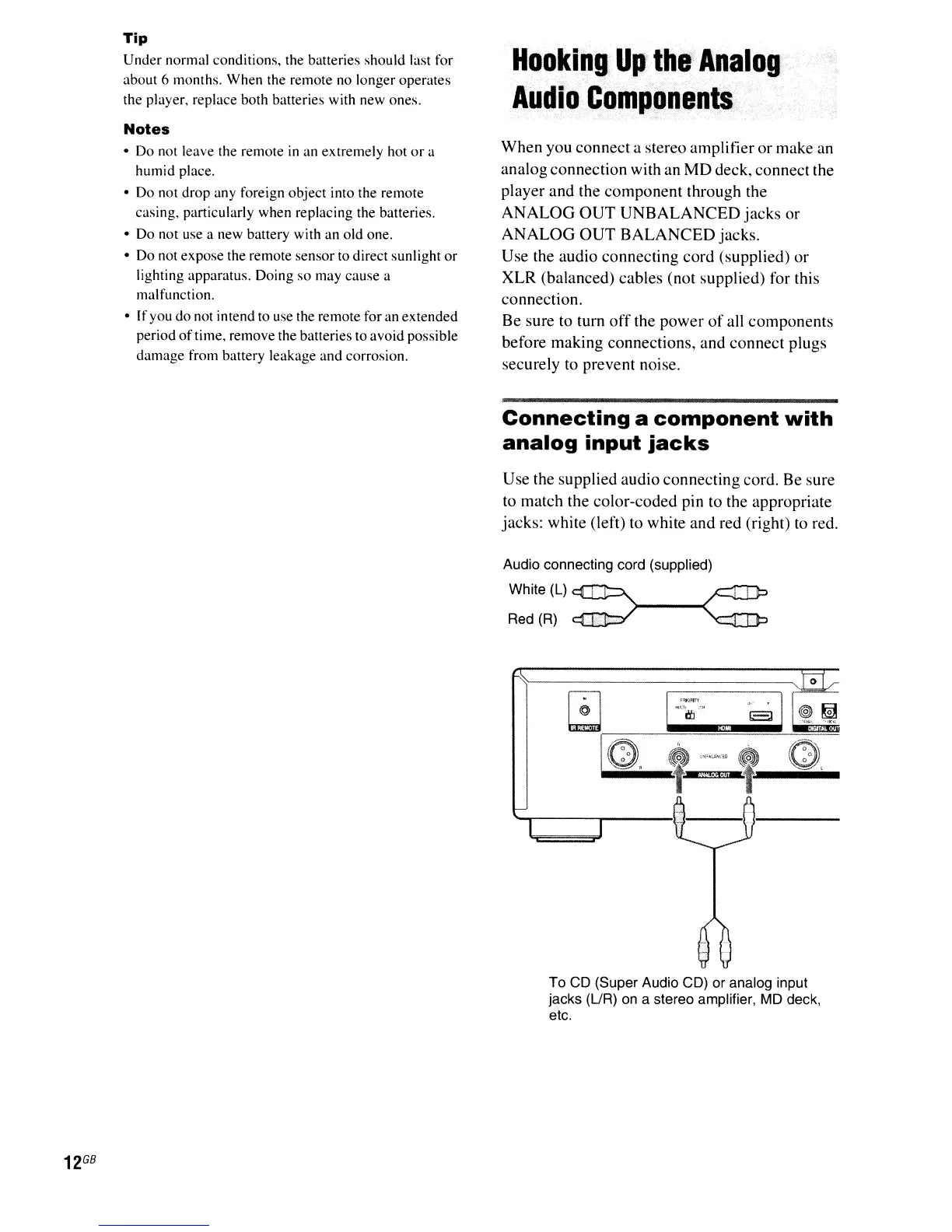
Use the supplied audio connecting cord. Be sure
to match the color-coded pin to the appropriate
jacks: white (left) to white and red (right) to red.
Audio connecting cord (supplied)
White (L)
""'""-....L--J.-"-
)---0(
Red (R)
o
To CD (Super Audio CD)
or
analog input
jacks (UR) on a stereo amplifier, MD deck,
etc.



 To Next Page