Selecting
~he
Playback'
Layer
Selecting
the
Playback
Area
of
a
Super
Audio.
CD
G00[
-AM$-
t-'-
r.:::;:'\
r.::::;')
.
r--·~·_··-1;61
CD
01
. 1
I'
J,tULTl'2CH
SA-CClCO
HOMI
I
~OD[
CONTINUE
SHUFfl.£ R.fIIEAT· r
OOOj
CD
®
G)!
0®.01
tV. :f8'\f9\.! .
~.
~
~!
.
CLEA.R.
.1:\. ENTER i
c)~Oi
MULTII2CH
MULTI/2CH
Connect the player to a multi-channel amplifier
via the
HOM
I
OUT
jack.
Set the balance and distance
of
the speakers on
the connected amplifier.
Note
The playback area selected by this operation
is
valid
only for the current disc.
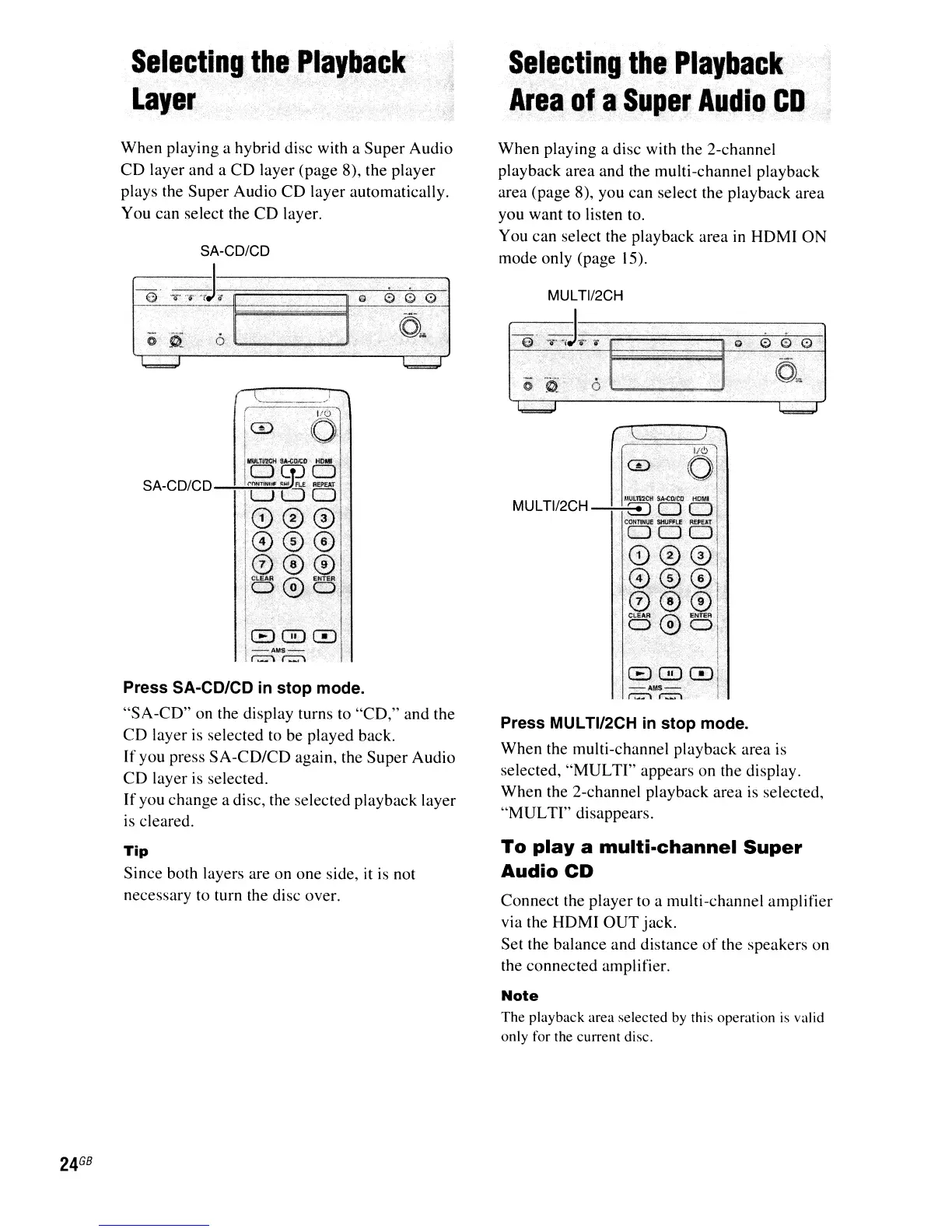
Press MULTI/2CH in
stop
mode.
When the multi-channel playback area is
selected,
"MULTI"
appears on the display.
When the 2-channel playback area is selected,
"MULTI"
disappears.
To
playa
multi-channel
Super
Audio
CD
When playing a disc with the 2-channel
playback area and the multi-channel playback
area (page 8), you can select the playback area
you want to listen to.
You can select the playback area
in
HDMI
ON
mode only (page 15).
SA-CD/CD
Tip
Since both layers are on one side, it is not
necessary to turn the disc over.
SA-CD/CD
@
d-:;.
-'=====;;;;;;'--';;;--~"""i:\-;;::\I
Press SA-CD/CD in
stop
mode.
"SA-CD"
on the display turns to
"CD,"
and the
CD
layer is selected to be played back.
If you press
SA-CD/CD
again, the Super Audio
CD
layer is selected.
If you change a disc, the selected playback layer
is
cleared.
When playing a hybrid disc with a Super Audio
CD
layer and a
CD
layer (page 8), the player
plays the Super Audio
CD
layer automatically.
You can select the
CD
layer.
24
GB



 To Next Page