5
Press~.
Playback starts from the first track.
If
you
want to start playing from a specific track,
turn
.....
AMS
~
to select the track
number before pressing
~.
6
Adjust
the
volume
on
the
amplifier.
Basic
operations
during
play
Note
During playback, increase the volume level gradually
starting from the lowest level. The output from this
player may contain band width that
is
out
of
the normal
listening range. This may cause damage to the speakers
or
ears.
To
output
audio
signals
from
the
HDM.
OUT
jack
Press HOMI during playback stop (page 15).
The
HOMI
button will light up, and
"HOMI
ON"
appears on the display.
Playing
Discs
Playing
~
Disc
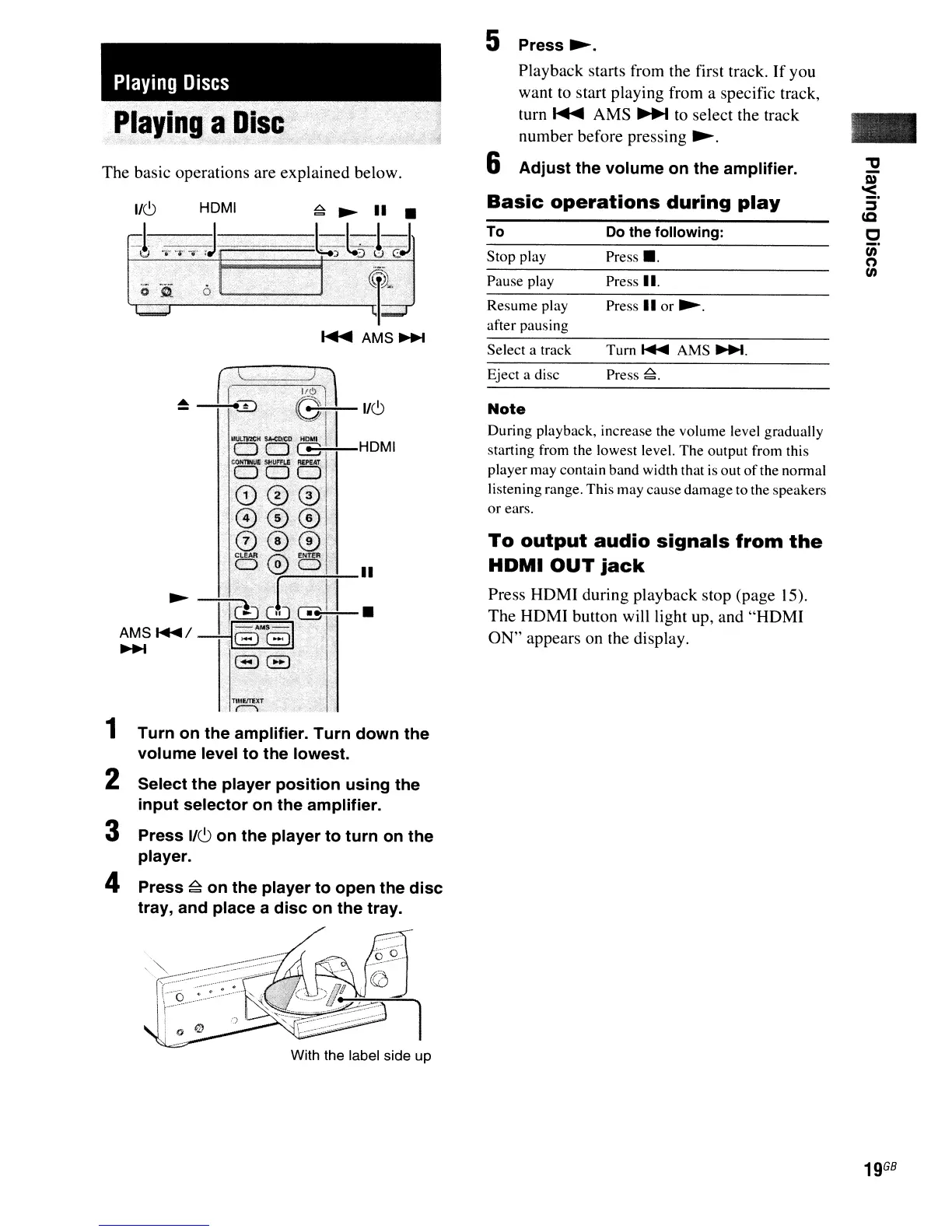
The basic operations are explained below.
1/6
HOMI
~
~
..
•
-'!-=H~J~_.
----~~~1~
...,..1
_0
_.
~..,...'~
--,-~6
~'''-''
.:::-_-_-_-_...;;._
-_
...J_-:"'--'-r.
~I-·~:
c;:a;;;;;J
~
.....
AMS~
TII'.1fJTEXT
r:T"l
1
Turn
on
the
amplifier.
Turn
down
the
volume
level
to
the
lowest.
2
Select
the
player
position
using
the
input
selector
on
the
amplifier.
3
Press
1/6
on
the
player
to
turn
on
the
player.
4
Press
~
on
the
player
to
open
the
disc
tray,
and
place
a
disc
on
the
tray.
With the label side up
To
Stop play
Pause play
Resume play
after pausing
Select a track
Eject a disc
Do
the
following:
Press
•.
Press
II.
Press
II
or
~.
Turn
......
AMS~.
Press
~.
-



 To Next Page