- Shuffle Play
"tJ
iii"
~.
::s
cc
C
en
(')
en
-
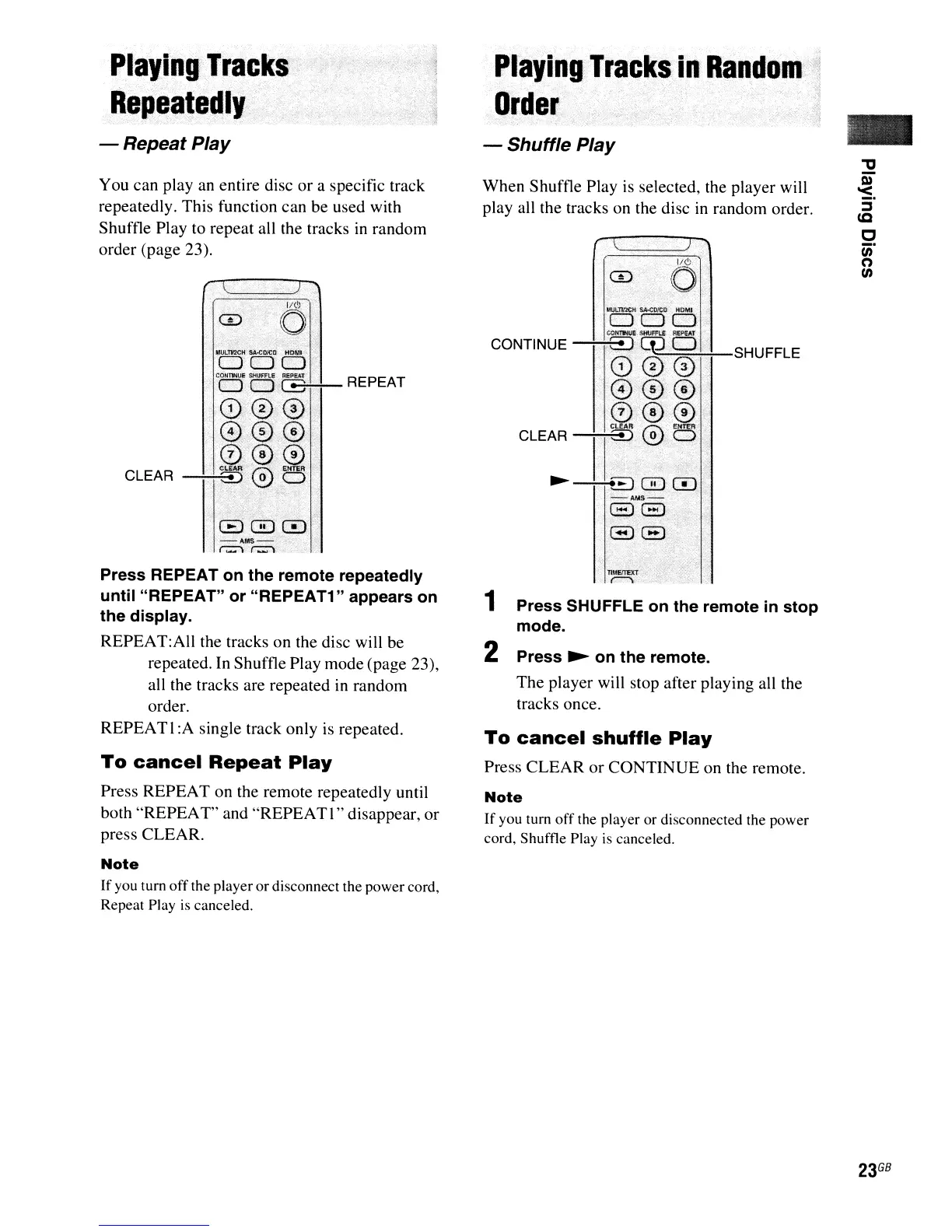
SHUFFLE
..
1/C>
CD 0
Press
SHUFFLE
on
the
remote
in
stop
mode.
MULlVlCH
SAoCD!CD.
HOMI
DOD
CONnNUE
SHUfFU
REPEAT
CONTINUE .
ED
(p.D
..
000
·@····0.(5)
®@@
CLEAR
II
W0
..
~
~~0CD
-AMS-
~8
S8
..
Playing
Tracks
in
Random
·1
Order
To
cancel
shuffle
Play
Press CLEAR
or
CONTINUE on the remote.
Note
If
you tum
off
the player or disconnected the power
cord, Shuffle Play is canceled.
When Shuffle Play
is
selected, the player will
play all the tracks on the disc
in
random order.
1
2
Press
~
on
the
remote.
The player will stop after playing all the
tracks once.
1.
J
lid
CD
CO
Playing
Tracks
Repeatedly
GQDCD
-~MS-'J,'
....
r:::;"'\.
r:::::1-
",':
~
To
cancel
Repeat
Play
Press REPEAT on the remote repeatedly until
both "REPEAT" and "REPEATI" disappear, or
press CLEAR.
Note
If you tum
off
the player or disconnect the power cord,
Repeat Play
is
canceled.
Press
REPEAT
on
the
remote
repeatedly
until
"REPEAT"
or
"REPEAT1"
appears
on
the
display.
REPEAT:AlI the tracks on the disc will be
repeated.
In
Shuffle Play mode (page 23),
all the tracks are repeated in random
order.
REPEATI:A single track only is repeated.
You can play an entire disc or a specific track
repeatedly. This function can be used with
Shuffle Play to repeat all the tracks
in
random
order (page 23).
- Repeat Play



 To Next Page