Timer Recording
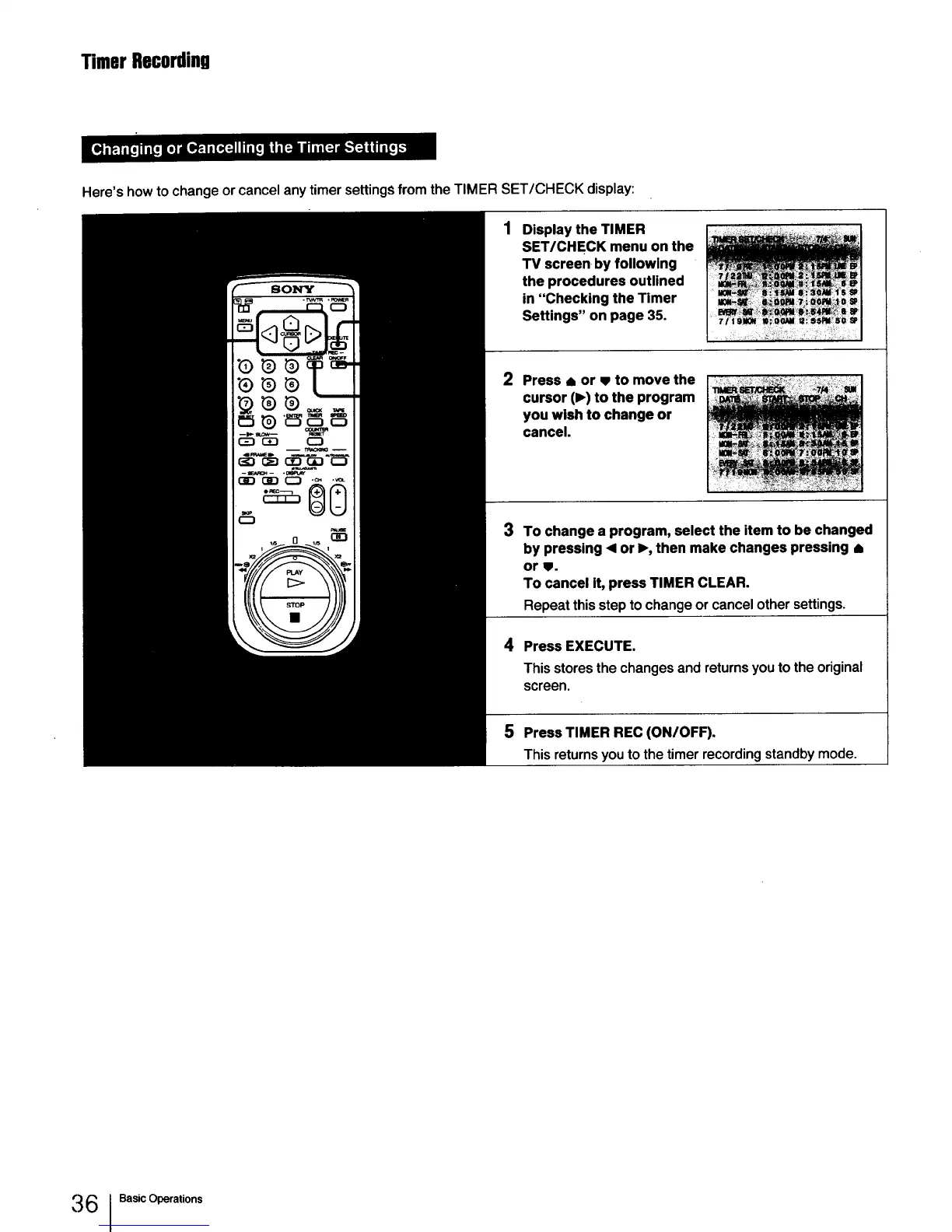
Here's how to change or cancel any timer settings from the TIMER SET/CHECK display:
Display the TIMER
SET/CHECK menu on the
TV screen by following
the procedures outlined
in "Checking the Timer
Settings" on page 35.
2
Press 8 or • to move the
cursor (1_)to the program
you wish to change or
cancel.
3
To change a program, select the item to be changed
by pressing ,4 or I_, then make changes pressing •
or •.
To cancel it, press TIMER CLEAR.
Repeat this step to change or cancel other settings.
4 Press EXECUTE.
This stores the changes and returns you to the original
screen.
5 PressTIMER REC (ON/OFF).
This returnsyouto the timerrecording standbymode.
36 IBasic Operations



 To Next Page