Selecting a
language
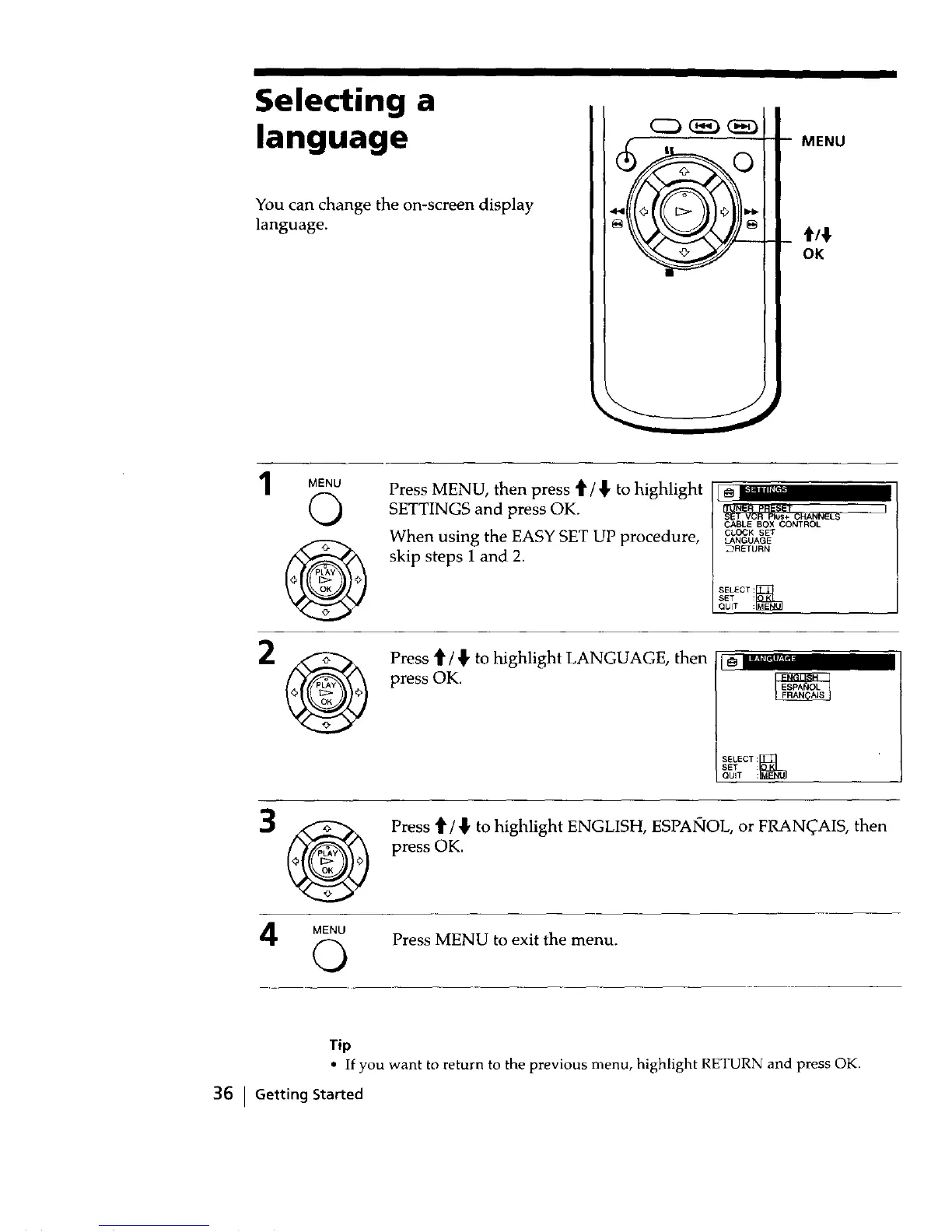
You can change the on-screen display
language.
MENU
OK
MENU
©
Press MENU, then press _ / _ to highlight
SETTINGS and press OK.
When using the EASY SET UP procedure,
skip steps 1 and 2.
CABLE BOX CONTROL
CLOCK SET
LANGUAGE
_RETURN
SELECT:_
SET :
QUIT :
Press t / _ to highlight LANGUAGE, then
press OK.
SELECT:_
SET :
QUiT :
Press t1'/,} to highlight ENGLISH, ESPAIqOL, or FRAN_AIS, then
press OK.
MENU
Q Press MENU to exit the menu.
Tip
• If you want to return to the previous menu, highlight RETURN and press OK.
36 i Getting Started



 To Next Page