Setting up the
cable box control
(Skip this section if you are
using Hookup 2, 3, 4, or 6.)
Your VCR includes a cable box control
feature that allows the VCR to control most
brands of cable boxes/DIRECTV digital
satellite receivers via the Cable Mouse.
With the cable box control, the VCR
controls channels on the cable box/
D1RECTV digital satellite receiver for timer
recording. You can also use the VCR's
remote commander to change channels on
the cable box/D1RECTV digital satellite
receiver whenever the cable box/DIRECTV
digital satellite receiver is turned on even if
the VCR is turned off. To use cable box
control, you need to connect the Cable
Mouse (pages 11 and 27) and set the code
number and output channel.
This VCR is programmed with codes
necessary to control channel selection on
most brands of cable boxes at the time this
VCR was manufactured. It is possible that
new cable boxes may be introduced that
cannot be controlled with this VCR's Cable
Mouse. If you have a cable box that is
incompatible with this VCR, contact your
cable operator -- they may be able to
provide you with a compatible cable box.
"--L ./-"
"CZ) CZ)'CZ)
"CZ3CD CZ) CD
® 0 ®!
C2)_
CD_
_ Number
buttons
MENU
OK
1
MENU
0
@
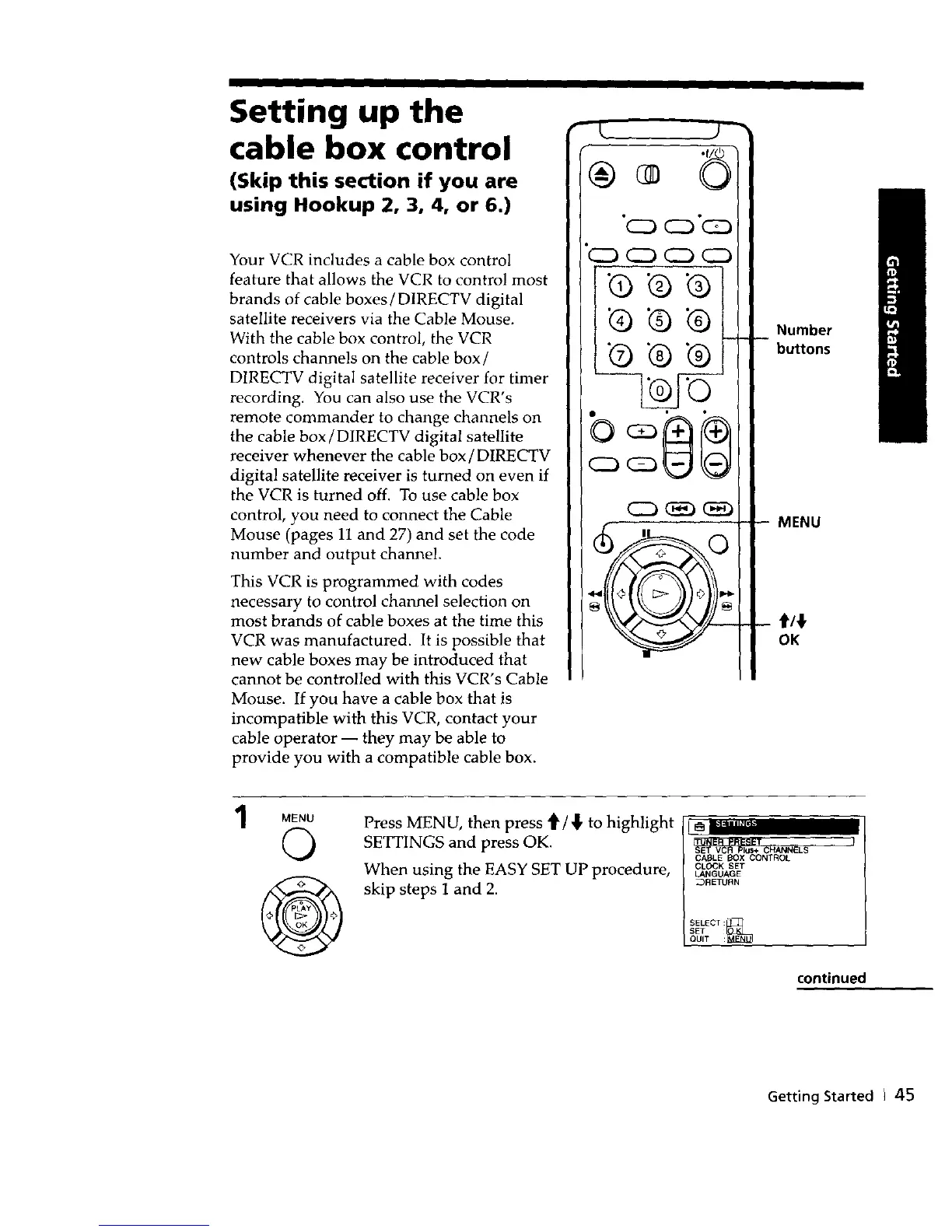
Press MENU, then press '_/,_ to highlight
SETTINGS and press OK.
When using the EASY SET UP procedure,
skip steps 1 and 2.
CABLE BOX CONTROL
CLOCK SET
LANGUAGE
_RETUBN
SELECT :_
SET
QUIT :
continued
Getting Started I 45



 To Next Page