Setting the clock (continued)
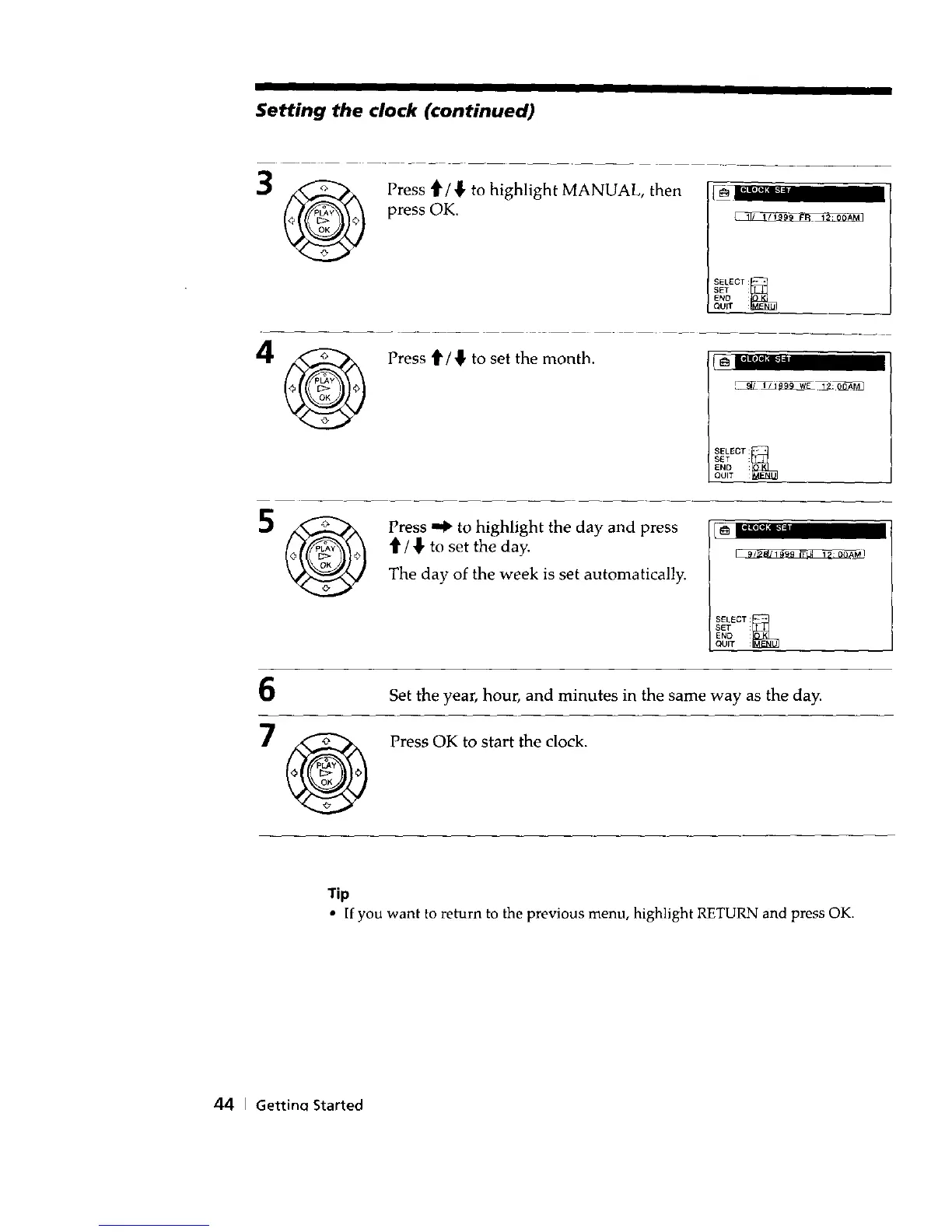
Press ti"/_, to highlight MANUAL, then
press OK.
S_LECT: K
SET :
ENO :
QUIT :
Press _/{, to set the month.
SELECT: K
S_T :
END :
QUIT
Press _ to highlight the day and press
'it'/ _" to set the day.
The day of the week is set automatically.
L_ E_flt_
SELECT: K
SET :
END
QUIT :
6
Set the year, hour, and minutes in the same way as the day.
Press OK to start the clock.
Tip
• If you want to return to the previous menu, highlight RETURN and press OK.
44 I Gettincl Started



 To Next Page