Setting the timer
manually
If the VCR Plus+ GOLD system is not
available in your area, follow the
instructions below to set the timer to
record programs.
Before you start...
• Check that the VCR clock is set to the
correct time.
• Turn on your TV and set it to the
video channel. When using a cable
box, turn it on.
• Insert a tape with its safety tab in
place. Make sure the tape is longer
than the total recording time.
"(Z_ (ZZ)'CZ_
"CZ) C2_ (ZZ) C_
® ® I
®®® L
® ®® t
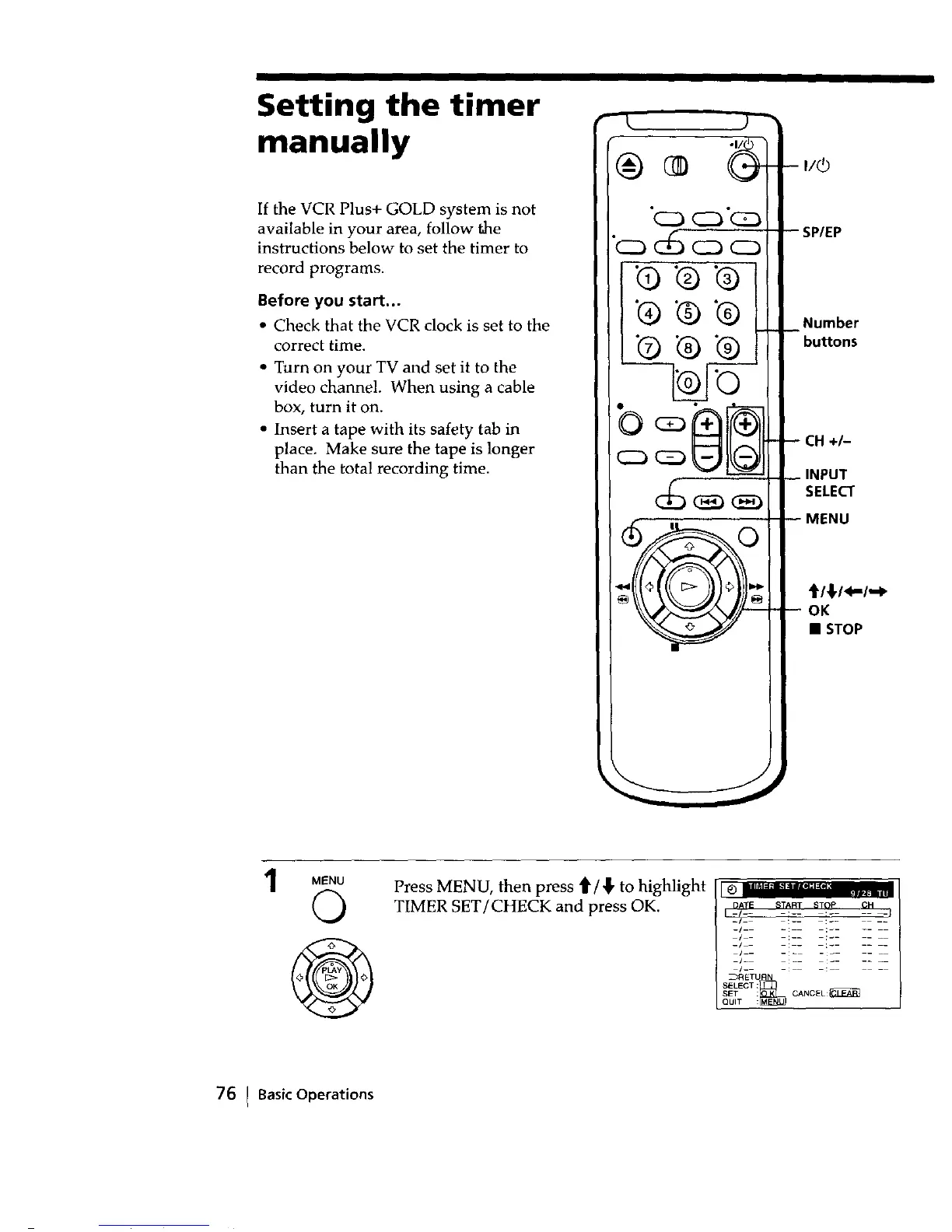
-- I/(_
SP/EP
_ Number
buttons
-- CH +/-
INPUT
SELECT
MENU
_/_/<-/,-_
-- OK
• STOP
MENU
Q
Press MENU, then press _/_, to highlight
TIMER SET/CHECK and press OK.
I _ IIl_;'l'm_;'glI'_;I;ltl i_l
DATE START STOP CH
-/
_/_ =: _ : ....
/ !
-/ •
/_-
-/h
[_-
_RETU K
SELECT :
SET : CANCEL :_.l_]
QUIT :
76 I BasicOperations



 To Next Page