_ Press t1"/_ to highlight the line that is to be set, then press OK.
INPUT
SELECT
CD
MENU
©
• I/_
©
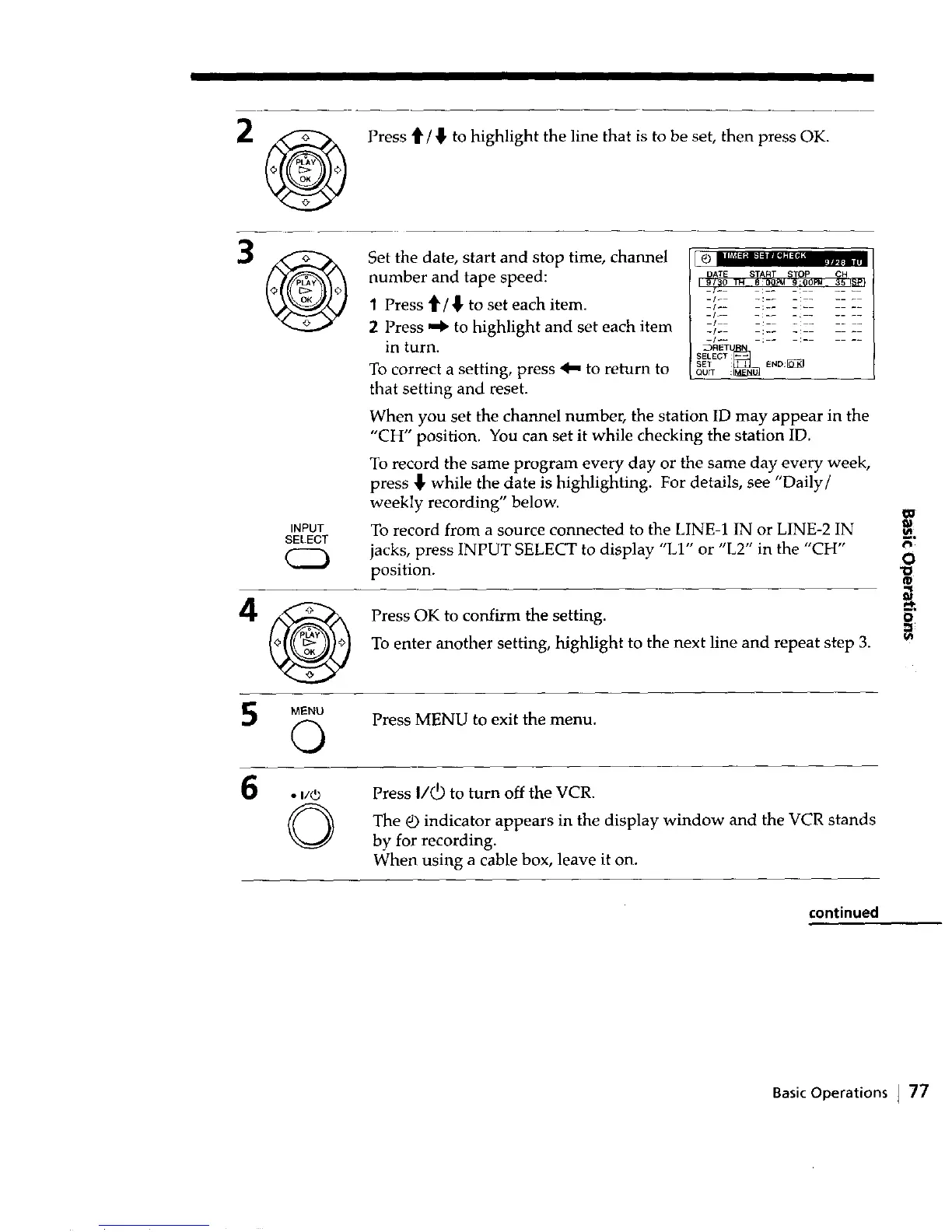
Set the date, start and stop time, channel
number and tape speed:
1 Press 4' / _, to set each item.
2 Press _ to highlight and set each item
in turn.
To correct a setting, press _ to return to
that setting and reset.
m | r_d _ a''i'_m=';I =IN r4
_RET_
SELEGT
SET : END:_
QUrT :
When you set the channel number, the station ID may appear in the
"CH" position. You can set it while checking the station ID.
To record the same program every day or the same day every week,
press _, while the date is highlighting. For details, see "Daily/
weekly recording" below, m
To record from a source connected to the LINE-1 IN or LINE-2 IN _
jacks, press INPUT SELECT to display "LI" or "L2" in the "CH" r,
position. "oO
Press OK to confirm the setting.
To enter another setting, highlight to the next line and repeat step 3.
Press MENU to exit the menu.
Press I/_ to turn off the VCR.
The _) indicator appears in the display window and the VCR stands
by for recording.
When using a cable box, leave it on.
continued
Basic Operations J 77



 To Next Page