EasyManua.ls Logo

Sony SLV-E205EY - Advanced Operations; Setting the Timer Manually

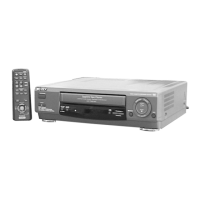
Sony SLV-E205EY
17 pages
Print Icon
To Next Page IconTo Next Page
To Previous Page IconTo Previous Page
Loading...
8-I
S
etting
the
timer
manually
Tips
¢
Fora
single
digit
number,
press
the
0
button
before
entering
the
number.
*
To
record
from
other
equipment
connected
with
a
EURO-AV
connector,
in
step
2,
press
INPUT
SELECT
to
display
“AV”
in
the
“PROG”
position.
Advanced
Operations
,
Number
buttons
TAPE
SPEED
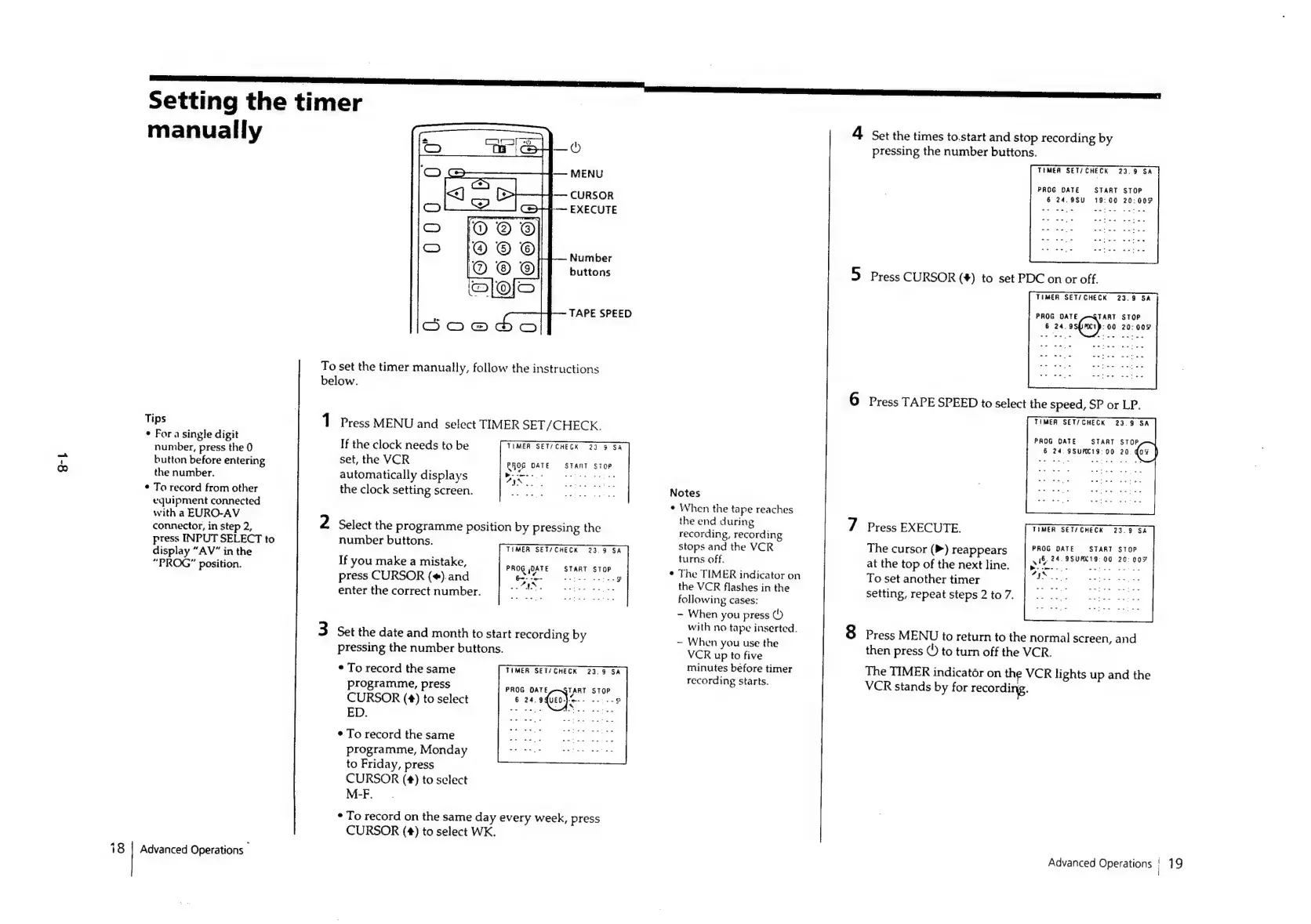
To
set
the
timer
manually,
follow
the
instructions
below.
Press
MENU
and
select
TIMER
SET/CHECK.
If
the
clock
needs
to
be
set,
the
VCR
automatically
displays
the
clock
setting
screen.
TIMER
SET/CHECK
23
9
SA
P
-
Ay
ROG
DATE
START
STOP
a
:
Select
the
programme
position
by
pressing
the
number
buttons.
If
you
make
a
mistake,
press
CURSOR
(#).and
enter
the
correct
number.
TIMER
SET/CHECK
23.9
SA
¢
-—
PROG
DATE
START
STOP
6
-
-=-
a
ae
ae
¥
Set the
date
and
month
to
start
recording
by
pressing
the
number
buttons.
¢
To
record
the
same
programme,
press
CURSOR
(4)
to
select
ED.
¢
To
record
the
same
programme,
Monday
to
Friday,
press
CURSOR
(¢#)
to
select
M-F.
TIMER
SET/CHECK
23.9
SA
PROG
DATE
aTART
STOP
6
24.
9{0t0}
++
8
*
To
record
on
the
same
day
every
week,
press
CURSOR
(4)
to
select
WK.
Notes
¢
When
the
tape
reaches
the
end
during
recording,
recording
stops
and
the
VCR
turns
off.
The
TIMER
indicator
on
the
VCR
flashes
in
the
following
cases:
-
When
you
press
(!)
with
no
tape
inserted.
~
When
you
use
the
VCR
up
to
five
minutes
before
timer
recording
starts.
4
Set
the
times
to.start
and
stop
recording
by
pressing
the
number
buttons.
THMEA
SET/CHECK
23.9
SA
PROG
DATE
START
STOP
6
24.9SU
19:00
20:00°
5
Press
CURSOR
(#)
to
set
PDC
on
or
off.
TIMER
SET/
CHECK
23.9
SA
PROG
OATE
TART
STOP
6
24,
9s(n)
:00
20:00%
6
Press
TAPE
SPEED
to
select
the
speed,
SP
or
LP.
TIMER
SET/CHECK
23.9
SA
PROG
DATE
START
STOP
6
24,
9SUPKt9:
00
20
@
TIMER
SET/CHECK
23.39
SA
7
Press
EXECUTE.
petal
A
iceld
cecal
RET
TaNmrre
Hee
at
the
top
of
the
next
line.
ee
aa
GegCeA
Gees:
To
set
another
timer
Ire.
setting,
repeat
steps
2
to
7.
8
Press
MENU
to
return
to
the
normal
screen,
and
then
press
©)
to
turn
off
the
VCR.
The
TIMER
indicator
on
the
VCR
lights
up
and
the
VCR
stands
by
for
recording.
Advanced
Operations
|
19

Related product manuals