EasyManua.ls Logo

Sony SLV-E205EY - User Manual

Sony SLV-E205EY
17 pages
Print Icon
To Next Page IconTo Next Page
Loading...
SLV-E205EY/E205UY/E210AE/E210CP/E210EE/
E210UX/E210VP/E260AP/E260VP/E275UX
RMT-V148P/V166/V166A/V166J
System
Channel
coverage
SLV-E20SEY/UY,
E210UX,
E275UX:
PAL
(I):
VHE
A
J
(EY
model
only)
UHF
B21
B69
CATV
S01
S03,
SI
S20
(EY
model
only)
HYPER
BAND
S82!
S41
(EY
model
only)
SLV-E210AE/CP/VP,
E260AP/VP:
PAL
(B,
G,
H)
VHF
E2
El2
(Including
canal
C)
(VHF
Italian
channel
A
to
H)
UHF
E21
E69
CATV
S01
S03,
S1
$20
HYPER
BAND
S21
S41
(EXCEPT
SLV-E210CP)
Intermeadiate
frequency
FI-Video
38.9
MHz
FI-Audio
33.4
MHz
RF
output
signal
UHF
32
41
Aerial
out
75-ohm
asymmetrical
aerial
socket
S
MICROFILM
HOWVIEW
VIDEQ/5-
AEP
Model!
SLV-E210AE/E210CP/E210VP/E260AP/E260VP
UK
Model
SLV-E205E
Y/E205UY/E210UX/E275UX
East
European
Model
SLV-E210EE
Photo:
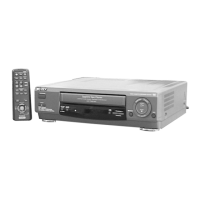
SLV-E275UX
SPECIFICATIONS
Inputs/outputs
Dimensions
EURO-AV
SLV-E260AP/VP,
E275UX:
21-pin
Approx.
360
X
97
X
315
mm
(w/h/d)
SLV-E20SEY/UY,
E210AE/CP/UX/VP:
Audio
input:
pins
2
and
6
Approx.
360
X
97
X
309
mm
(w/h/d)
Video
output:
pin
19
including
projecting
parts
and
controls
Audio
output:
pins
1
and
3
Mass
Front
Line
In:
SLV-E275UX
Approx.
4
kg
VIDEO
IN,
Phono
Jack
(1)
Input
signal:
0.5
1.5
Vp-p
Supplied
accessories
75
ohms,
unbalanced,
sync
negative
Remote
commander
(1)
AUDIO
IN,
Phono
jack
(1)
R6
(size
AA)
batteries
(2)
Input
level:
8
dBs
Aerial
cable
(1)
(0
dBs
=
0.755
Vrms)
Mains
lead
(1)
Input
impedance:
more
than
RF
screwdriver
(1)
47
kilohms
Video
input:
pin
20
Design
and
specifications
are
subject
to
change
General
without
notice.
Power
requirements
220
240
V
AC,
50
Hz
Power
consumption
20W
Operating
temperature
5°C
to
40°C
Storage
temperature
20°C
to
60°C
VIDEO
CASSETTE
RECORDER
SON
Y.
Question and Answer IconNeed help?

Do you have a question about the Sony SLV-E205EY and is the answer not in the manual?

Summary

Specifications

System

Details channel coverage for various models.

Inputs;Outputs

Lists EURO-AV and Phono jack connections.

General Specifications

Covers power, operating temperature, and storage.

Dimensions

Provides physical dimensions for different models.

Supplied Accessories

Lists items included with the VCR.

Safety Check-out

Service Safety Checks

Steps to ensure safety after repair.

Safety-Related Component Warning

Highlights critical components for safe operation.

General

Getting Started

Guide for initial setup and connection.

Basic Operations

Instructions for tape playback and recording.

Advanced Operations

Explains complex features and functions.

Additional Information

Contains supplementary details and indexes.

Self-Diagnosis Display

Display Contents and Mechanism Mode

Explains 2-digit error codes and their meanings.

Self-Diagnosis Problem Codes

Lists problems, causes, and operations for error codes.

Getting Started

Step 1: Connecting the VCR

Connects aerial and power cables.

Step 2: Tuning the TV to your VCR

Sets up TV to receive VCR signal.

Step 3: Selecting a language

Sets on-screen display language.

Step 4: Tuning the VCR to TV channels

Automatic channel tuning process.

Step 5: Setting the clock

Configures the VCR's internal clock.

Additional Tuning Instructions

Fine-tunes TV picture and channels.

Basic Operations

Playing a Tape

How to insert and play a cassette tape.

Basic Operations

Recording TV Programmes

Steps for manual recording.

Basic Operations

Recording TV Programmes using VIDEO Plus+

Uses PlusCode for timed recordings.

Advanced Operations

Playing;Searching at Various Speeds

Navigates tape at different playback speeds.

Advanced Operations

Setting the Timer Manually

Schedules recordings using specific times.

Advanced Operations

Recording TV Programmes using the Quick Timer

Sets automatic stop duration for recordings.

Checking;Cancelling Timer Settings

Manages programmed recordings.

Advanced Operations

Searching using the Index Function

Locates recordings using index signals.

Editing with Another VCR

Connects VCRs for tape copying.

Advanced Operations

Adjusting the Picture

Fine-tunes video quality during playback.

Additional Information

Visual Index

Provides a visual guide to VCR controls.

Summary

Specifications

System

Details channel coverage for various models.

Inputs;Outputs

Lists EURO-AV and Phono jack connections.

General Specifications

Covers power, operating temperature, and storage.

Dimensions

Provides physical dimensions for different models.

Supplied Accessories

Lists items included with the VCR.

Safety Check-out

Service Safety Checks

Steps to ensure safety after repair.

Safety-Related Component Warning

Highlights critical components for safe operation.

General

Getting Started

Guide for initial setup and connection.

Basic Operations

Instructions for tape playback and recording.

Advanced Operations

Explains complex features and functions.

Additional Information

Contains supplementary details and indexes.

Self-Diagnosis Display

Display Contents and Mechanism Mode

Explains 2-digit error codes and their meanings.

Self-Diagnosis Problem Codes

Lists problems, causes, and operations for error codes.

Getting Started

Step 1: Connecting the VCR

Connects aerial and power cables.

Step 2: Tuning the TV to your VCR

Sets up TV to receive VCR signal.

Step 3: Selecting a language

Sets on-screen display language.

Step 4: Tuning the VCR to TV channels

Automatic channel tuning process.

Step 5: Setting the clock

Configures the VCR's internal clock.

Additional Tuning Instructions

Fine-tunes TV picture and channels.

Basic Operations

Playing a Tape

How to insert and play a cassette tape.

Basic Operations

Recording TV Programmes

Steps for manual recording.

Basic Operations

Recording TV Programmes using VIDEO Plus+

Uses PlusCode for timed recordings.

Advanced Operations

Playing;Searching at Various Speeds

Navigates tape at different playback speeds.

Advanced Operations

Setting the Timer Manually

Schedules recordings using specific times.

Advanced Operations

Recording TV Programmes using the Quick Timer

Sets automatic stop duration for recordings.

Checking;Cancelling Timer Settings

Manages programmed recordings.

Advanced Operations

Searching using the Index Function

Locates recordings using index signals.

Editing with Another VCR

Connects VCRs for tape copying.

Advanced Operations

Adjusting the Picture

Fine-tunes video quality during playback.

Additional Information

Visual Index

Provides a visual guide to VCR controls.

Sony SLV-E205EY Specifications

General IconGeneral
TypeVCR
Video FormatPAL
Playback Head4
Audio SystemMono
Number of Heads4
Remote ControlYes
Smart RecordingYes
TunerYes
TimerYes
Recording SpeedSP, LP
ConnectionsRF
Input/OutputComposite video
Dimensions360 mm

Related product manuals