EasyManua.ls Logo

Sony SLV-E205EY - Advanced Operations; Adjusting the Picture

Sony SLV-E205EY
17 pages
Print Icon
To Next Page IconTo Next Page
To Previous Page IconTo Previous Page
Loading...
Lb-|
Laan.
Editing
with
another
VCR
(continued)
Tips
*
To
edit
more
precisely,
use
the
BEPAUSE
buttons.on
the
VCRs
to
release
pause
and
start
editing.
To
cut
out
unwanted
scenes,
press
H
PAUSE
on
this
VCR
when
an
unwanted
scene
begins.
When
it
ends,
press
44
PAUSE
again
to
resume
recording
(Assemble
Editing).
24
|
Advanced
Operations
Operation
when
recording
on
this
VCR
fi
PAUSE
Before
you
start
editing
e
Press
INPUT
SELECT
to
display
“AV”
in
the
display
window.
«When
this
VCR
is
connected
to
the
line
in
jack
on
the
front
panel,
“L"
is
displayed
in
the
display
window.
e
Press
TAPE
SPEED
to
select
the
recording
tape
speed
(SP
or
LP).
1
Insert
a
source
tape
into
the
other
(playback)
VCR.
Search
for
the
point
to
start
playback
and
set
to
playback
pause.
2
Insert
a
tape
into
this
(recording)
VCR.
Search
for
the
point
to
start
recording
and
press
If
PAUSE.
3
Press
@
REC
on
this
VCR
and
set
it
to
recording
pause.
4
Tostart
editing,
press
the
1
PAUSE
buttons
on
both
VCRs
and
release
pause.
To
stop
editing
Press
the
STOP
buttons
on
both
VCRs.
Adjusting
the
picture
Note
°
There
is a
delay
of
a
few
seconds
before
the
VCR
actually
starts
recording
while
the
VCR
analyses
the
tape.
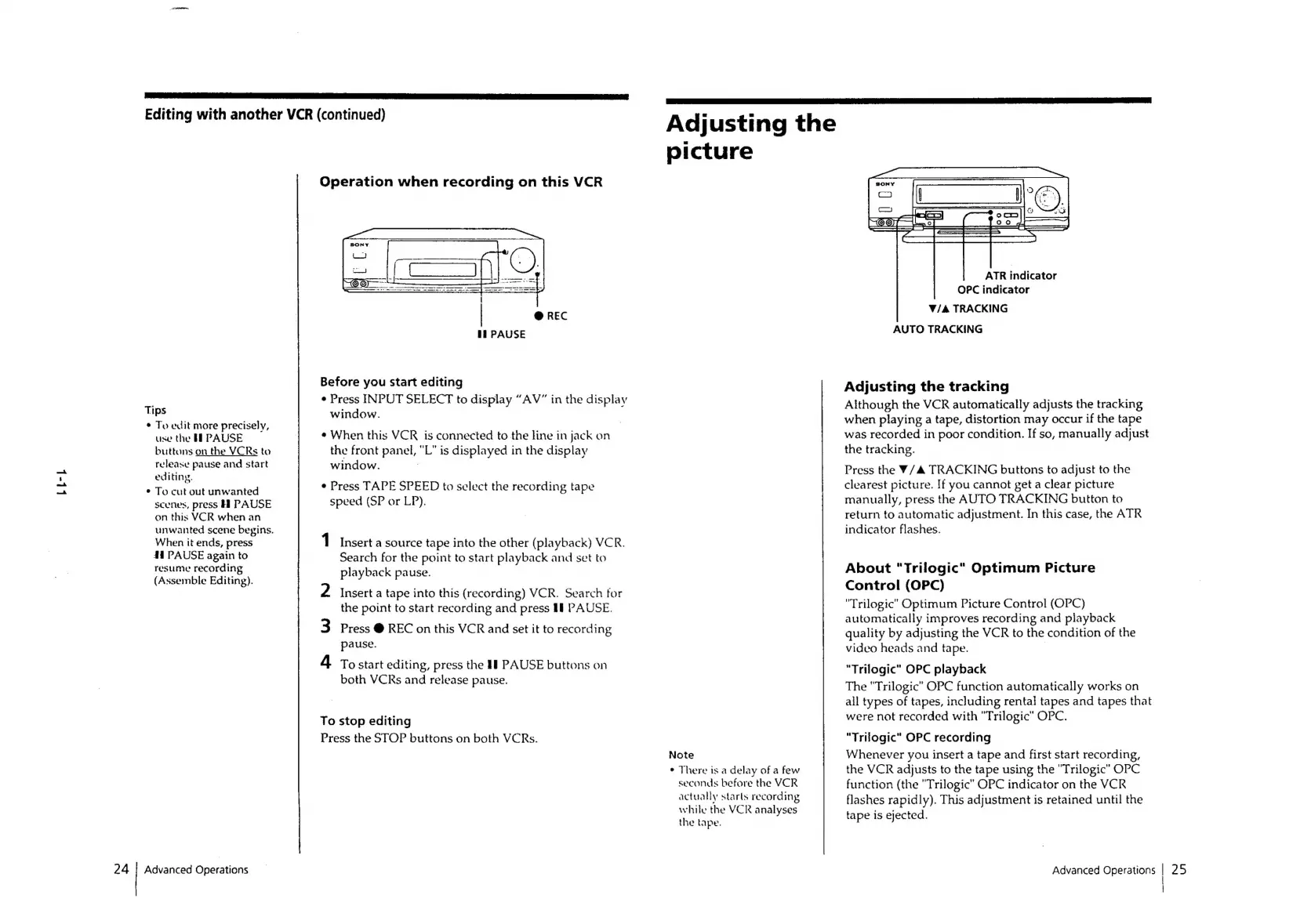
ATR
indicator
OPC
indicator
V/&
TRACKING
AUTO
TRACKING
Adjusting
the
tracking
Although
the
VCR
automatically
adjusts
the
tracking
when
playing
a
tape,
distortion
may
occur
if
the
tape
was
recorded
in
poor
condition.
If
so,
manually
adjust
the
tracking.
Press
the
¥/4
TRACKING
buttons
to
adjust
to
the
clearest
picture.
If
you
cannot
get
a
clear
picture
manually,
press
the
AUTO
TRACKING
button
to
return
to
automatic
adjustment.
In
this
case,
the
ATR
indicator
flashes.
About
"Trilogic"
Optimum
Picture
Control
(OPC)
"Trilogic"
Optimum
Picture
Control
(OPC)
automatically
improves
recording
and
playback
quality
by
adjusting
the
VCR
to
the
condition
of
the
video
heads
and
tape.
|
“Trilogic"
OPC
playback
The
"Trilogic”
OPC
function
automatically
works
on
all
types
of
tapes,
including
rental
tapes
and
tapes
that
were
not
recorded
with
"Trilogic"
OPC.
“Trilogic”
OPC
recording
Whenever
you
insert
a
tape
and
first
start
recording,
the
VCR
adjusts
to
the
tape
using
the
"Trilogic”
OPC
function
(the
"Trilogic"
OPC
indicator
on
the
VCR
flashes
rapidly).
This
adjustment
is
retained
until
the
tape
is
ejected.
Advanced
Operations
|
25

Related product manuals