EasyManua.ls Logo

Sony SLV-E811NP - Page 17

Sony SLV-E811NP
30 pages
Print Icon
To Next Page IconTo Next Page
To Previous Page IconTo Previous Page
Loading...
QL-k
34
Notes
¢
Depending
on
your
TY,
the
following
may
occur
while
playing
an
NTSC-recorded
tape:
-The
picture
becomes
black
and
white.
~
The
picture
shakes.
~
No
picture
appears
on
the
TV
screen.
Black
streaks
appear
horizontally
on
the
TV
screen.
-
The
colour
density
increases
or
decreases.
*
If
you
play
back
a
tape
in
LP
or
EP
mode
with
NTSC
system,
the
sound
is
heard
in
monaural.
*
The
counter
resets
to
“OHOOMO00S”
whenever
a
tape
is
reinserted.
*
The
counter
stops
counting
when
it
comes
to
a
portion
with
no
recording.
Basic
Operations
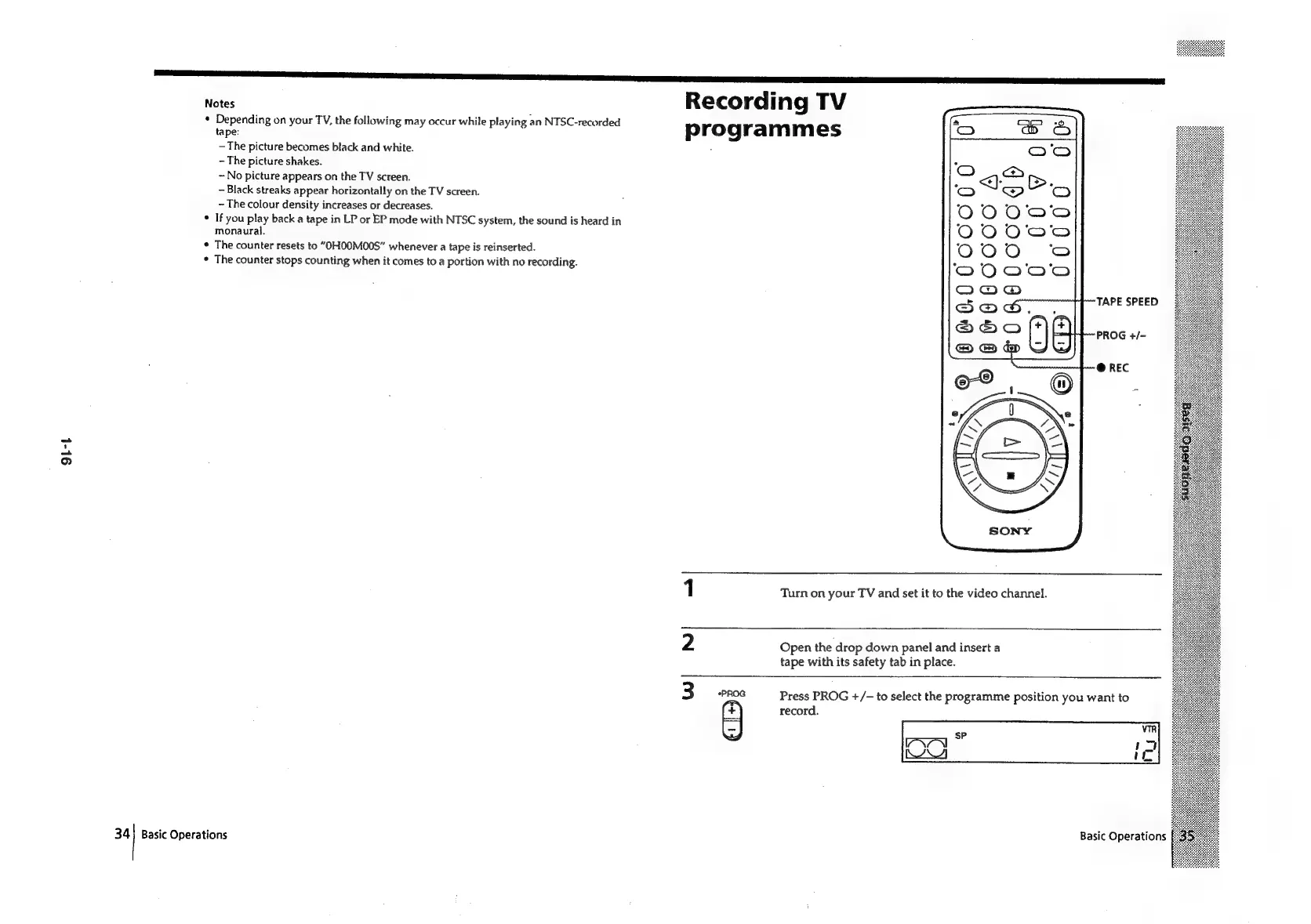
Recording
TV
programmes
‘9
lars)
-_
<<}
Co
~~!’
O00
O00
O00
O00
Ona
®
SQ
S2@aOQ
&
&
1
Turn
on
your
TV
and
set
it
to
the
video
channel.
2
Open
the
drop
down
panel
and
insert
a
tape
with
its
safety
tab
in
place.
3
*PROG
Press
PROG
+/-
to
select
the
programme
position
you
want
to
(
+)
record.
|
|
vik
lave
ae
Pie
KW
iL
Basic
Operations

Related product manuals