EasyManua.ls Logo

Sony SLV-E811NP - Page 16

Sony SLV-E811NP
30 pages
Print Icon
To Next Page IconTo Next Page
To Previous Page IconTo Previous Page
Loading...
St-k
Basic
Operations
Pi
a
a
RR
aa
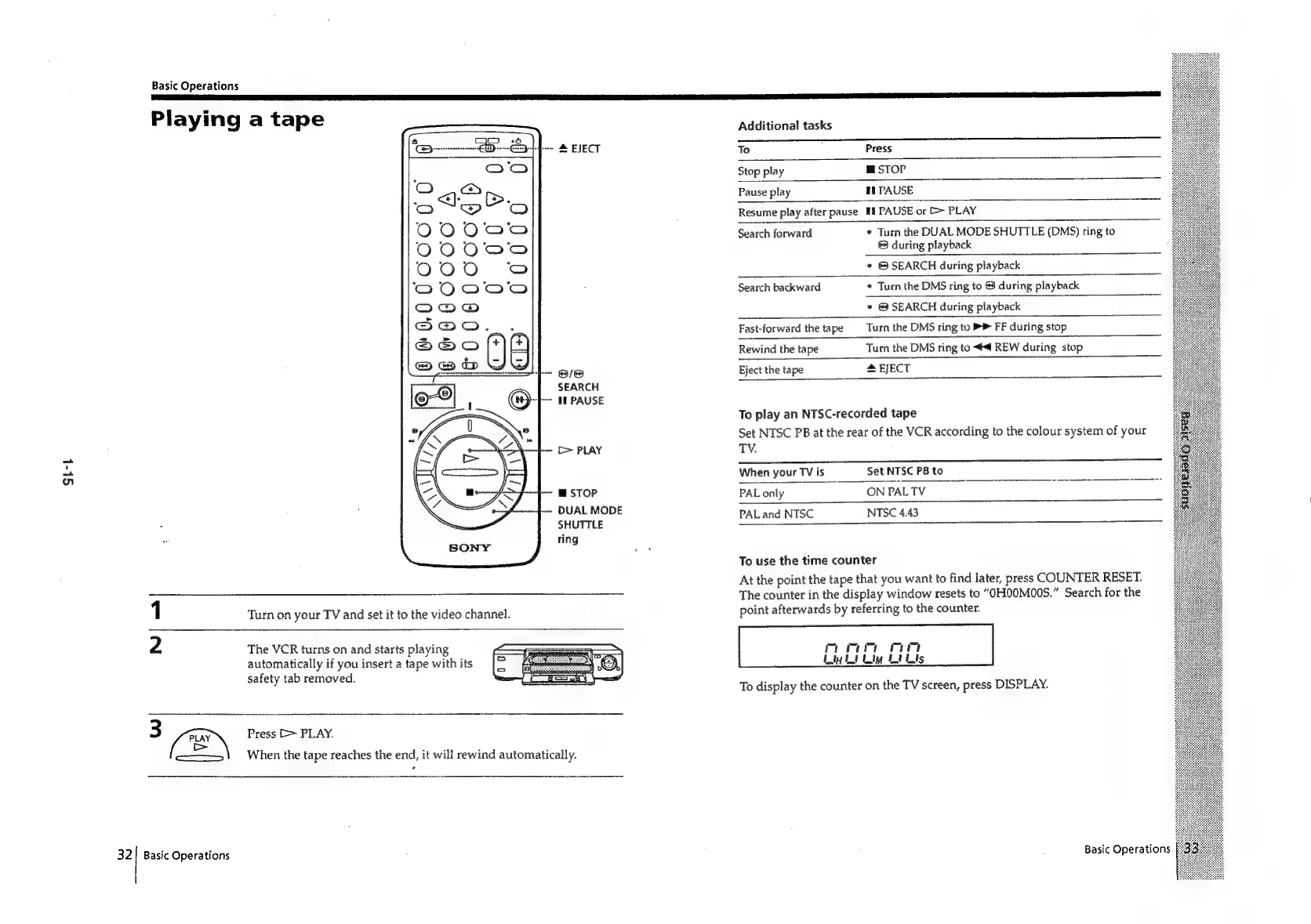
Playing
a
tape
Additional
tasks
i
RN
To
Press
Stop
play
g
stor
Pause
play
ff
PAUSE
Resume
play
after
pause
IE
PAUSE
or
>
PLAY
Search
forward
¢
Turn
the
DUAL
MODE
SHUTTLE
(DMS)
ring
to
®
during
playback
¢
©
SEARCH
during
playback
Search
backward
¢
Turn
the
DMS
ring
to
@
during
playback
*
©
SEARCH
during
playback
Fast-forward
the
tape
Turn
the
DMS
ring
to
>
FF
during
stop
Rewind
the
tape
Turn
the
DMS
ring
to
4
REW
during
stop
Eject
the
tape
&
EJECT
To
play
an
NTSC-recorded
tape
Set
NTSC
PB
at
the
rear
of
the
VCR
according
to
the
colour
system
of
your
TV.
Whenyourlvis.
SetNISCPBt0.~=~=~SOC~C~=“‘—S~*~*~*~*~S
PALonly.
~~
*ONPALTV—
..,.--,
DUAL
MODE
PAL
and
NTSC
NTSC
4.43
SHUTTLE
ring
To
use
the
time
counter
At
the
point
the
tape
that
you
want
to
find
later,
press
COUNTER
RESET.
The
counter
in
the
display
window
resets
to
“OHO0MO00S.”
Search
for
the
point
afterwards
by
referring
to
the
counter.
The
VCR
turns
on
and
starts
playing
automatically
if
you
insert
a
tape
with
its
safety
tab
removed.
3
(EY
Press
[>
PLAY.
>
oo
When
the
tape
reaches
the
end,
it
will
rewind
automatically.
To
display
the
counter
on
the
TV
screen,
press
DISPLAY.
Basic
Operations
32]!
Basic
Operations

Related product manuals