EasyManua.ls Logo

Sony SLV-E811NP - Page 9

Sony SLV-E811NP
30 pages
Print Icon
To Next Page IconTo Next Page
To Previous Page IconTo Previous Page
Loading...
8-1
Manual
setup
Presetting
channels
(continued)
cy
Seas
>
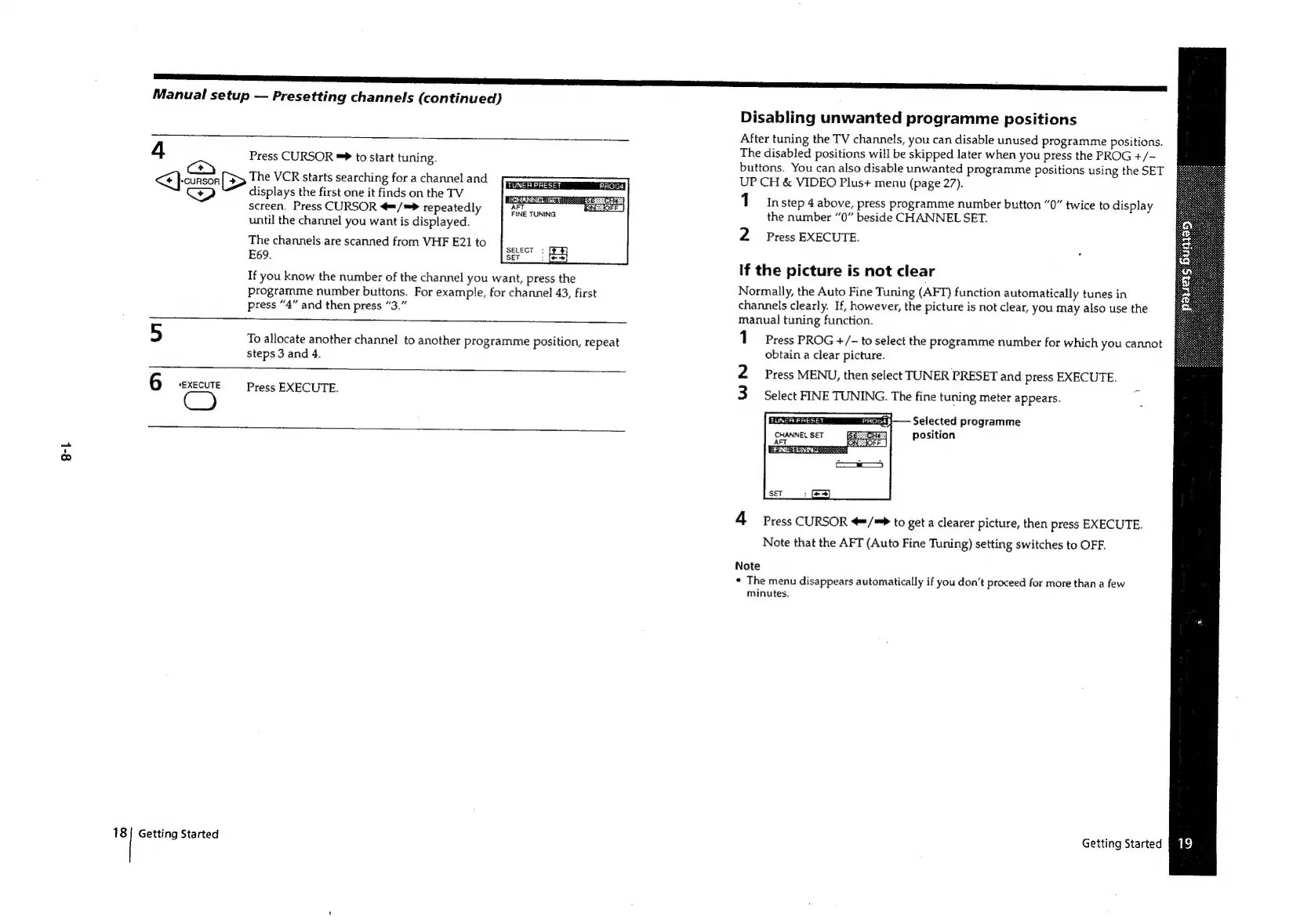
Press
CURSOR
™*
to
start
tuning.
The
VCR
starts
searching
for
a
channel
and
displays
the
first
one
it
finds
on
the
TV
screen.
Press
CURSOR
4=/*>
repeatedly
until
the
channel
you
want
is
displayed.
TUNER
PRESET
PROGs
SCORER
SET:
AFT
FINE
TUNING
The
channels
are
scanned
from
VHF
E21
to
E69.
If
you
know
the
number
of
the
channel
you
want,
press
the
programme
number
buttons.
For
example,
for
channel
43,
first
press
“4”
and
then
press
“3.”
5
To
allocate
another
channel
to
another
programme
position,
repeat
steps
3
and
4.
6
*EXECUTE
Press
EXECUTE.
Getting
Started
Disabling
unwanted
programme
positions
After
tuning
the
TV
channels,
you
can
disable
unused
programme
positions.
The
disabled
positions
will
be
skipped
later
when
you
press
the
PROG
+/-—
buttons.
You
can
also
disable
unwanted
programme
positions
using
the
SET
UP
CH
&
VIDEO
Plus+
menu
(page
27).
1
in
step
4
above,
press
programme
number
button
“0”
twice
to
display
the
number
“0”
beside
CHANNEL
SET.
2
Press
EXECUTE.
If
the
picture
is
not
clear
Normally,
the
Auto
Fine
Tuning
(AFT)
function
automatically
tunes
in
channels
clearly.
If,
however,
the
picture
is
not
clear,
you
may
also
use
the
manual
tuning
function.
1
Press
PROG
+/-
to
select
the
programme
number
for
which
you
cannot
obtain
a
clear
picture.
2
Press
MENU,
then
select
TUNER
PRESET
and
press
EXECUTE.
3
Select
FINE
TUNING.
The
fine
tuning
meter
appears.
7
Selected
programme
position
4
Press
CURSOR
/=*
to
get
a
clearer
picture,
then
press
EXECUTE.
Note
that
the
AFT
(Auto
Fine
Tuning)
setting
switches
to
OFF.
Note
*
The
menu
disappears
automatically
if
you
don’t
proceed
for
more
than
a
few
minutes.
Getting
Started

Related product manuals