11
Getting Started
Getting Started
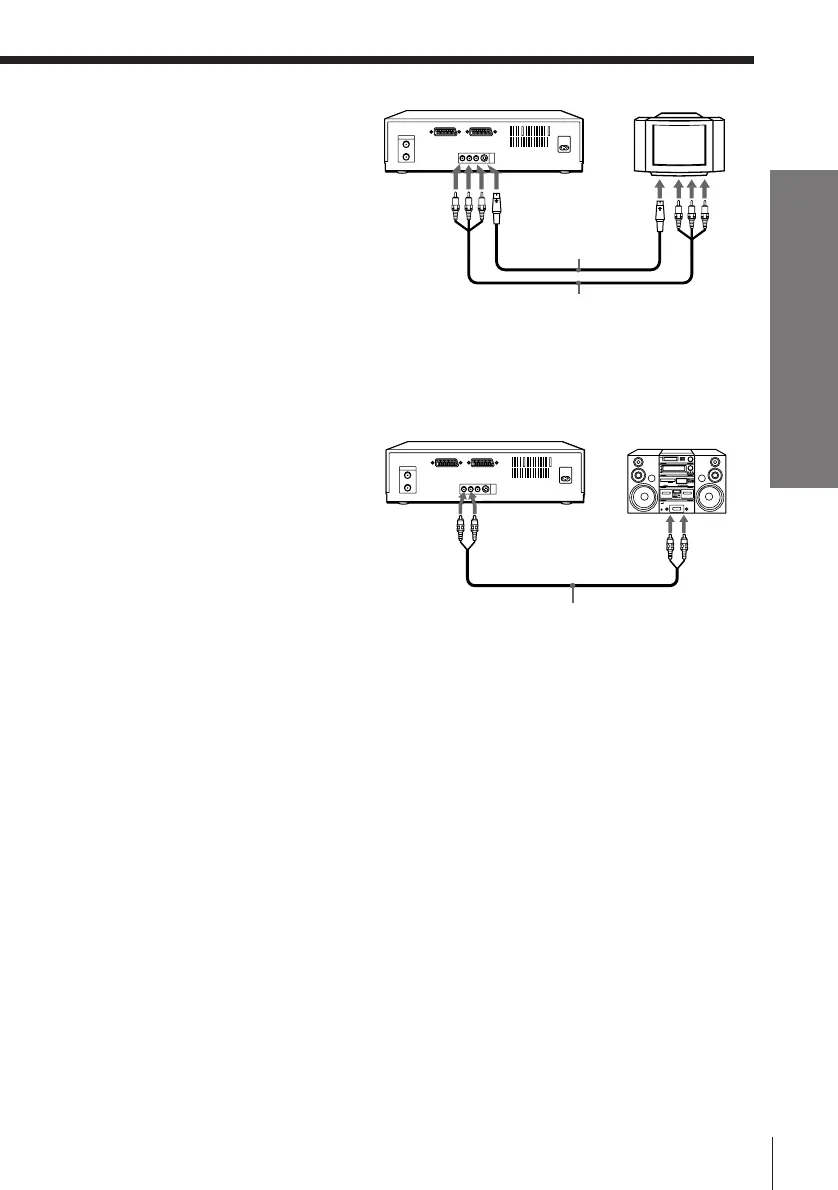
To a TV that has an S-VIDEO
connector
The S-VIDEO connection in addition
to the audio / video connection can
improve picture quality.
Note
If your TV has an S-VIDEO / VIDEO selector switch, set this to the S-VIDEO position
to view the picture from the S-VIDEO connector.
To a stereo system
You can improve sound quality by
connecting a stereo system as shown
on the right.
S VIDEO
Audio/video cable (supplied)
LINE INLINE OUT
LINE OUT
LINE
IN
Audio cable (not supplied)
S-Video cable
(supplied)
S VIDEO
IN



 To Next Page