23
Getting Started
Getting Started
CURSOR
CURSOR
CURSOR
CURSOR
EXECUTE
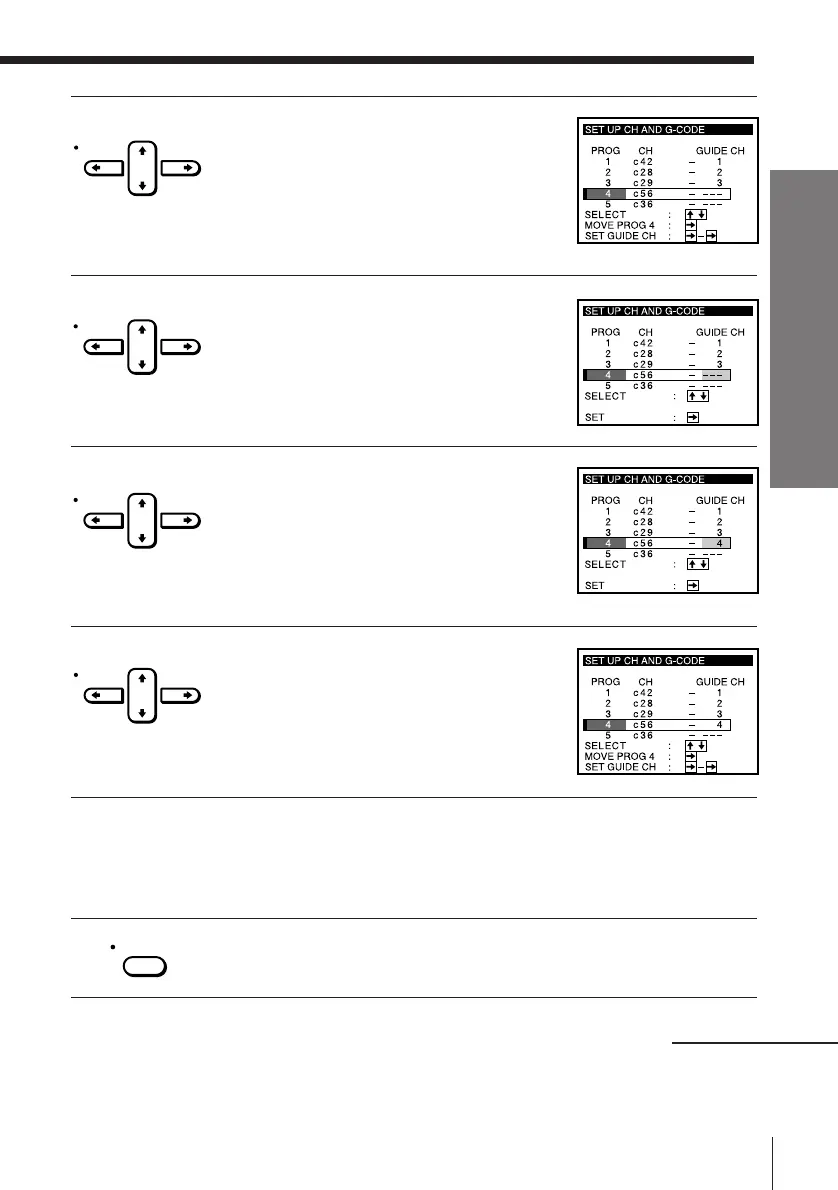
2 Press CURSOR > /. to move the cursor
(I) to the row on which you want to set the
guide channel.
To display other pages for programme
positions 6 to 60, press CURSOR > /.
repeatedly.
3 Press CURSOR / twice to highlight the
guide channel column.
4 Press CURSOR > /. to select the guide
channel number assigned in the
programme guide.
5 Press CURSOR / to confirm the setting.
6 To set the guide channel of another station, repeat steps 2 to 5.
If you want to change the programme positions of the stations,
proceed to step 2 of “Manual setup –– Changing programme
positions” on page 25.
7 Press EXECUTE.
continued



 To Next Page