41
Operating the Camera from a
Web Browser
This section explains how to monitor the image
from the camera using a web browser.
Camera settings should be set by administrator.
For details on the camera settings, see
“Configuring the Camera from a Web Browser”
(page 44).
When you operate pan, tilt, zoom, etc. with the
remote controller, see “Operations Using the
Supplied Infrared Remote Commander (SRG-XP1
only)” (page 22).
Notes
• Do not operate the camera from a network and
with a remote controller simultaneously.
• About 2 minutes after turning on the power,
the camera will be automatically reset to the
pan/tilt position (SRG-XP1 only) and the
camera settings stored in Preset 1. For details
on the setting items applied for start-up, see
“Preset Items” (page 64).
• If the camera settings are not stored in Preset 1,
the camera settings are not stored in the
memory and reset to the default settings when
the power is turned on.
About Authentication
To access the camera from a web browser,
authentication is required.
HTTP authentication: Sends/receives CGI
commands that controls the camera
settings.
Operating the Camera
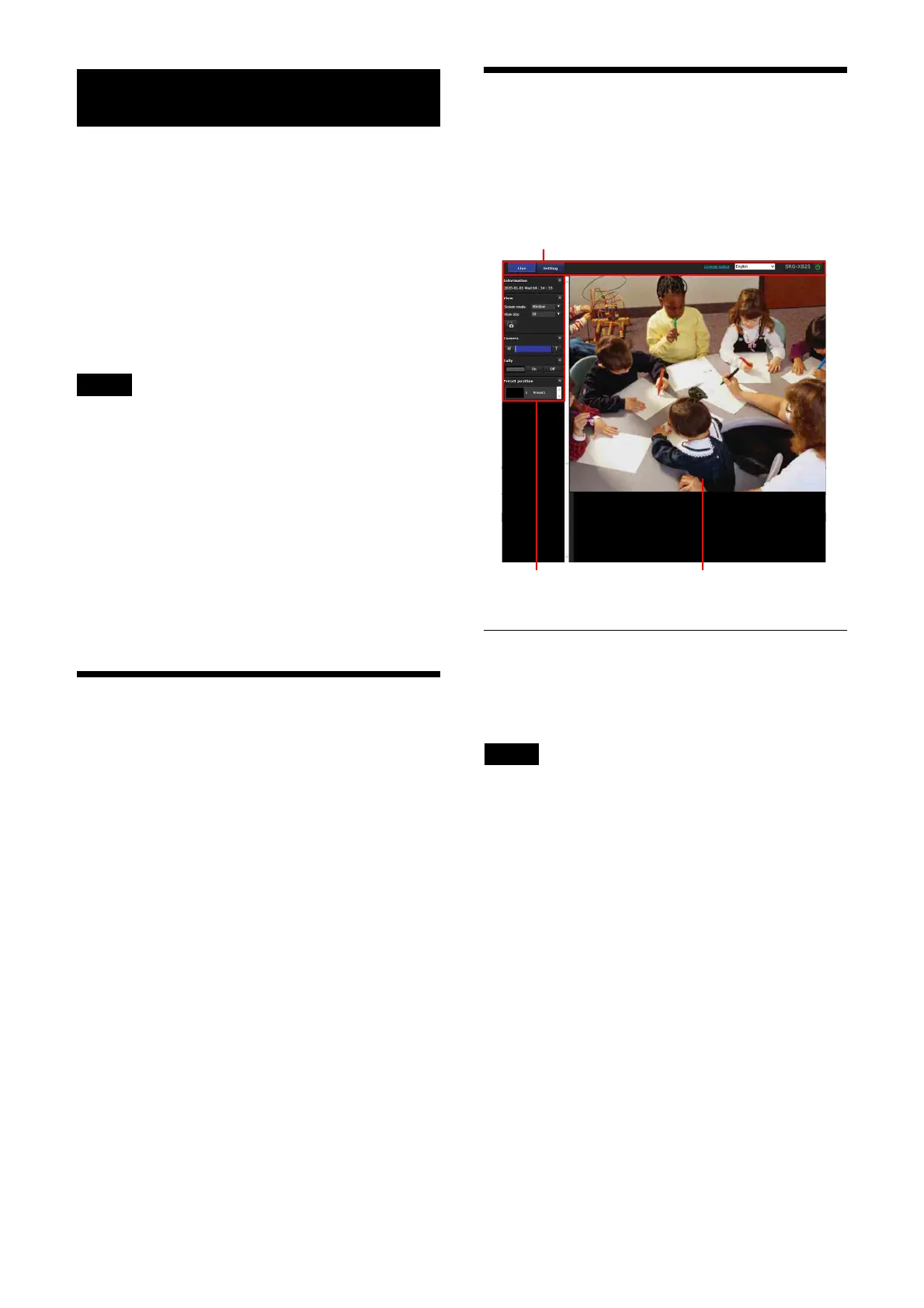
This section explains the names and functions of
the parts of the live viewer. For details, see the
specified pages.
Live viewer
Main menu
[Live]
Displays the live viewer window.
Note
No image is displayed when [Output source] is
set to [HDMI] or [HDMI+UVC].
[Setting]
Displays the administrator setting menu
(page 44).
You need to log in as an administrator to operate
this function.
[License notice]
Displays the software license agreements, etc.
Language
Set the language to be used in the viewer
display. Only English can be selected.
Control panel section
Main menu
Monitor screen



 To Next Page