55
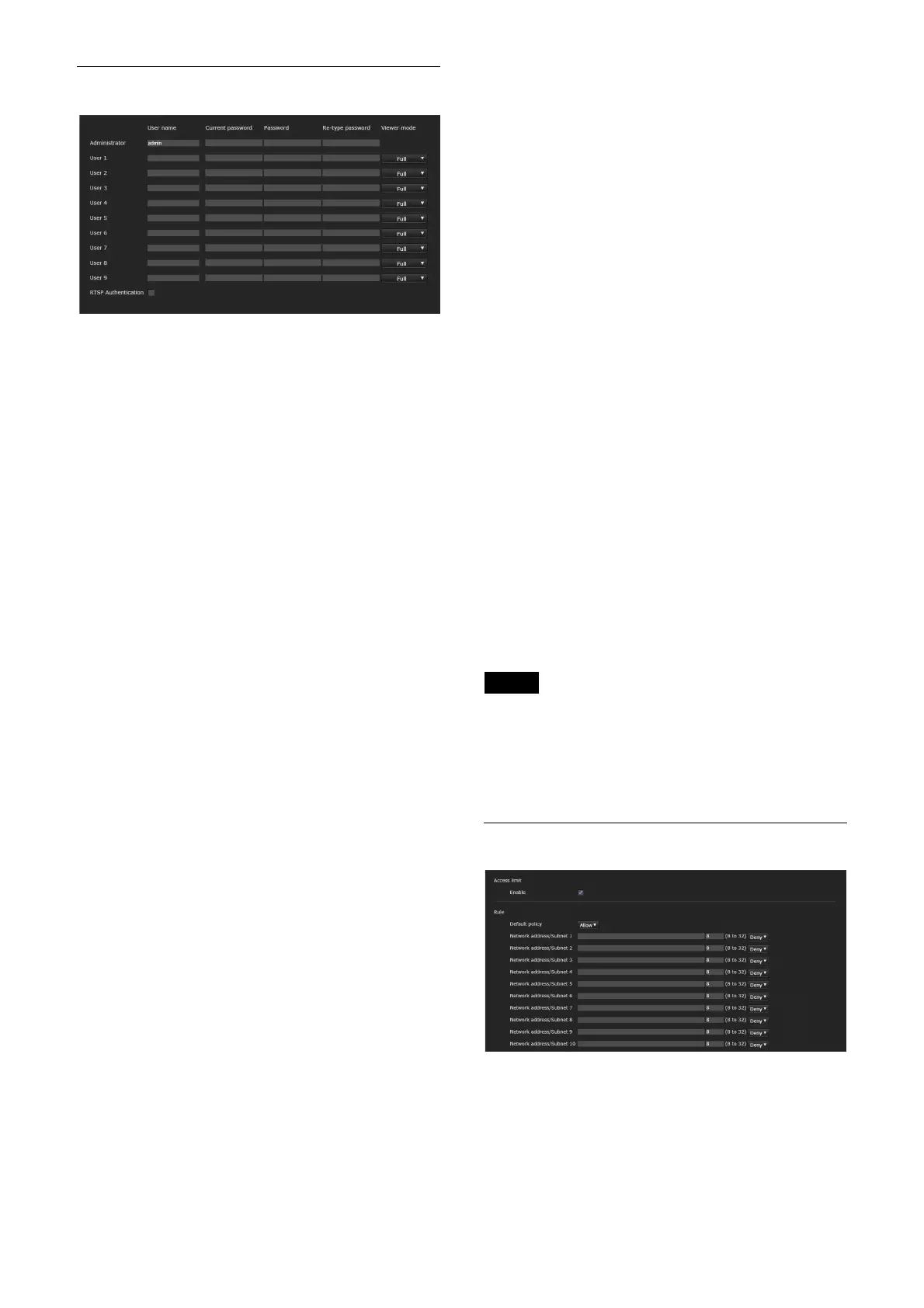
[User] tab
Set the user names and passwords of
Administrator and up to 9 users (User 1 to
User 9), and the viewer mode of each user.
Enter your password in [Current password] when
changing the user name and password or
deleting the user.
When adding a new user, it is unnecessary to
enter [Current password]. Enter a new user name
in [User name] and enter a password in
[Password] and [Re-type password].
[Administrator]
Specify [User name], [Current password],
[Password], and [Re-type password] for each
user ID.
[User name]
Enter a user name between 5 and 16
alphanumeric characters.
[Current password]
Enter the current password.
[Password]
Enter a password between 8 and 64
alphanumeric characters. Your password
should be alphanumeric.
[Re-type password]
To confirm the password, retype the
password that you entered in the [Password]
box.
[User 1] to [User 9]
Specify [User name], [Current password],
[Password], [Re-type password], and [Viewer
mode] for each user ID.
[User name]
Enter a user name between 5 and 16
alphanumeric characters.
[Current password]
Enter the current password.
[Password]
Enter a password between 8 and 64
alphanumeric characters. Your password
should be alphanumeric.
[Re-type password]
To confirm the password, retype the
password that you entered in the [Password]
box.
[Viewer mode]
You can select the viewer mode to be
displayed after authentication when the
viewer is displayed.
[Administrator]: The user can operate all
functions including the setting menu
in this mode.
[Full]: The user can operate all functions
other than the setting menu, preset
settings, and power.
[Light]: The user can select the image size
and image ([Image 1] to [Image 3]) of
the live viewer.
[RTSP Authentication]
Set whether the user is authenticated or not for
RTSP streaming.
When the checkbox is checked, the user name
and password specified on the [User] tab are
authenticated.
Notes
• To prevent unspecified users from getting the
streaming, select the checkbox of [RTSP
Authentication] before use.
• When the setting is changed, RTSP streaming is
temporarily interrupted.
[Access limit] tab
This allows you to control which computers can
have access to the camera.



 To Next Page