58
[Call]
Move to the pan, tilt, and zoom positions
stored in the selected preset. The stored
camera settings are called.
[Add]
Store the current pan, tilt, zoom positions
and camera settings as a new preset. For
details on the settings that can be stored,
see “Preset Items” (page 64).
[Delete]
Delete the selected preset and return the
stored settings to the factory settings. For
details on the setting items stored in each
preset, see “Preset Items” (page 64).
[Rename]
Change the name of a selected preset. Up to
32 alphanumeric characters can be used to
set the name.
Setting the Streaming
— [Streaming] Menu
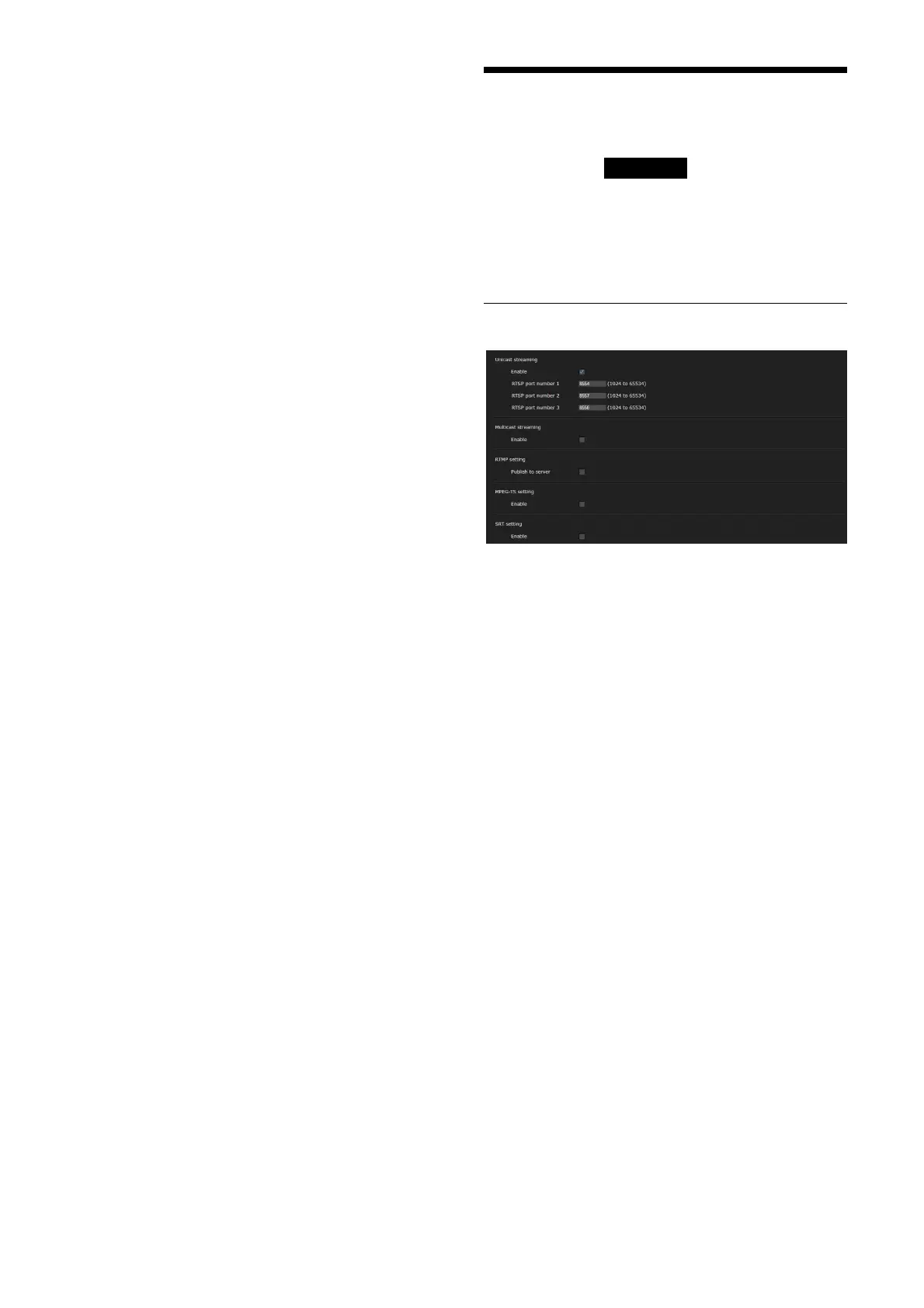
When you click in the Administrator
menu, the [Streaming] menu appears.
Use this menu to set the items for the
transmission by unicast or multicast.
The [Streaming] menu consists of the
[Streaming] tab.
[Streaming] tab
When Streaming tab settings are changed, RTSP
streaming is temporarily interrupted. Therefore,
while you display the viewer on another web
browser, the screen turns black for a moment.
[Unicast streaming]
[RTSP port number 1] to [RTSP port
number 3]
Specify the RTSP port number used for RTSP
unicast streaming. The default setting is
8554, 8557 or 8556. Specify a value from
[1024] to [65534].
The settings for [Image 1] to [Image 3] on the
[Video codec] tab of the [Video] menu apply
to [RTSP port number 1] to [RTSP port
number 3], respectively.
[Multicast streaming]
Set whether the camera uses multicast
streaming with video data and audio data or not.
It reduces the transmission load on the camera
by having a computer of the same segment
network receive the same transmitting data.
[Enable]
Select the checkbox to allow multicast
streaming.
When you have selected the checkbox, set
[Video port number] and [Audio port
number] appropriately.



 To Next Page