46
Configuring the System
— [System] Menu
When you click in the Administrator
menu, the [System] menu appears.
Use this menu to set the basic settings of the
camera.
The [System] menu consists of the [Information],
[Date & time], [Installation], [Initialize], [Access
log], and [Error log] tabs.
[Information] tab
You can also refer from the OSD menu. For
details, see “DEVICE INFO (Device information of
the camera)” (page 35).
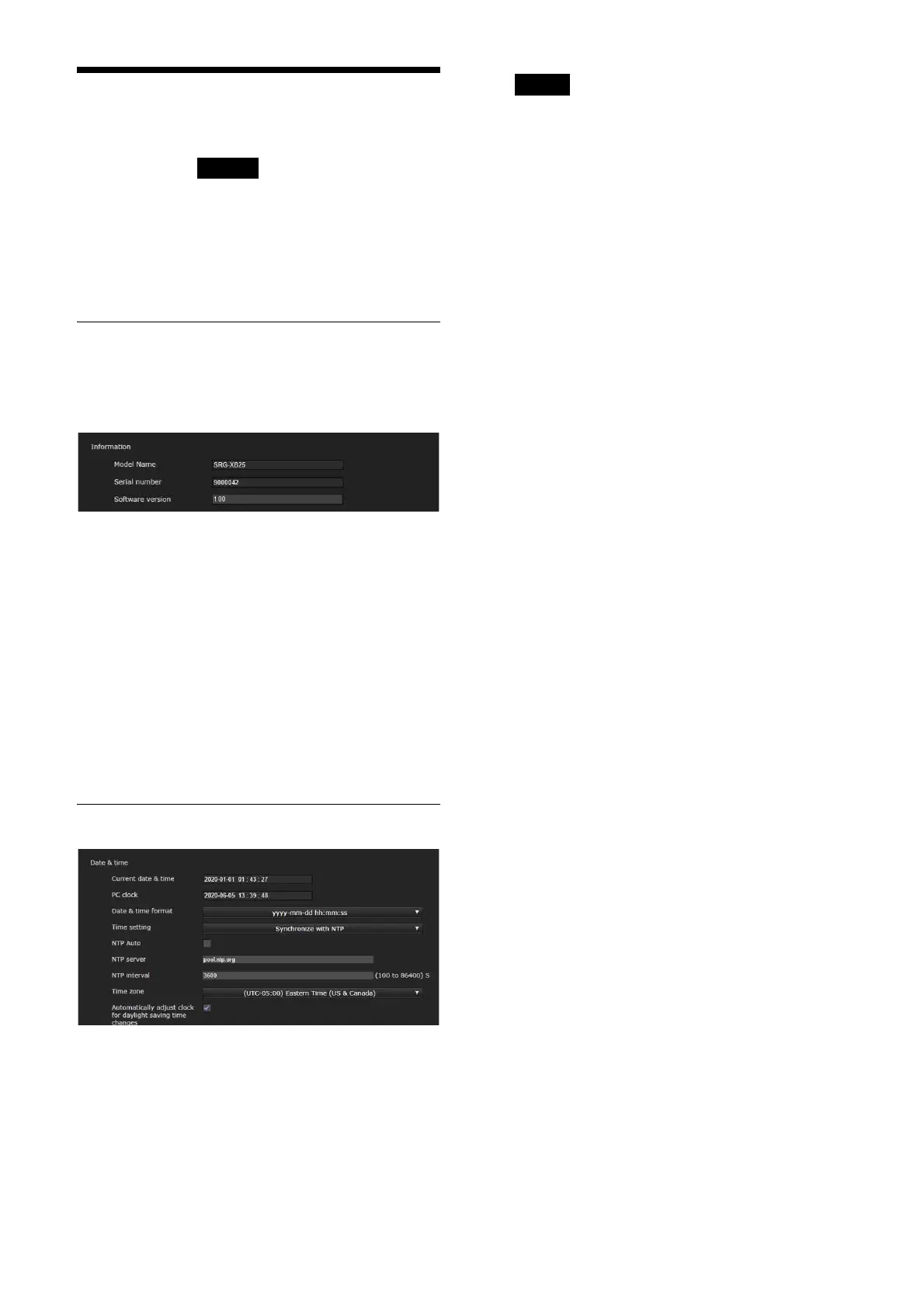
[Information]
[Model Name] (DEVICE INFO - MODEL
NAME)
Displays the model name of the camera.
[Serial number] (DEVICE INFO - SERIAL
NUMBER)
Displays the serial number of the camera.
[Software version] (DEVICE INFO -
VERSION)
Displays the software version of the camera.
[Date & time] tab
[Date & time]
[Current date & time]
Displays the date and time set on the
camera.
Notes
• The set time is reset when the unit is turned
off.
• Time setting is initialized when [Reboot] or
[Factory default] is issued.
[PC clock]
Displays the date and time set on your
computer.
[Date & time format]
Select the date and time format to be
displayed on the viewer from the drop-down
list.
You can select the format from [yyyy-mm-dd
hh:mm:ss] (year-month-day
hours:minutes:seconds), [mm-dd-yyyy
hh:mm:ss] (month-day-year
hours:minutes:seconds), and [dd-mm-yyyy
hh:mm:ss] (day-month-year
hours:minutes:seconds).
[Time setting]
Select how to set the date and time.
[Keep current setting]: Select when you do
not set the date and time of the
camera.
[Synchronize with PC]: Select when you
synchronize the date and time
between the camera and the
computer.
[Manual setting]: Select when you set the
date and time of the camera manually.
Select the year, month, day, hours,
minutes, and seconds from each drop-
down list.
[Synchronize with NTP]: Select when you
synchronize the date and time
between the camera and the time
server called NTP (Network Time
Protocol) server.
Set the NTP server when [Synchronize
with NTP] is selected.
[NTP Auto]
Select the checkbox when you obtain the
NTP server information from the DHCP
server.
Clear the checkbox when you specify the
NTP server directly.
[NTP server]
When [NTP Auto] is not selected, specify the
NTP server for synchronization.
[NTP interval]
Specify the interval for time synchronization
with the NTP server.
You can set from 100 to 86,400 seconds.



 To Next Page