104
4-6 AUDIO Menu
Chapter 4 Menu Settings
2
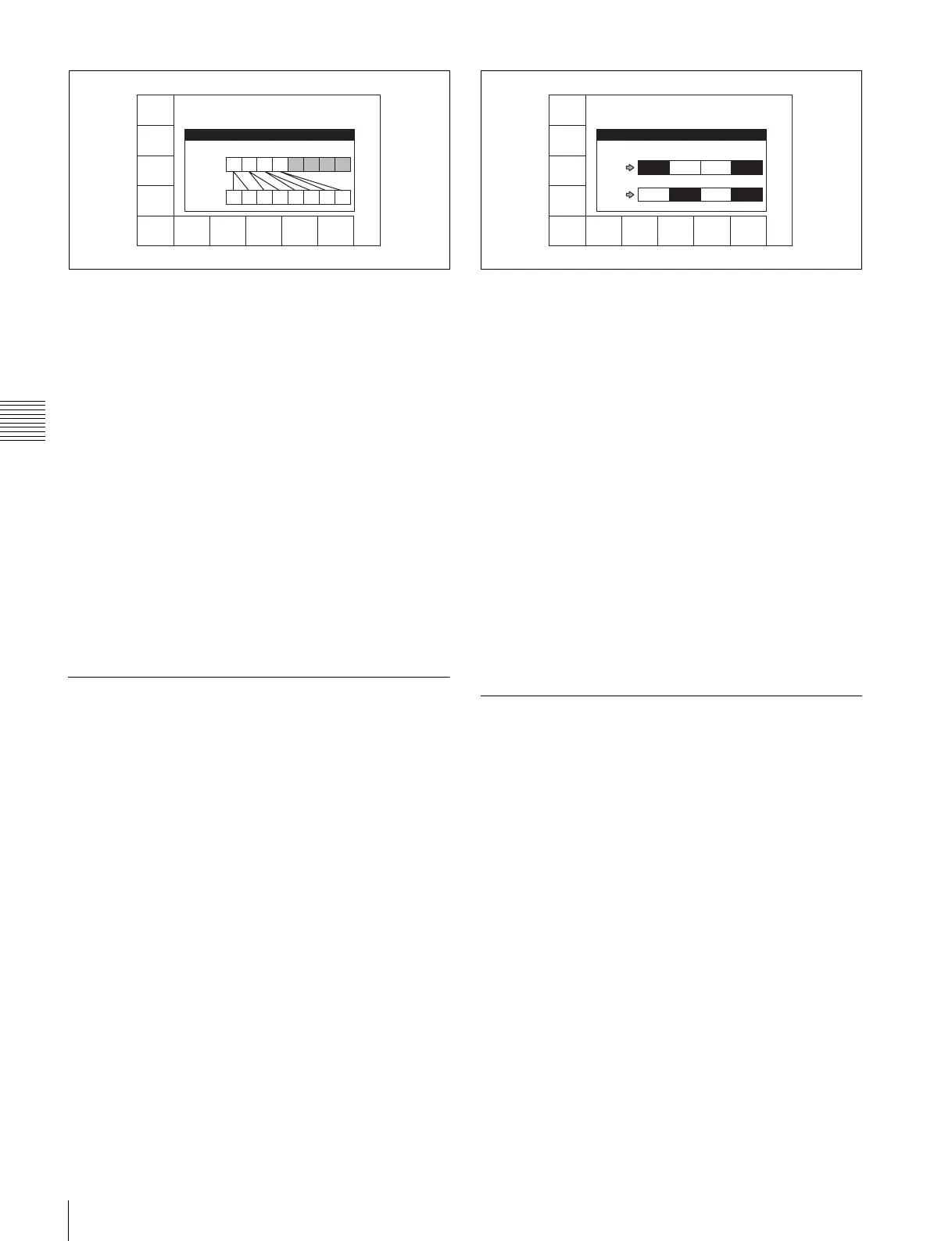
Press the [F1] (REPLACE MODE) button.
Each press of the button changes the setting in the
order “normal
t parallel t reverse t stereo”. At
the same time, the image of the channels
corresponding to the command changes to reflect the
selected setting.
3
Press the [F10] (EXIT) button.
This returns to the AUDIO menu screen.
You can also make this setting using the VTR SETUP
menu item 311 “EDIT PRESET REPLACE MODE
SELECT”.
See “4-6-9 External Device Analog Audio Edit Preset
Command Replace Mode Selection (ANALOG AUDIO
EDIT REPLACE)” (page 104) for information about
settings for audio edit preset control of channels 9 to 12.
4-6-9 External Device Analog Audio
Edit Preset Command Replace Mode
Selection (ANALOG AUDIO EDIT
REPLACE)
You can replace the channel settings for analog audio edit
preset commands received from editors and other external
devices. This function allows such devices to control
channels 9 to 12 on this unit.
1
Press the ALT/[F4] (ANALOG REPLACE) buttons.
The ANALOG AUDIO EDIT REPLACE menu
appears, together with a REPLACE image window.
2
Use the [F1] (ANAREP CH9), [F2] (ANAREP CH10),
[F3] (ANAREP CH11), [F4] (ANAREP CH12)
buttons to specify whether to control channels 9 to 12
with edit preset commands for analog channels 1 and
2.
The image of the corresponding channels changes to
reflect the settings.
3
Press the [F10] (EXIT) button.
This returns to the AUDIO menu screen.
You can also make this setting using the VTR SETUP
menu item 312 “ANALOG AUDIO EDIT PRESET
REPLACE”.
See “4-6-8 External Device Digital Audio Edit Preset
Command Replace Mode Selection (AUDIO EDIT
PRESET REPLACE)” (page 103) for information about
audio edit preset control of channels 1 to 8.
4-6-10PITCH GROUP Selection
(PITCH CORRECTION GROUP
SELECT)
When pitch correction is performed during program play
and play at a different frequency
(23.98 frame y 24 frame,
23.98/24 frame y 25 frame, 29.97 frame y 30 frame), you can
set up group relations between audio channels.
1
Press the ALT/[F5] (PITCH GROUP) buttons.
The PITCH CORRECTION GROUP SELECT menu
appears, together with an image window of channels
groups for pitch correction.
REPLCE
MODE
stere
EXIT
AUDIO EDIT PRESET REPLACE
REPLACE MODE : STEREO
COMMAND
CH1 CH2 CH3 CH4 CH5 CH6 CH7 CH8
PRESET
CH1 CH2 CH3 CH4 CH5 CH6 CH7 CH8
ANAREP
CH9
ch1
ANAREP
CH10
ch2
ANAREP
CH11
nodef
ANAREP
CH12
ch1+2
EXIT
ANALOG AUDIO EDIT REPLACE
CMD PRESET
ANA
CH1
CH9 CH10 CH11 CH12
CH9 CH10 CH11 CH12
ANA
CH2



 To Next Page