25
2-1 Control Panel
Chapter 2 Locations and Functions of Parts
lights up). The x indicator lights up while the VTR is in
stop mode.
Shuttle mode: The playback speed corresponds to the
angle of rotation of the search dial. The playback
speed range depends on the frame frequency of the
unit. (See item 1 SHUTTLE button.) The dial clicks
at the positions for 0 (still picture) and ±10 times
normal playback speed (HDCAM/Digital Betacam)
or ±8 times normal playback speed (HDCAM-SR).
Jog mode: The playback speed corresponds to the
rotational speed of the dial (–1 to +1 times normal
speed, ±2 times normal speed (HDCAM/HDCAM-
SR), or ±3 times normal speed (Digital Betacam))
depending on the setting of the VTR SETUP menu
item 107 “JOG DIAL RESPONSE”). The dial does
not click.
Variable speed playback mode: Noiseless playback is
possible in the range from –1 to +2 times normal
speed (HDCAM/HDCAM-SR) or –1 to +3 times
normal speed (Digital Betacam). The speed settings
can be changed using the menu. The dial clicks at the
positions for still-picture and normal playback speed.
Capstan override mode: Rotating the dial while holding
down the PLAY button changes the playback speed
by up to ±15%.
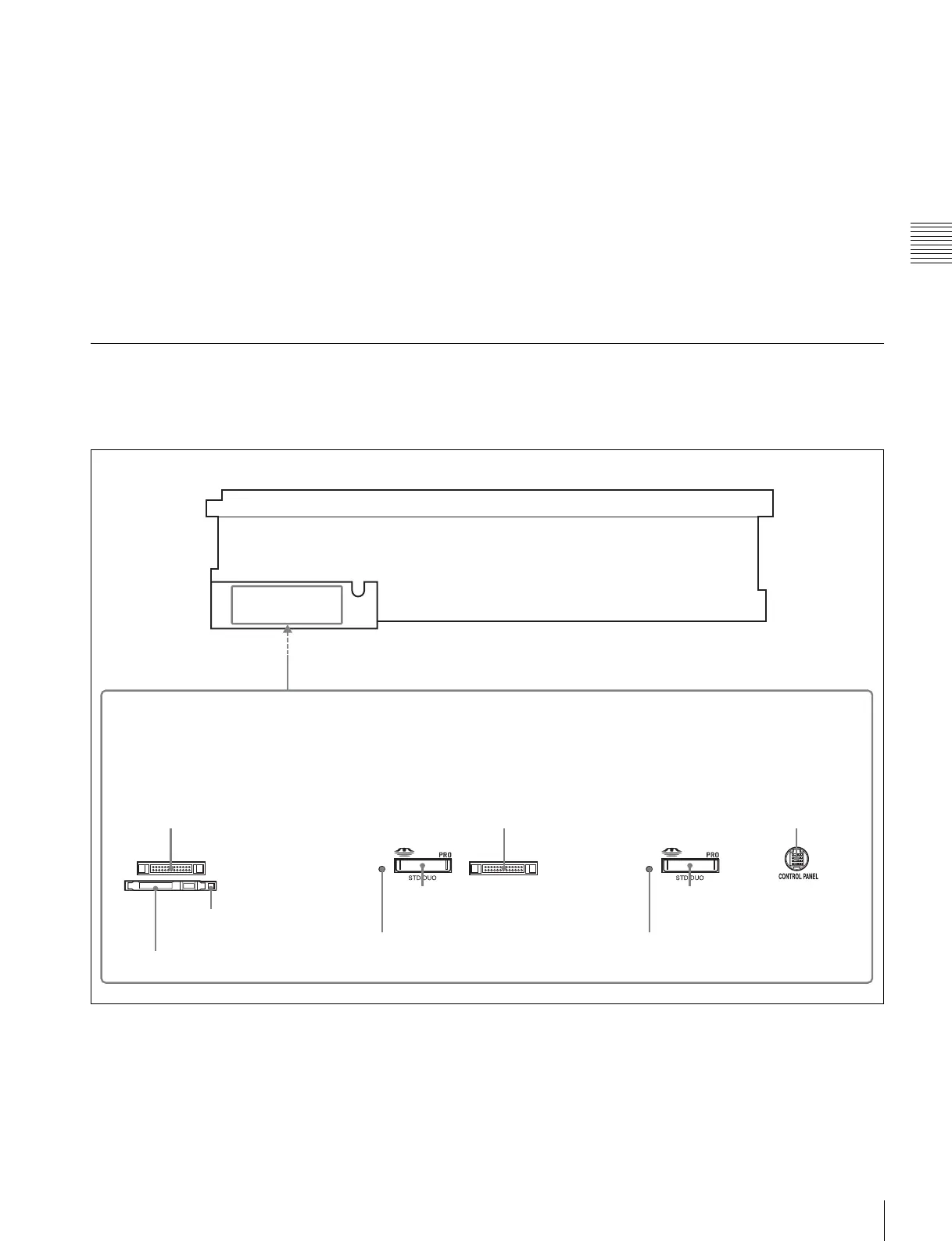
2-1-3 System Set-Up Panel
Lift the lower control panel up to its horizontal position to
access the system set-up panel.
For details of opening and closing the control panel, refer
to the Maintenance Manual.
For details, see “3-4 Using a “Memory Stick”” on
page 37.
CONTROL PANEL CONTROL PANEL
CONTROL PANEL
connector
Card slot eject
button
PCM CIA card slot
• SRW-5000 serial numbers 12523 or
lower and 90000 to 99999
• SRW-5500 serial numbers 14577 or
lower and 30000 to 39999
• SRW-5000 serial numbers
12524 to 15000
• SRW-5500 serial numbers
14578 to 15000
• Serial numbers 15001 or higher
1)
1) Excluding SRW-5000 serial numbers
90000 to 99999, and SRW-5500
serial numbers 30000 to 39999.
CONTROL PANEL
connector
CONTROL PANEL
connector
“Memory Stick”
slot
Access indicator
“Memory Stick”
slot
Access indicator



 To Next Page