37
3-4 Using a “Memory Stick”
Chapter 3 Setting Up the VTR
Preventing double cassette inserting
When a cassette is loaded, an orange lock-out bar appears
in the cassette insertion slot to prevent users from
attempting to load another cassette.
Ejecting the cassette
Press the EJECT button.
The tape is unthreaded and the cassette is automatically
ejected. This operation takes a few seconds.
To cancel ejecting a cassette
Press any operation button before the cassette is
completely ejected. The cassette is loaded again and the
operation corresponding to the button you pressed starts.
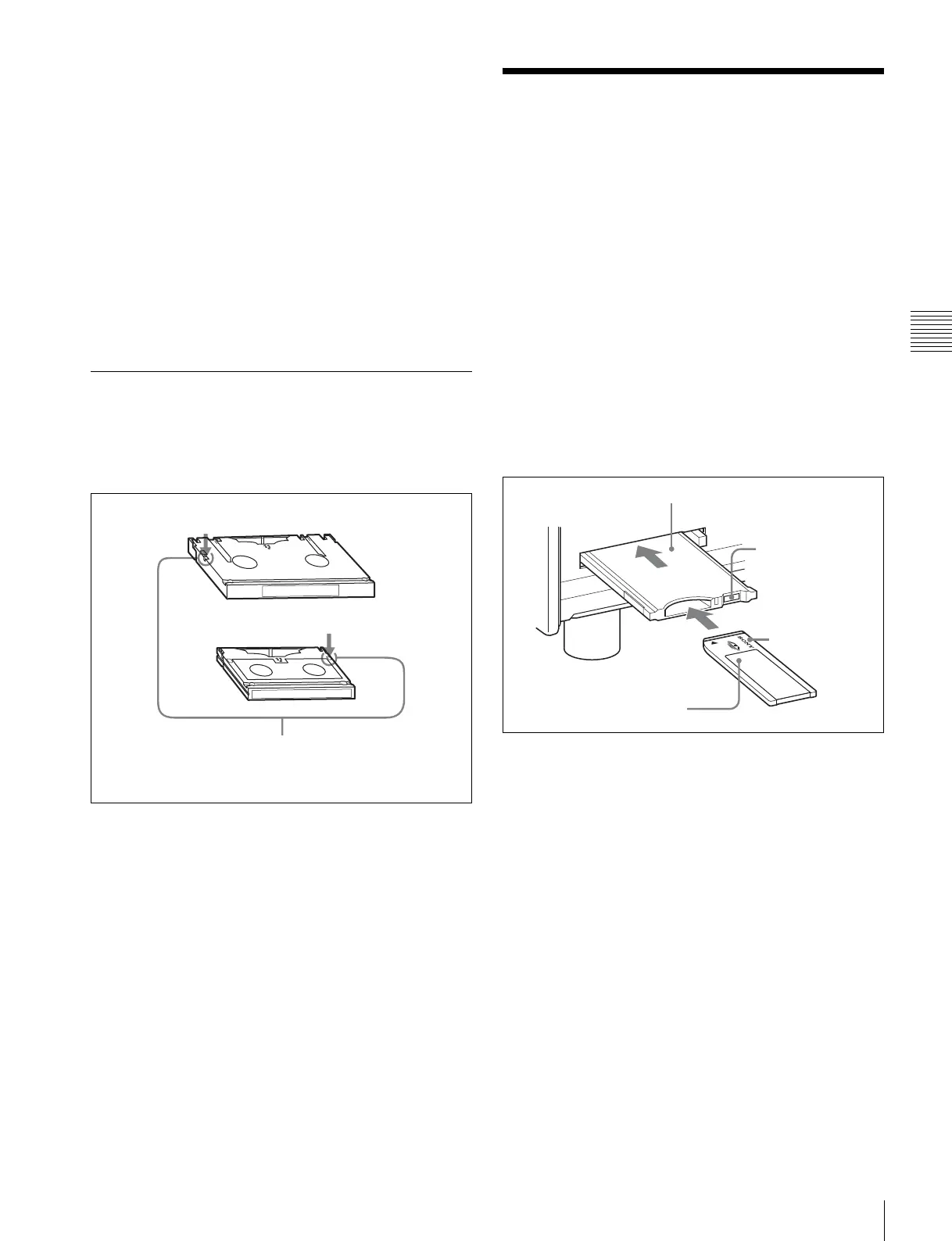
3-3-3 Preventing Accidental
Erasure
To prevent accidental erasure of material recorded on a
tape, push in the record-protect plug.
When a cassette with this plug pushed in is inserted into
the VTR, the REC INHIBIT indicator on the lower control
panel lights up and recording will not start, even if you
press the REC/EDIT button.
To restore the tape for recording, return the plug to its
original position.
3-4 Using a “Memory
Stick”
When a “Memory Stick” is inserted in the VTR, the file
data can be stored on the “Memory Stick”, which enables
you to share data among VTRs.
Inserting a “Memory Stick”
• For SRW-5000 serial numbers 12523 or lower
and 90000 to 99999
• For SRW-5500 serial numbers 14577 or lower
and 30000 to 39999
With the label side up and the connector facing forward,
insert the “Memory Stick” into an optional memory card
adaptor. Then, with the “Memory Stick” still loaded, insert
the memory card adaptor into the memory card slot of the
unit.
• For SRW-5000 serial numbers 12524 or higher
1)
• For SRW-5500 serial numbers 14578 or higher
1)
1) Excluding SRW-5000 serial numbers 90000 to 99999, and SRW-5500
serial numbers 30000 to 39999.
With the label side up and the connector facing forward,
insert the “Memory Stick” into the “Memory Stick” slot.
The access indicator flashes when data is being accessed.
L-size cassette
S-size cassette
Push in the record-protect plug. (ON)
To restore the tape for recording, return the plug to its
original position. (OFF)
Eject button
“Memory Stick”
Label side up
Memory card adaptor



 To Next Page