97
4-5 VIDEO Menu
Chapter 4 Menu Settings
You can return to the previous screen by pressing the
[F1] (DETAIL) button.
2
Perform the necessary operation.
Saving LUT data stored on the “Memory Stick” to
the VTR
1
Press the cursor R or r button (or rotate the MULTI
CONTROL knob) to select the bank to which to save.
2
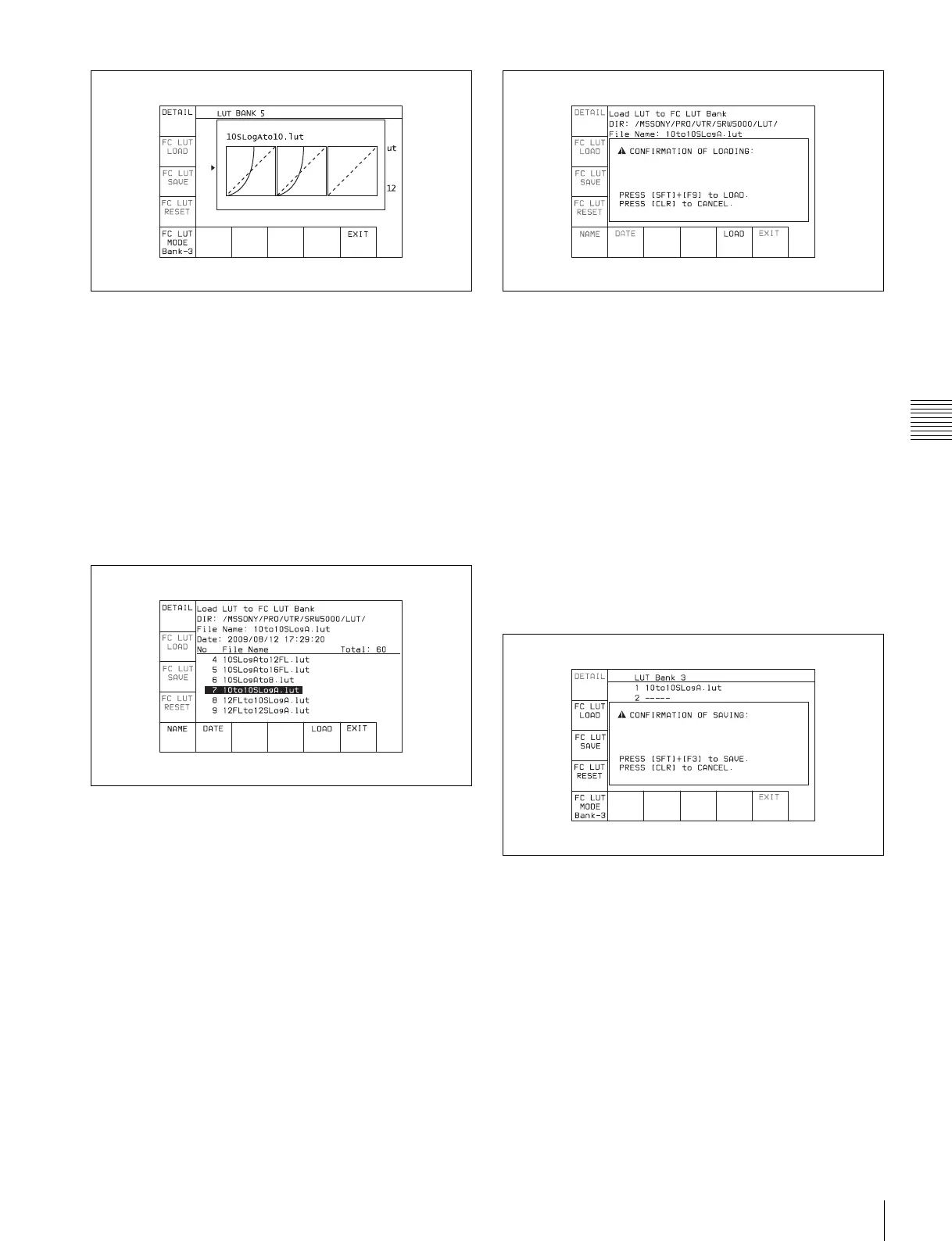
Press the [F2] (FC LUT LOAD) button.
The LUT data stored on the “Memory Stick” appears.
• Directory displayed:
/MSSONY/PRO/VTR/SRW5000/LUT
• File name displayed:
.lut
To display the LUT curve for LUT data stored on
the “Memory Stick”
Press the [F1] (DETAIL) button.
You can return to the previous screen by pressing the
[F1] (DETAIL) button again.
To sort the list
[F5] (NAME) button: The list is sorted by file name.
[F6] (DATE) button: The list is sorted by date.
3
Press the [F9] (LOAD) button.
A message asking you to confirm the operation
appears in the display.
To cancel the save operation
Press the CLR button.
4
Press the [F9] (COPY) button while holding down the
SFT button.
The LUT data stored on the “Memory Stick” is saved.
Saving LUT data to the “Memory Stick”
1
Press the cursor R or r button (or rotate the MULTI
CONTROL knob) to select the LUT data to be saved
to the “Memory Stick”.
2
Press the [F3] (FC LUT SAVE) button.
A message asking you to confirm the operation
appears in the display.
To cancel the save operation
Press the CLR button.
3
Press the [F3] (FC LUT SAVE) button while holding
down the SFT button.
The LUT data is saved to the “Memory Stick”.



 To Next Page