102
US
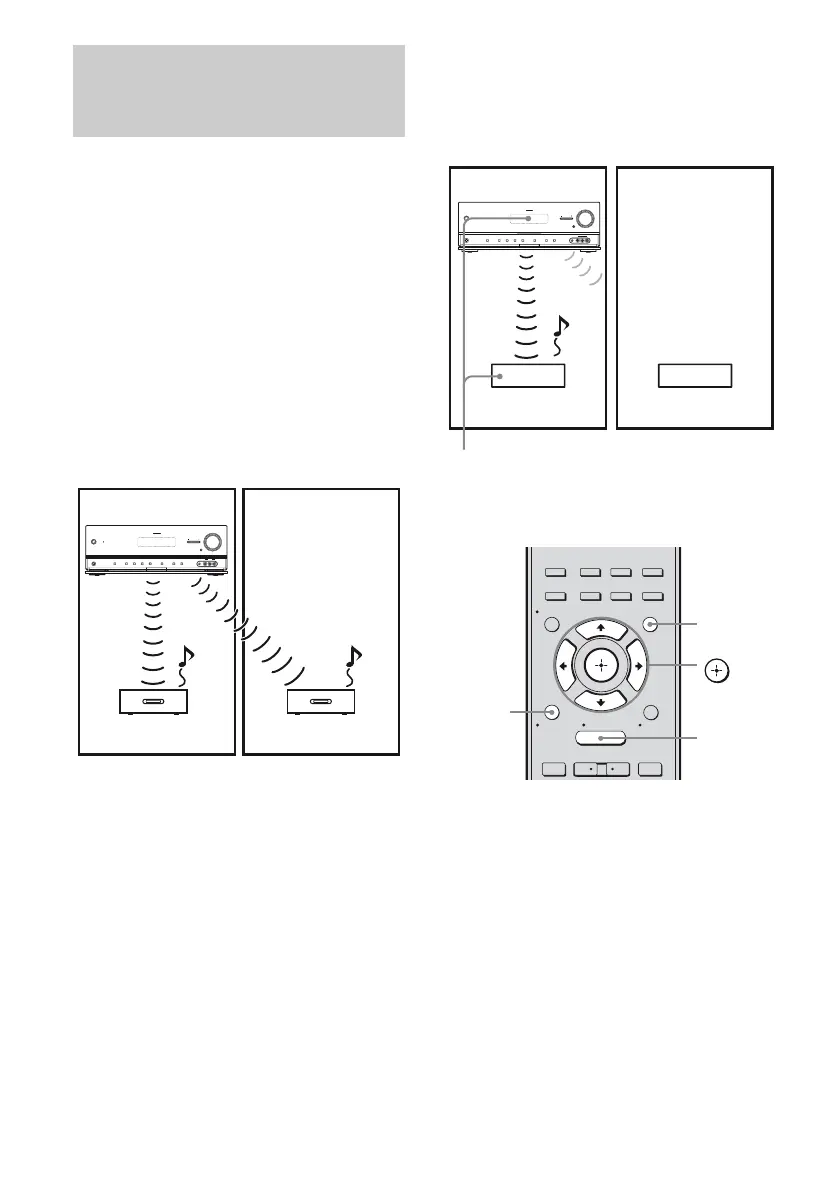
To establish sound transmission, you need to
set the same ID for your S-AIR main unit and
S-AIR sub unit.
However, if your neighbors have S-AIR
products and their IDs are the same as yours,
your neighbors could receive the sound of
your S-AIR main unit or vice versa.
To prevent this, you can pair the S-AIR main
unit with a specific S-AIR sub unit by
performing the pairing operation.
x Before pairing
Sound transmission is established by the ID
(example).
x After pairing
Sound transmission is established between the
paired S-AIR main unit and S-AIR sub unit(s)
only.
To perform pairing
1 Place the S-AIR sub unit that
you want to pair near the S-AIR
main unit.
2 Match the IDs of the S-AIR main
unit and the S-AIR sub unit.
• To set the ID of the S-AIR main unit,
see “To set the ID of the S-AIR main
unit” (page 100).
• To set the ID of the S-AIR sub unit,
refer to the operating instructions
supplied with the S-AIR sub unit.
Pairing the S-AIR main unit with
a specific S-AIR sub unit
(Pairing operation)
ID A
ID A
ID A
?/1
MASTER VOLUME
SPEAKERS
PHONES
2 CH/
A.DIRECT
A.F.D. MOVIE MUSIC INPUT MODE DIMMER DISPLAY
VIDEO 2 IN
VIDEO L AUDIO R
AUTO CAL MIC
MULTI CHANNEL DECODING
INPUT SELECTOR
MUTING
Your room
S-AIR main unit
S-AIR sub unit S-AIR sub unit
Neighbor
ID A ID A
?/1
MASTER VOLUME
SPEAKERS
PHONES
2 CH/
A.DIRECT
A.F.D. MOVIE MUSIC INPUT MODE DIMMER DISPLAY
VIDEO 2 IN
VIDEO L AUDIO R
AUTO CAL MIC
MULTI CHANNEL DECODING
INPUT SELECTOR
MUTING
Your room
S-AIR main unit
S-AIR sub unit S-AIR sub unit
Neighbor
No transmission
Pairing
2CH/
A.DIRECT
A.F.D. MOVIE MUSIC
RESOLUTION
.
>
<
<
MENU
RETURN/
EXIT
TOOLS/
OPTIONS
HOME
DISPLAY
GUI MODE
O
INPUT
MODE
SLEEP
NIGHT
MODE
– CATEGORY +
V/v/B/b,
GUI MODE
MENU
RETURN/
EXIT O



 To Next Page