107
US
S-AIR Operations
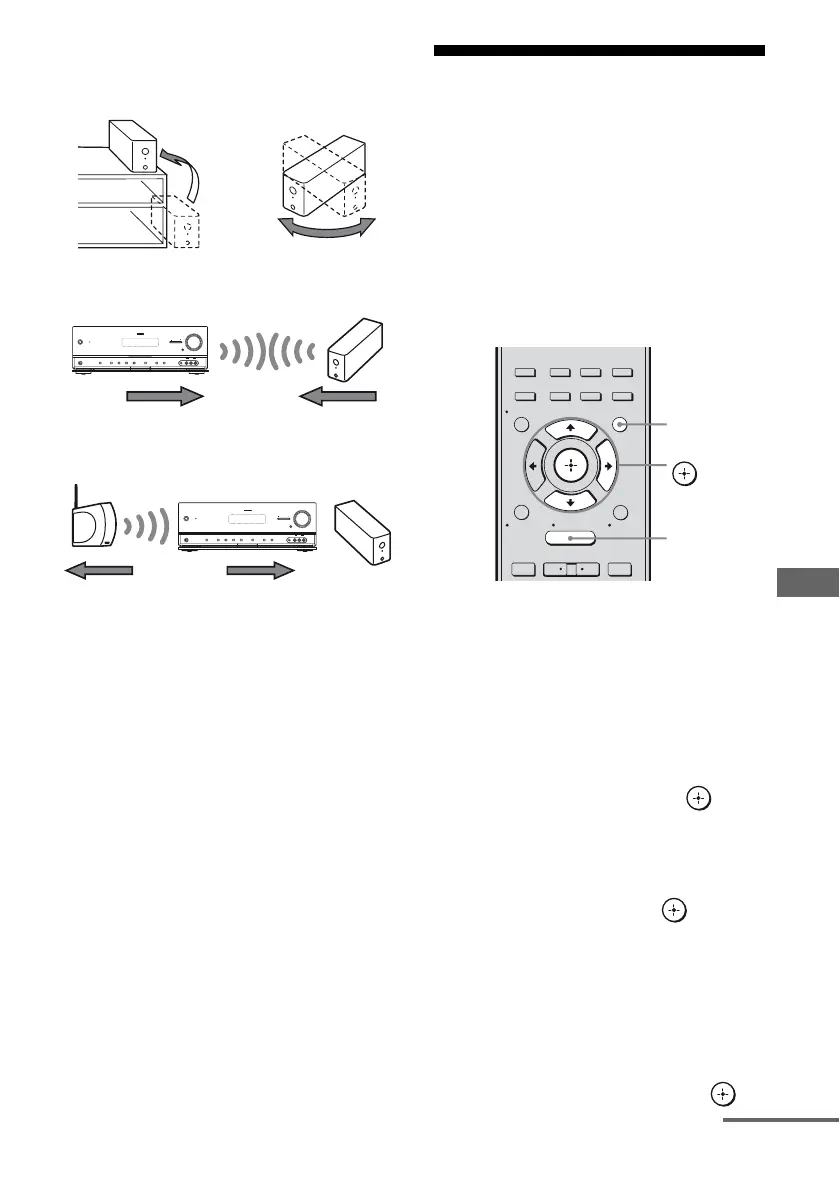
• Adjust the location (height, orientation, and
place in the room) of S-AIR products until
reception is the most stable.
– Place so that the wireless adapters of the
S-AIR main unit and sub unit are closer.
– Place so that S-AIR products are separated
from other wireless devices.
– Place so that S-AIR products are separated
from metal doors or tables.
If you still cannot improve S-AIR reception,
change the “RF Change” setting (page 105).
Enjoying the S-AIR
receiver while the S-AIR
main unit is in standby
mode
(For the S-AIR receiver only (not
supplied))
You can enjoy the S-AIR receiver while the
S-AIR main unit is in standby mode by setting
“S-AIR Stby” to “ON”.
1 Press GUI MODE.
After “MENU ON” appears on the
display for a while, “GUI” appears and
the GUI menu appears on the TV screen.
Press MENU if the GUI menu does not
appear on the TV screen.
2 Press V/v repeatedly to select
“Settings”, then press or b.
The Settings menu list appears on the TV
screen.
3 Press V/v repeatedly to select
“S-AIR”, then press .
The S-AIR menu appears.
Note
When the S-AIR transmitter (not supplied) is
not inserted into the S-AIR main unit, “S-AIR”
cannot be selected.
4 Press V/v repeatedly to select
“S-AIR Stby”, then press .
?/1
MASTER VOLUME
SPEAKERS
PHONES
2 CH/
A.DIRECT
A.F.D. MOVIE MUSIC INPUT MODE DIMMER DISPLAY
VIDEO 2 IN
VIDEO L AUDIO R
AUTO CAL MIC
MULTI CHANNEL DECODING
INPUT SELECTOR
MUTING
?/1
MASTER VOLUME
SPEAKERS
PHONES
2 CH/
A.DIRECT
A.F.D. MOVIE MUSIC INPUT MODE DIMMER DISPLAY
VIDEO 2 IN
VIDEO L AUDIO R
AUTO CAL MIC
MULTI CHANNEL DECODING
INPUT SELECTOR
MUTING
2CH/
A.DIRECT
A.F.D. MOVIE MUSIC
RESOLUTION
.
>
<
<
MENU
RETURN/
EXIT
TOOLS/
OPTIONS
HOME
DISPLAY
GUI MODE
O
INPUT
MODE
SLEEP
NIGHT
MODE
– CATEGORY +
GUI MODE
MENU
V/v/b,
continued



 To Next Page