104
US
Enjoying the system’s
sound in another room
(For the S-AIR receiver only (not
supplied))
You can enjoy the system’s sound in another
room by using the S-AIR receiver. The S-AIR
receiver can be placed in another room for
enjoying the system’s sound there.
For details of the S-AIR receiver, refer to the
operating instructions supplied with the S-AIR
receiver.
1 Set the ID of the S-AIR receiver
to match the ID of the S-AIR
main unit.
• To set the ID of the S-AIR main unit,
see “To set the ID of the S-AIR main
unit” (page 100).
• To set the ID of the S-AIR receiver,
refer to the operating instructions
supplied with the S-AIR receiver.
Notes
• When you are using another S-AIR sub unit,
such as a surround amplifier, do not change
the ID of the S-AIR main unit. Set the ID of
the S-AIR receiver to match the ID of the
S-AIR main unit.
• When you pair the S-AIR main unit and
another S-AIR sub unit, such as a surround
amplifier, you also need to pair the S-AIR
main unit and the S-AIR receiver. For details,
see “Pairing the S-AIR main unit with a
specific S-AIR sub unit (Pairing operation)”
(page 102).
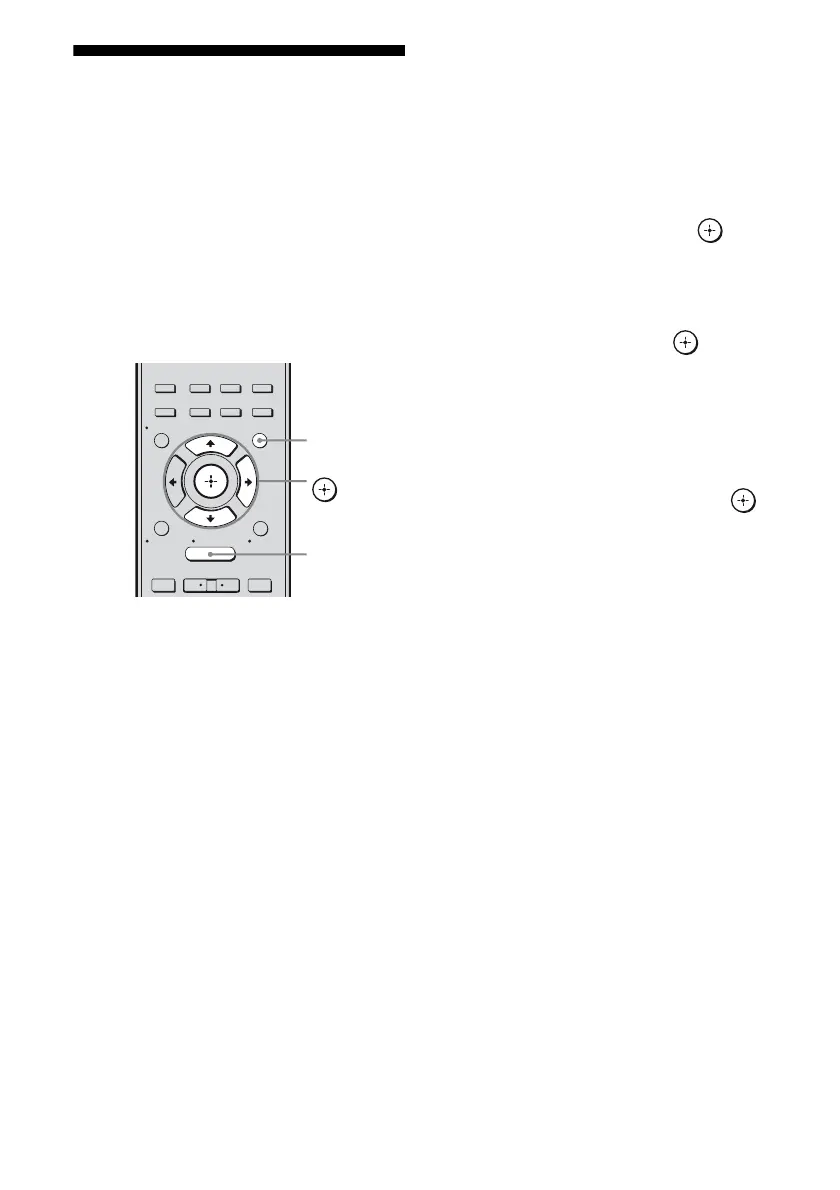
2 Press GUI MODE.
After “MENU ON” appears on the
display for a while, “GUI” appears and
the GUI menu appears on the TV screen.
Press MENU if the GUI menu does not
appear on the TV screen.
3 Press V/v repeatedly to select
“Settings”, then press or b.
The Settings menu list appears on the TV
screen.
4 Press V/v repeatedly to select
“S-AIR”, then press or b.
Note
When the S-AIR transmitter (not supplied) is
not inserted into the S-AIR main unit, “S-AIR”
cannot be selected.
5 Press V/v repeatedly to select
“S-AIR Mode”, then press .
6 Press V/v repeatedly to select
the setting you want.
• Party: The S-AIR receiver outputs
sound according to the input selected on
the S-AIR main unit. However, if DVD
is selected on S-AIR main unit, S-AIR
receiver remains as the last selected
input.
• Separate: You can select the input you
want for the S-AIR receiver while the
input of the S-AIR main unit remain
unchanged.
7 Press GUI MODE.
The GUI menu turns off.
2CH/
A.DIRECT
A.F.D. MOVIE MUSIC
RESOLUTION
.
>
<
<
MENU
RETURN/
EXIT
TOOLS/
OPTIONS
HOME
DISPLAY
GUI MODE
O
INPUT
MODE
SLEEP
NIGHT
MODE
– CATEGORY +
GUI MODE
MENU
V/v/b,



 To Next Page