105
US
S-AIR Operations
8 Select the desired function on
the S-AIR receiver.
xWhen “Party” is set
The S-AIR receiver’s function changes
sequentially as you press INPUT
SELECTOR +/– on the receiver or S-AIR
CH of the S-AIR receiver.
xWhen “Separate” is set
The S-AIR receiver’s function changes
by pressing S-AIR CH of the S-AIR
receiver.
Note
When TUNER (FM/AM band) is selected on
the S-AIR main unit, you can only select the
same band for the tuner on the S-AIR receiver.
However, you can select input other than
TUNER on the S-AIR receiver.
9 Adjust the volume on the S-AIR
receiver.
Note
The sound of the S-AIR receiver may be cut off by
operation of the S-AIR main unit.
To control the system from the
S-AIR receiver
You can control the system from the S-AIR
receiver by using the following buttons.
For details, refer to the operating instructions
of the S-AIR receiver.
Changing the channel
for better sound
transmission
If you use multiple wireless systems which
sharing the 2.4 GHz band, such as wireless
LAN or Bluetooth, the transmission of S-AIR
products or other wireless systems may be
unstable. In this case, transmission may be
improved by changing the “RF Change”
setting.
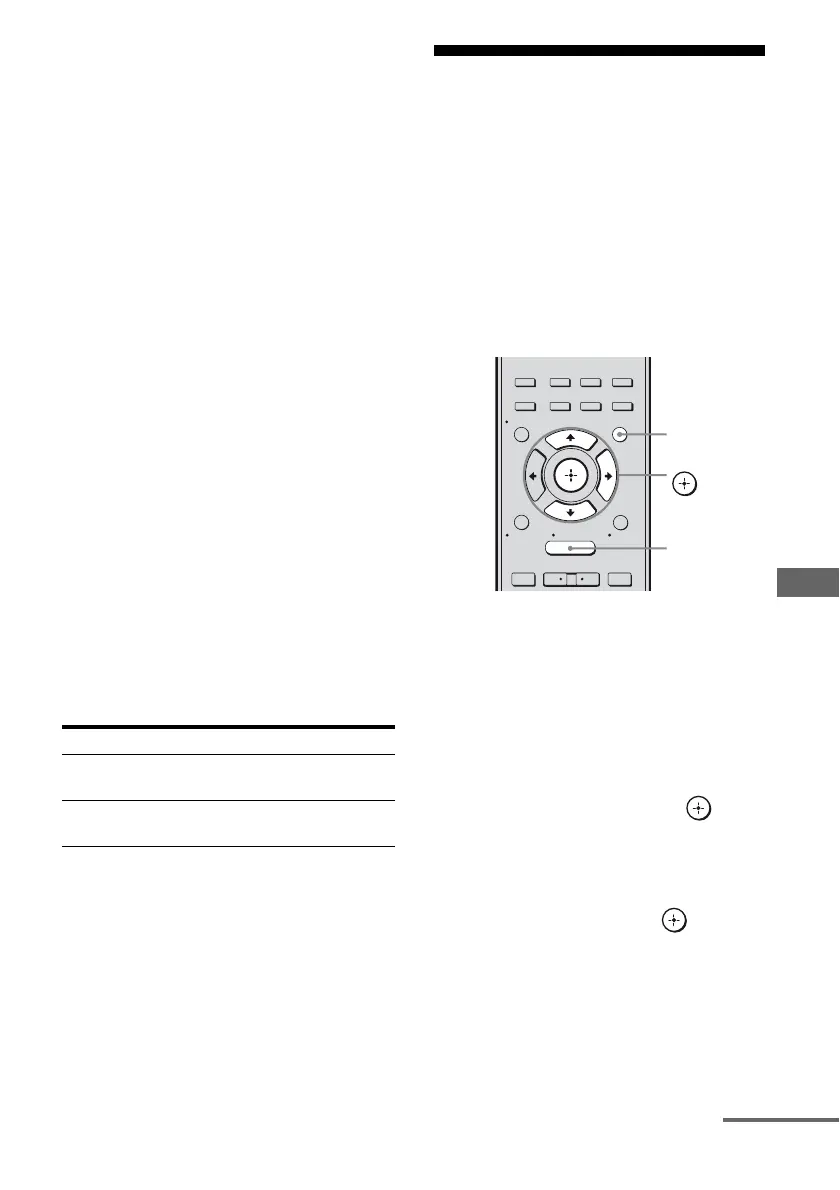
1 Press GUI MODE.
After “MENU ON” appears on the
display for a while, “GUI” appears and
the GUI menu appears on the TV screen.
Press MENU if the GUI menu does not
appear on the TV screen.
2 Press V/v repeatedly to select
“Settings”, then press or b.
The Settings menu list appears on the TV
screen.
3 Press V/v repeatedly to select
“S-AIR”, then press .
The S-AIR menu appears.
Note
When the S-AIR transmitter (not supplied) is
not inserted into the S-AIR main unit, “S-AIR”
cannot be selected.
Press Operation
N, X, x,
./>
Share the same operations on the
remote
S-AIR CH Change the function of the
S-AIR main unit
2CH/
A.DIRECT
A.F.D. MOVIE MUSIC
RESOLUTION
.
>
<
<
MENU
RETURN/
EXIT
TOOLS/
OPTIONS
HOME
DISPLAY
GUI MODE
O
INPUT
MODE
SLEEP
NIGHT
MODE
– CATEGORY +
GUI MODE
MENU
V/v/b,
continued



 To Next Page