102
GB
D:\NORM'S JOB\SONY HA\SO0071\STR-DN2010\GB\GB05ENJ_STR-DN2010-CEL.fm masterpage: Left
STR-DN2010
4-182-049-11(1)
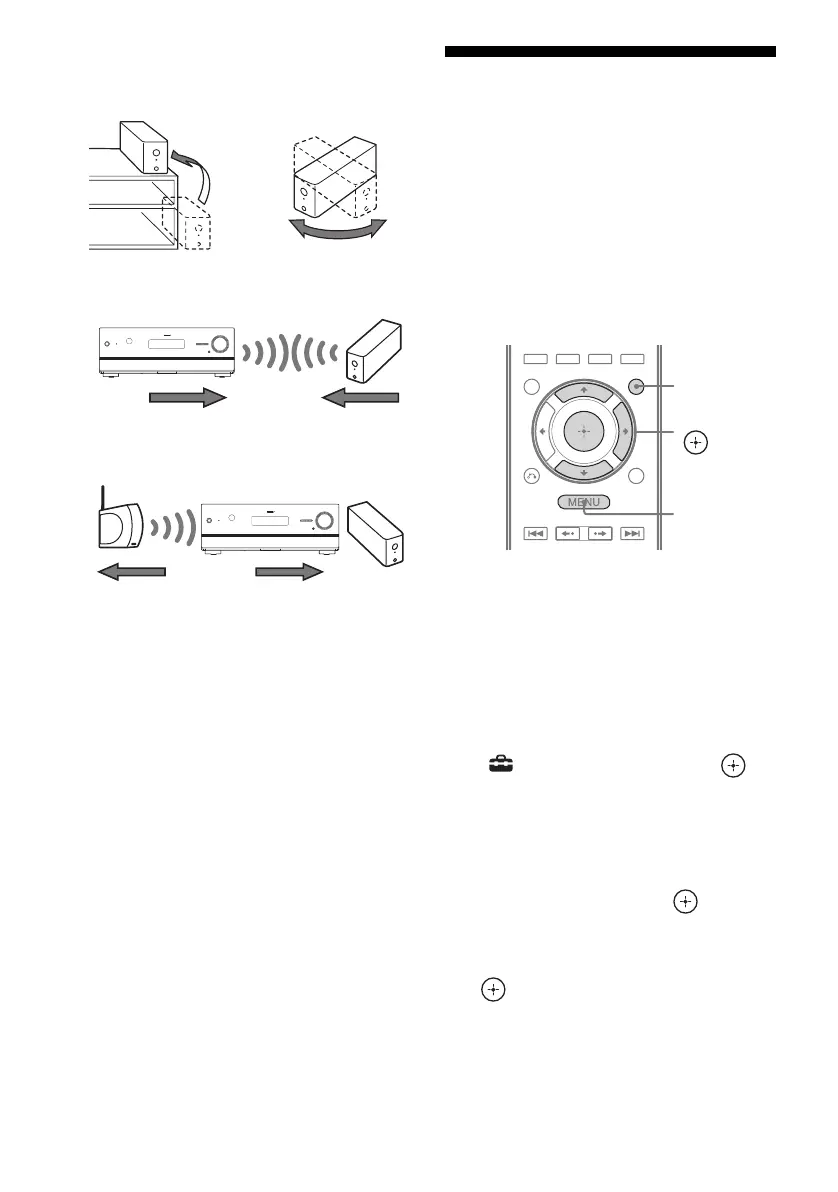
• Adjust the location (height, orientation, and
place in the room) of S-AIR products until
reception is the most stable.
– Place so that the wireless adapters of the
S-AIR main unit and sub unit are closer.
– Place so that S-AIR products are separated
from other wireless devices.
– Place so that S-AIR products are separated
from metal doors or tables.
If you still cannot improve S-AIR reception,
change the “RF Change” setting (page 100).
Enjoying the S-AIR
receiver while the S-AIR
main unit is in standby
mode
(For the S-AIR receiver only (not
supplied))
You can enjoy the S-AIR receiver while the
S-AIR main unit is in standby mode by setting
“S-AIR Standby” to “ON”.
1 Press GUI MODE.
After “GUI ON” appears on the display
for a while, the GUI menu appears on the
TV screen.
Press MENU if the GUI menu does not
appear on the TV screen.
2 Press V/v repeatedly to select
“ Settings”, then press or
b.
The Settings menu list appears on the TV
screen.
3 Press V/v repeatedly to select
“S-AIR”, then press .
4 Press V/v repeatedly to select
“S-AIR Standby”, then press
or b.
GUI MODE
MENU
V/v/b,



 To Next Page