8
GB
D:\NORM'S JOB\SONY HA\SO0071\STR-DN2010\GB\GB01COV_STR-DN2010-CELTOC.fm masterpage: Left
STR-DN2010
4-182-049-11(1)
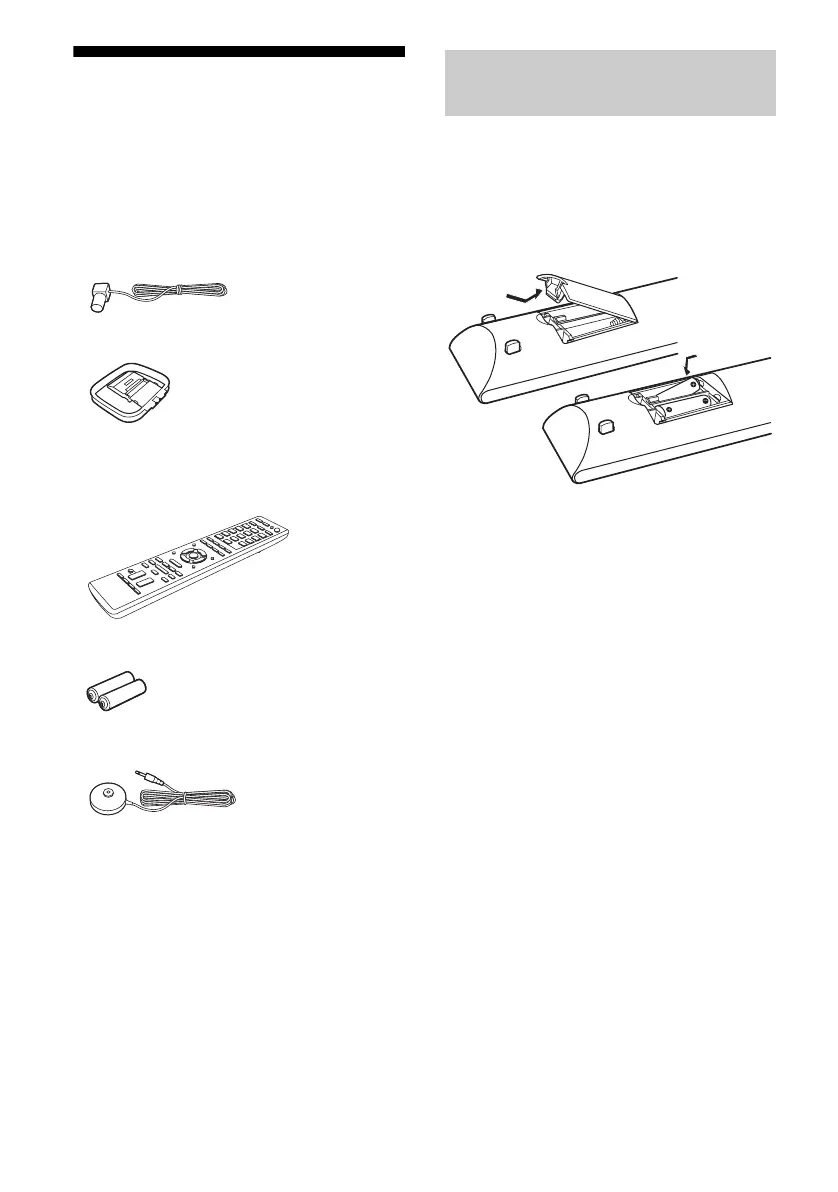
Supplied accessories
• Operating Instructions (this manual)
• Quick Setup Guide
• GUI Menu List
• Software License Information (1)
• Setup Manager CD-ROM (1)
• VAIO Media plus CD-ROM (1)
• FM wire antenna (aerial) (1)
• AM loop antenna (aerial) (1)
• Remote commander (1)
– RM-AAP055 (USA model only)
– RM-AAP056 (European model only)
• R6 (size-AA) batteries (2)
• Optimizer microphone (ECM-AC2) (1)
Insert two R6 (size-AA) batteries in the
RM-AAP055 (USA model only) or
RM-AAP056 (European model only) Remote
Commander.
Observe the correct polarity when installing
batteries.
Notes
• Do not leave the remote in an extremely hot or
humid place.
• Do not use a new battery with old ones.
• Do not mix manganese batteries and other kinds of
batteries.
• Do not expose the remote sensor to direct sunlight
or lighting apparatuses. Doing so may cause a
malfunction.
• If you do not intend to use the remote for an
extended period of time, remove the batteries to
avoid possible damage from battery leakage and
corrosion.
• When you replace the batteries, the programmed
remote codes may be cleared. If this happens,
program the remote codes again (page 130).
• When the remote no longer operates the receiver,
replace all the batteries with new ones.
Inserting batteries into the
remote



 To Next Page