67
GB
D:\NORM'S JOB\SONY HA\SO0071\STR-DN2010\GB\GB04GET_STR-DN2010-CEL.fm masterpage: Right
STR-DN2010
4-182-049-11(1)
Tuner Operations
1 Select “ SR” from the menu,
then press or b.
2 Press TOOLS/OPTIONS.
The option menu appears.
3 Press V/v repeatedly to select
“Antenna Aiming”, then press
.
4 While checking the quality of
the reception, adjust the
direction of the antenna to
obtain the best reception.
To exit the menu
Press MENU.
Selecting a channel of the
satellite radio
You can select a channel from one category or
all the categories.
1 Press GUI MODE.
After “GUI ON” appears on the display
for a while, the GUI menu appears on the
TV screen.
Press MENU if the GUI menu does not
appear on the TV screen.
2 Press V/v repeatedly to select
“
SR”, then press or b.
Checking receiving conditions
(Antenna Aiming)
SR
Selecting a channel by category
(Category Mode)
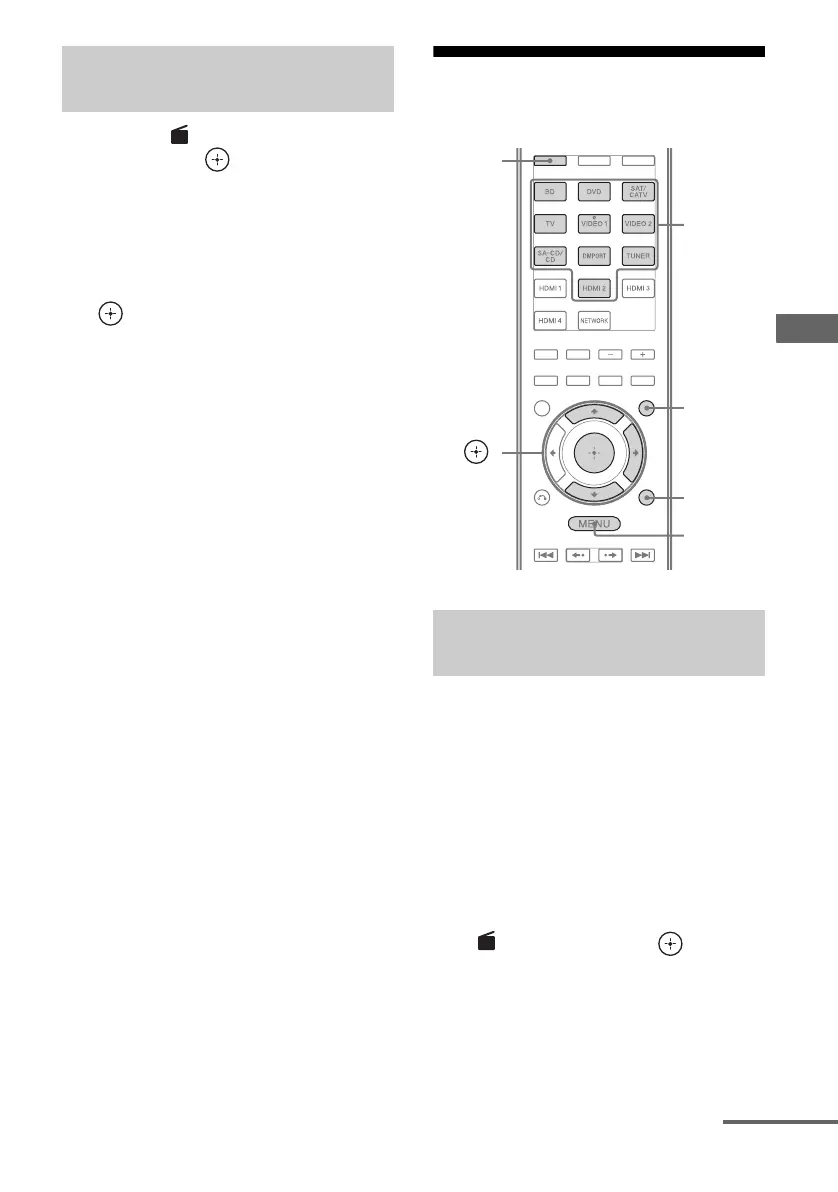
V/v/b,
GUI MODE
MENU
TOOLS/
OPTIONS
SHIFT
Numeric
buttons
SR
continued



 To Next Page