54
GB
D:\NORM'S JOB\SONY HA\SO0071\STR-DN2010\GB\GB04GET_STR-DN2010-CEL.fm masterpage: Left
STR-DN2010
4-182-049-11(1)
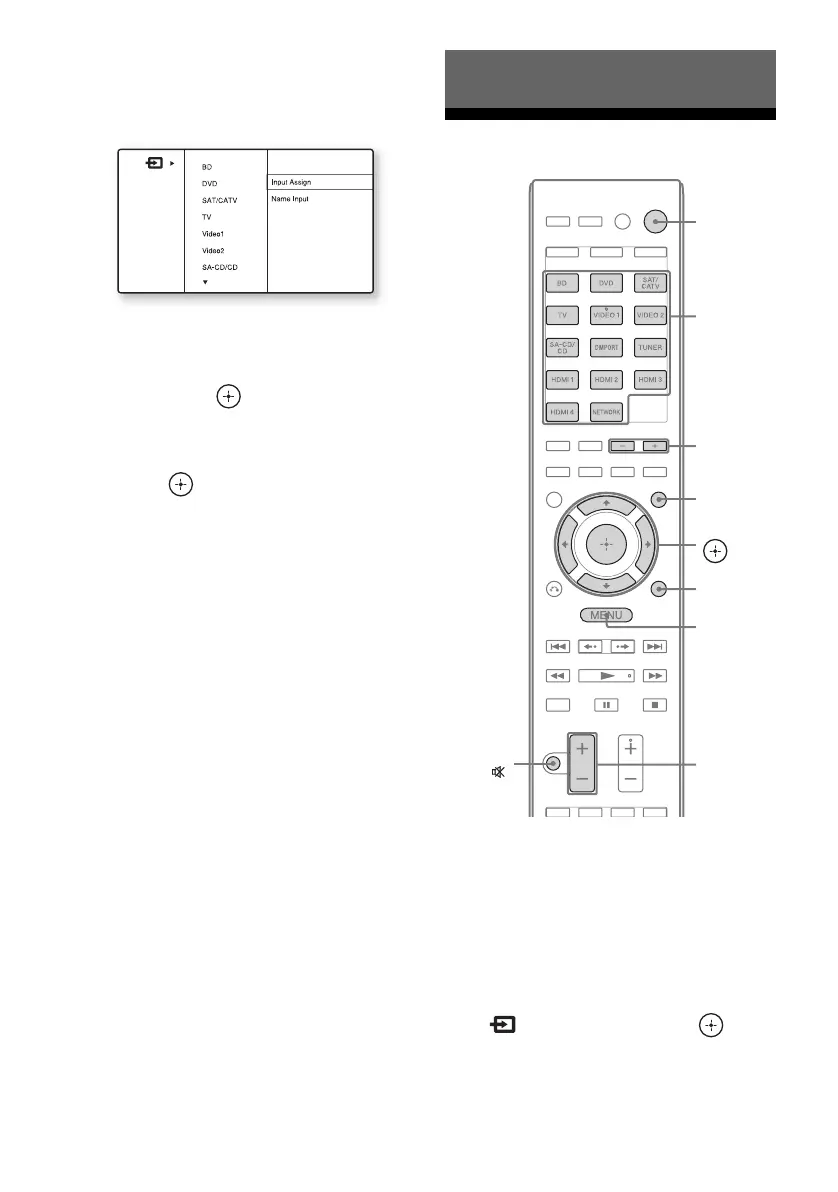
3 Press TOOLS/OPTIONS while
the menu item list is displayed.
The option menu appears.
4 Press V/v repeatedly to select
the option menu item you want,
then press or b.
5 Press V/v repeatedly to select
the parameter you want, then
press .
To exit the option menu
Press MENU.
Playback
1
Press GUI MODE.
After “GUI ON” appears on the display
for a while, the GUI menu appears on the
TV screen.
Press MENU if the GUI menu does not
appear on the TV screen.
2 Press V/v repeatedly to select
“
Input”, then press or b.
The menu item list appears on the TV
screen.
Basic Operations
V/v/B/b,
GUI MODE
MENU
TOOLS/
OPTIONS
MUTING/
MASTER
VOL +/–/
2 +/–
Input
buttons
?/1
SOUND
FIELD +/–



 To Next Page