13
GB
D:\NORM'S JOB\SONY HA\SO0071\STR-DN2010\GB\GB03DES_STR-DN2010-CEL.fm masterpage: Right
STR-DN2010
4-182-049-11(1)
* You can watch the selected input image when you
connect the MONITOR OUT or HDMI TV OUT
jack to a TV (page 23).
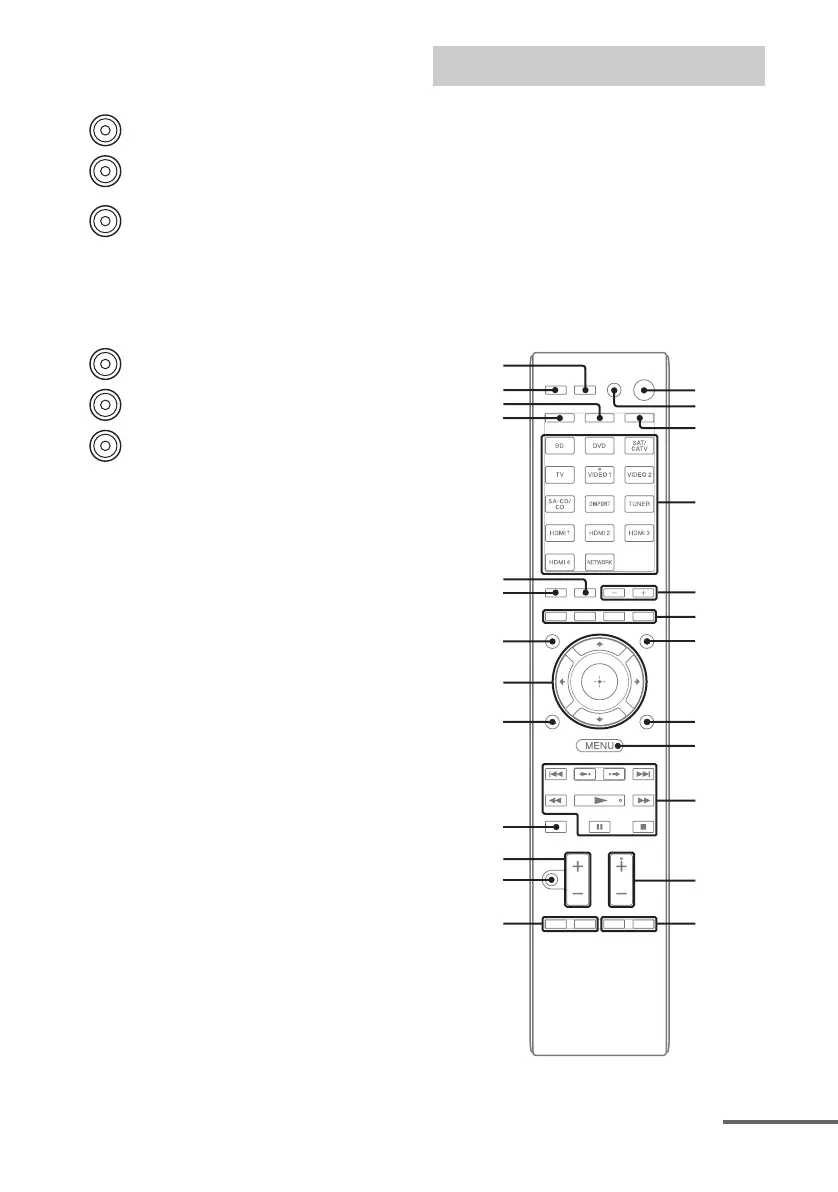
You can use the supplied remote to operate the
receiver and to control the Sony audio/video
components that the remote is assigned to
operate.
You can also program the remote to control
non-Sony audio/video components. For
details, see “Programming the remote”
(page 130).
• RM-AAP055 (USA model only)
• RM-AAP056 (European model only)
H VIDEO/AUDIO INPUT/OUTPUT
section (page 29, 31, 32)
AUDIO IN/OUT jacks
VIDEO IN/OUT* jacks
I COMPONENT VIDEO INPUT/
OUTPUT section (page 23, 29, 30,
31)
Y, PB/CB, PR/CR IN/OUT*
jacks
White (L)
Red (R)
Yellow
Green
(Y)
Blue
(P
B/CB)
Red
(P
R/CR)
Remote commander
w;
wa
ws
ql
qd
qk
wf
wg
wd
1
2
3
4
5
6
0
qa
qs
qg
7
qj
qh
qf
8
9
continued



 To Next Page