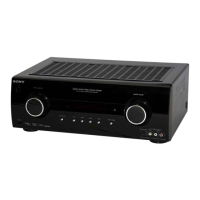
STR-KM7600
8
1. DCAC DSP Data Line Checking
After press the [TUNING MODE] button, DCAC Factory test
mode will start, below display will show:
“DCAC x” x = 1, 2, 3, 4
If there is error happen, below display will show:
“ERR SD0x” x = 1
D1501 or R1530 problem
x = 2
D1502 problem
x = 3
D1503 problem
x = 4
D1504 problem
2. DCAC board Checking
Connect front left speaker of the receiver and AUTO CAL micro-
phone. Turn [MASTER VOLUME] jog, there will be test tone
sound output from front left speaker, and the display will change
accordingly.
“AD - xxx” xxx = 0 to 255 (depends on loudness of test tone)
Note
When the value reaches more than 222, the test tone will muted
(for production line checking). Thus, the AD value will drop to 0.
To check the AD value again, power off the receiver and re-enter
the test mode.
VACS CONTROL TEST MODE
The VACS feature of the amplifi er is turned off purposely.
Procedure:
1. While pressing the [MUSIC] and [A.F.D] buttons, press the
[
?/1
] button to turn on the main power.
2. The message “VACS OFF” appears.
HISTORY MODE
*
The state that the set is used is memorized.
*
Procedure:
1. While depressing the [GAME] and the [A.F.D.] buttons simul-
taneously, press the [
?/1
] button to turn on the main power.
2. “HISTORY” appears.
3. Each time the [↑] / [↓] buttons on the remote commander is
pressed, the item is switched in order as follows.
Items
Protector Count COUNT XX
Total single power on time SXXXHXXM
Sound Field SND FLD
Input function FUNCTION
Input Mode INP MODE
Digital Select DIGI IN
Stream information STREAM
Signal confi guration CO XXXXX
Headphones HP XXX
Volume VOL XXX
Bass Setting BASS XXX
Treble Setting TREB XXX
Front Level Setting F XXX
Center Level Setting CT XXX
Surround Left Level Setting SL XXX
Surround Right Level Setting SR XXX
Surround Back Left Level Setting BL XXX
Surround Back Right Level Setting BR XXX
Subwoofer Level Setting SW XXX
Total power on time TXXXHXXM
Muting Status MUTE XXX
Power on counter (Rebox test mode) P.W. XXX
Protector Type PRT XXXX
Temperature when protect TEM XXXC
PROTECTOR AUTO OFF
*
Procedure:
1. While depressing the [NIGHT MODE] and the [MUSIC]
buttons simultaneously, press the power [
?/1
] button to
turn on the main power.
2. “PROTEVER” appears.


 To Next Page