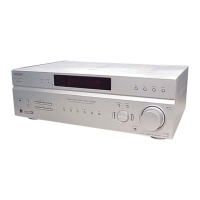
STR-KM7600
7
SECTION 3
TEST MODE
TUNER AM STEP CHANGE (9 kHz/10 kHz) MODE
The AM tuning interval can be changed over 9 kHz or 10 kHz.
Procedure:
1. Press the [
?/1
] button to turn on the main power.
2. Press TUNER repeatedly to select AM.
3. Press AMP MENU.
“1-LEVEL” appears on the display.
4. Press V
/
v repeatedly to select “4-TUNER”.
5. Press or b to enter the menu.
6. Press V
/
v repeatedly to select “AM STEP”.
7. Press
or b to enter the parameter.
8. Press V
/
v repeatedly to select the AM tuning scale you want.
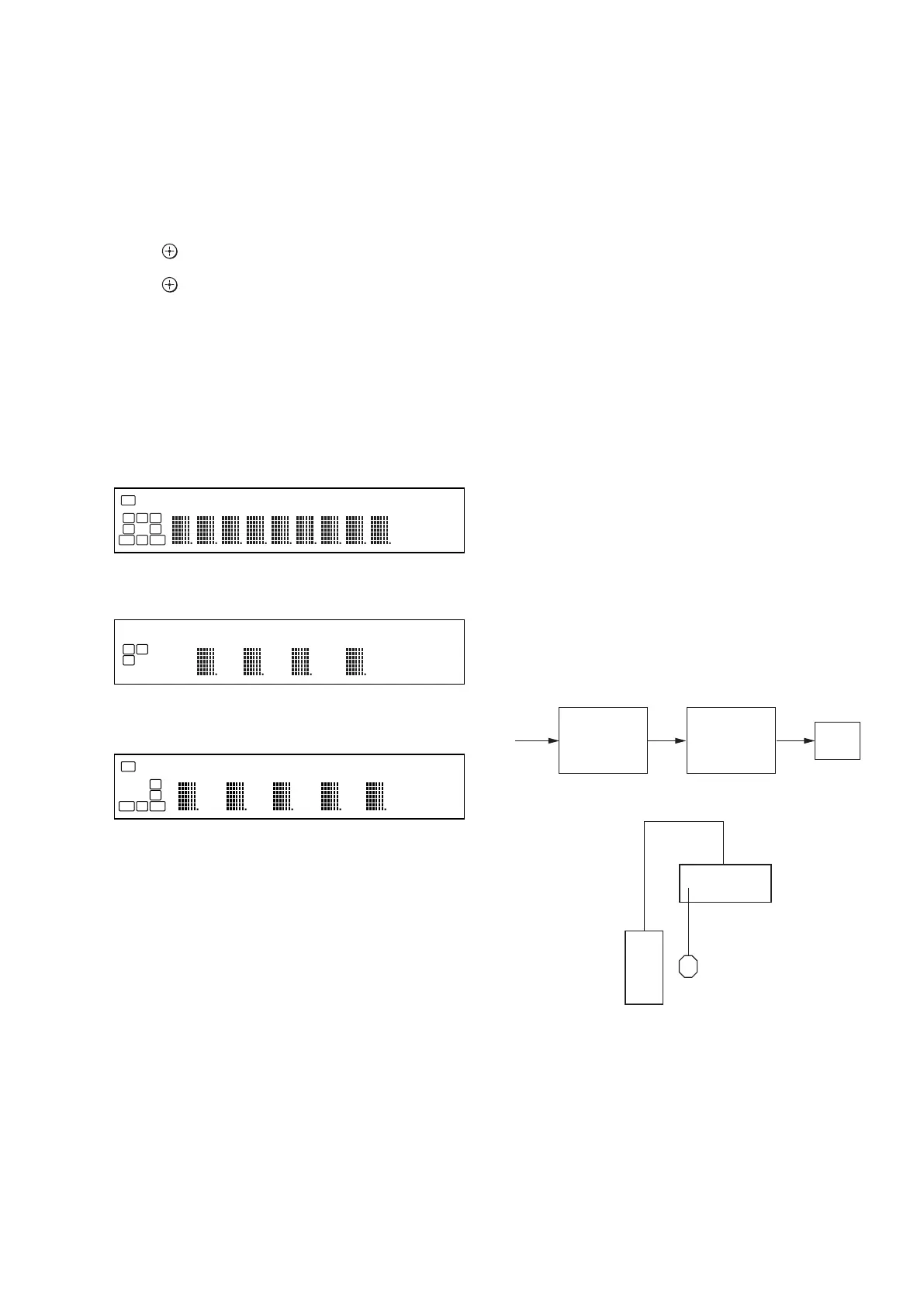
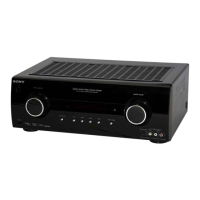
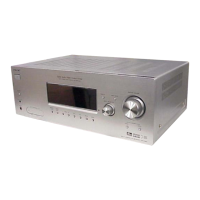
FL CHECK MODE
All fl uorescent segments are tested. When this test is activated, all
segments turn on at the same time, then each segment turns on one
after another.
Procedure:
1. When pressing the [MULTI STEREO] and [A.F.D.] buttons,
press the [
?/1
] button to turn on the main power.
2. All segments and [MULTI STEREO] and [NIGHT MODE]
LED turn on.
3. Turn the [INPUT SELECTOR] dial.
4. Test pattern 1 turn on, [MULTI STEREO] LED turn on and
[NIGHT MODE] LED turn off.
5. Turn the [INPUT SELECTOR] dial once again.
6. Test pattern 2 and [MULTI STEREO] LED turn off and
[NIGHT MODE] LED turn on .
7. Turn the [INPUT SELECTOR] dial once again. All segments
and LED turn off.
8. Every turning of the [INPUT SELECTOR] dial turns on each
segment one after another on the same order.
S.F. CLEAR MODE
The preset sound fi led is cleared when this mode is activated. Use
this mode before returning the product to clients upon completion
of repair.
Procedure:
1. While pressing the [A.F.D.] button, press the [
?/1
] button to
turn on the main power.
2. The message “S.F. CLR.” appears and initialization is per-
formed.
VERSION CHECK MODE
When this mode is used the model, the destination and the software
version number are displayed.
Procedure:
1. While pressing the [NIGHT MODE] and [GAME] buttons, press
the [
?/1
] button to turn on the main power.
2. The model, the distination and the software version number
appear.
KEY CHECK MODE
This mode is used to check the key.
Procedure:
1. While pressing the [MUSIC] and [MOVIE] buttons, press the
[
?/1
] button to turn on the main power.
2. The message “REST 06” appears.
3. Every pressing of any button other than the [
?/1
] button counts
down the buttons. The buttons which are already counted once
are not counted again.
4. When all buttons are pressed, the message “REST 00” ap-
pears.
SWAP ALL MODE
When this mode is used, output the audio signal of front L/R chan-
nel to all channel.
Procedure:
1. While pressing the [MULTI STEREO] and [MOVIE] buttons,
press the [
?/1
] button to turn on the main power.
2. The message “SWP. ALL” appears.
3. After a few seconds, “SWAP” will appear (No change while
displayed).
SHIPMENT MODE
All preset contents are cleared when this mode is activated. Use
this mode before returning the product to clients upon completion
of repair.
Procedure:
1. While pressing the [NIGHT MODE] and [MULTI STEREO]
buttons, press the [
?/1
] button to turn on the main power.
2. The message “CLEARING” appears.
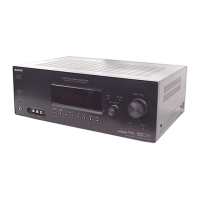
DCAC FACTORY TEST MODE
DCAC Factory Test mode have two stages:
1. DCAC DSP Data Line Checking
2. DCAC board Checking
Factory Test System Setup
1. When power off :
While pressing the [GAME] and [MOVIE] buttons, press the
[
?/1
] button to turn on the main power .
“DCAC FTM” appears.
Afterward, press the [NIGHT MODE] to start DCAC factory
test mode.
SPK Front Left
DCAC MIC
Receiver
DSP Data Line
Check
Start Pass Pass
Auto Cal Mic
Check
END
ST HDMI COAX OPT
L C R
SL
S
SR
SB SBRSBL
SW
LFE
SP A SP B EQ S-AIR MEM RDS D.RANGE SLEEP FM AM
SAT CAT ANALOG
mft.
DEX
k Hz DTS-ES
dB 96/24NE0:6
MHz
PLIIx
ST HDMI COAX OPT
SR
SB SBRSBL
SW
LFE
EQ MEM D.RANGE FM
SAT CAT ANALOG
mft.
DEX
k Hz DTS-ES
dB 96/24NE0:6
MHz
PLIIx
ST HDMI COAX OPT
L C R
SL
S
SP A SP B S-AIR RDS SLEEP AM
SAT CAT ANALOG
mft.
DEX
k Hz DTS-ES
dB 96/24NE0:6
MHz
PLIIx


 To Next Page