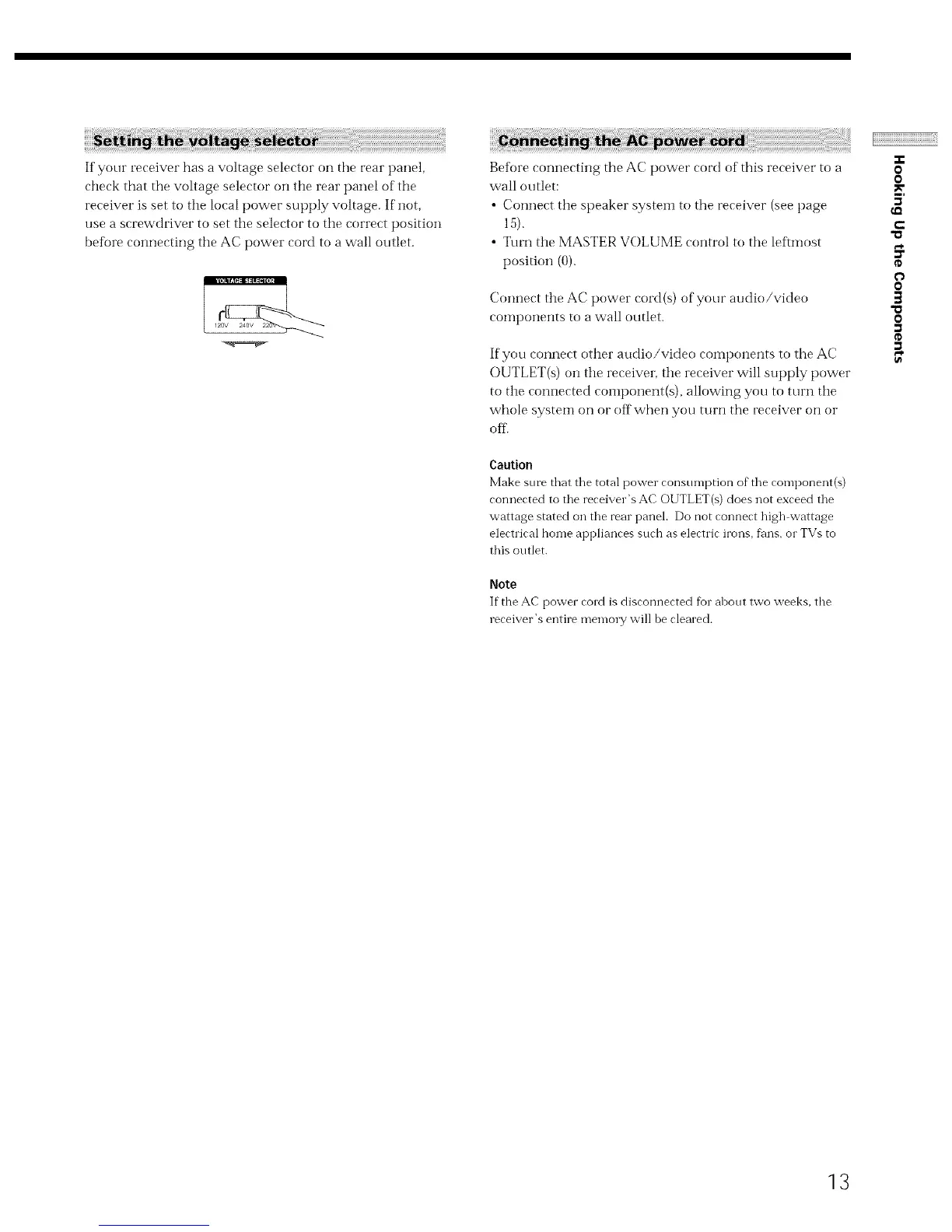
If your receiver has a voltage selector on the rear panel,
check that the voltage selector on the rear panel of the
receiver is set to the local power supply voltage. If not,
use a screwdriver to set the selector to the correct position
before connecting the AC power cord to a wall outlet.
Beff)re connecting the AC power cord of this receiver to a
wall outlet:
• Connect tire speaker system to the receiver (see page
15).
• Turn tire MASTER VOLUME control to the leftmost
position (0).
Connect tire AC power cord (s) of your audio/video
components to a wall outlet.
If you connect other audio/video components to the AC
OUTLET(s) on tire receiver, tire receiver will supply power
to tire connected component(s), allowing you to turn tire
whole system on or off when you turn the receiver on or
off..
Caution
Make sure that the total power consumption of the component(s)
connected to the receiver's AC OUTLET(s) does not exceed the
wattage stated on the rear panel. Do not connect high wattage
electrical home appliances such as electric irons, fans, or TVs to
this outlet.
Note
If the AC power cord is disconnected for about two weeks, the
receiver's entire memory will be cleared.
-r
0
0
3'
t-
O
0
]
"a
o
13


 To Next Page