Before You Use Your Receiver
Make sure that you have:
• Turned MASTER VOLUME to the M'tmost position (0).
• Selected tile appropriate front speakers (see "[]
SPEAKERS selector" oil page 28).
After connecting all of your components to the receiver,
do the tollowing to verify that the connections were lnade
correctly.
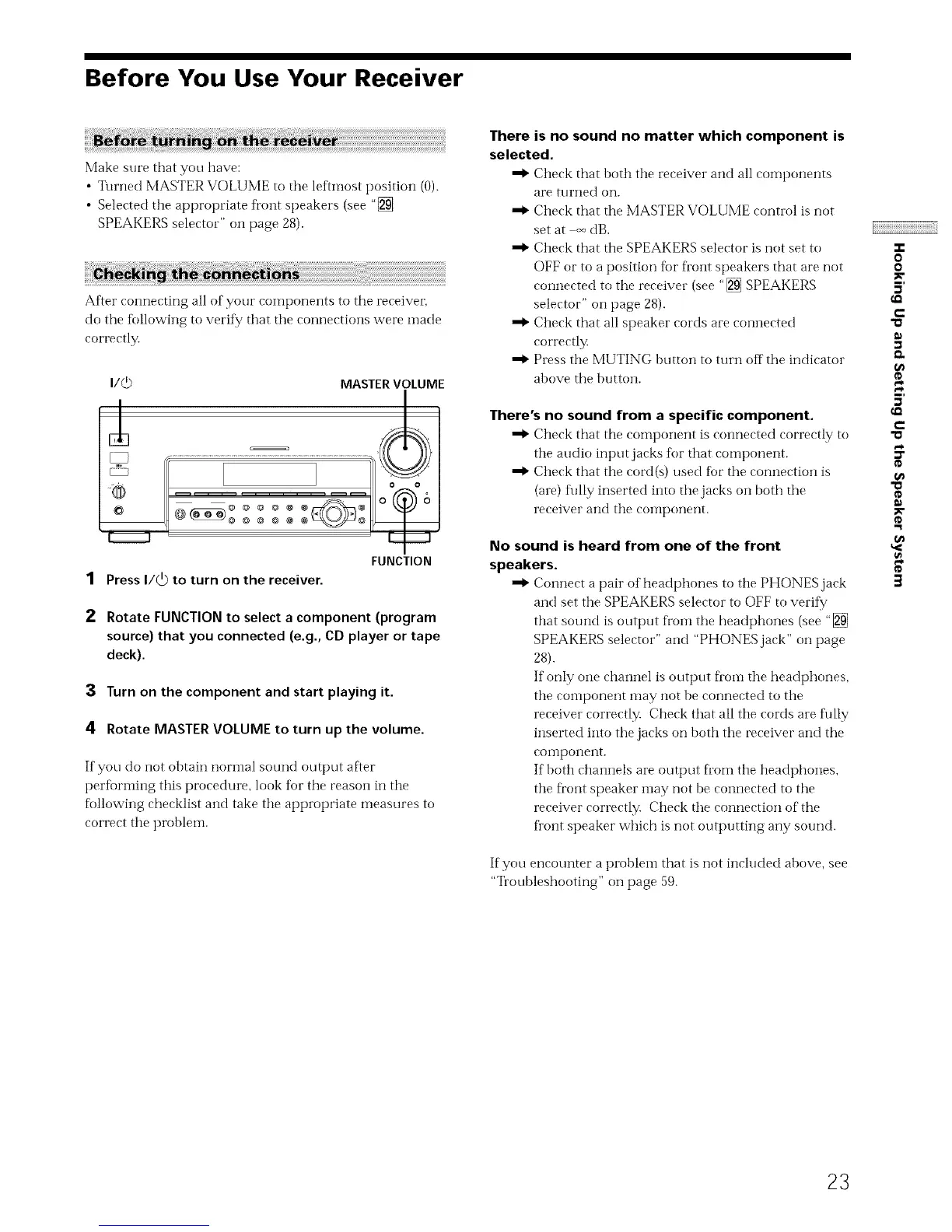
i/c3 MASTER VOLUME
0 0
1 Press I/_ to turn on the receiver.
FUNCTION
2 Rotate FUNCTION to select a component (program
source) that you connected (e.g., CD player or tape
deck).
3 Turn on the component and start playing it.
4 Rotate MASTER VOLUME to turn up the volume.
If you do not obtain nori'nal sound output after
performing this procedure, look for the reason in the
following checklist and take the appropriate measures to
correct tile problein.
There is no sound no matter which component is
selected.
Check that both the receiver and all components
are turned on.
Check that the MASTER VOLUME control is not
set at _ dB.
Check that the SPEAKERS selector is not set to
OFF or to a position for fi'ont speakers that are not
connected to the receiver (see "[] SPEAKERS
selector" on page 28).
Check that all speaker cords are connected
correctly.
Press tile MUTING button to turn off the indicator
above the button.
There's no sound from a specific component.
Check that the component is connected correctly to
tile audio inputjacks tor that component.
Check that the cord(s) used fbr the connection is
(are) fully inserted into the jacks on both the
receiver and the coinponent.
No sound is heard from one of the front
speakers.
Connect a pair of headphones to tile PHONES jack
and set tile SPEAKERS selector to OFF to verify
that sound is output fi'onl the headphones (see "[]
SPEAKERS selector" and "PHONES jack" on page
28).
If only one channel is output Doin the headphones,
the component may not be connected to the
receiver correctly. Check that all the cords are fully
inserted into the jacks on both the receiver and the
coi'nponei'It.
If both channels are output fl'om the headphones,
the fl'ont speaker may not be connected to the
receiver correctly. Check the connection of the
fl'ont speaker which is not outputting any sound.
If you encounter a problem that is not included above, see
"Troubleshooting" on page 59.
o
o
5'
€-
"a
¢D
5'
€-
"a
¢D
"a
¢D
¢D
3
23



 To Next Page